
In This Article
A 360 pet camera for large rooms is a Wi-Fi camera with a motorized pan-and-tilt head that sweeps a full circle, letting one device follow a pet across an open-concept space. The best models add a wide lens, strong night vision and auto-tracking so you’re never staring at an empty corner.
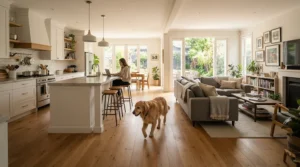
Picture it: your lab-cross bolts from the kitchen island to the far end of the great room. The little camera you bought for a bedroom is faithfully streaming a close-up of the sofa leg. Not ideal.
That gap is why a 360 pet camera for large rooms needs its own buying logic. Canadian homes lean hard into open concept living, a term Wikipedia’s open plan entry says is used mainly in Canada. Kitchen, dining and living space melt into one long sightline. In that kind of home, a camera’s job isn’t just seeing. It’s covering.
So we’ll go beyond the usual spec parade. You’ll get the geometry behind coverage radius in square footage and a plain-English guide to camera placement height. You’ll also see when a wide-angle pet camera for spacious homes beats a motorized one, and when it doesn’t. We’ll map how each pick handles open-concept floor plans. And we’ll set realistic expectations for 360 camera coverage for large living rooms Canada households can count on through a long, indoor winter.
One honesty note: this guide rests on manufacturer spec sheets, published reviews and basic maths, not hands-on testing. Where owner feedback is thin, I’ll say so. Prices are approximate CAD ranges from the time of research, so check the current price before you buy.
Quick Comparison: 7 Picks for a 360 Pet Camera for Large Rooms
| Camera | Resolution | Pan / Tilt | Key Coverage Trait | Approx. Price (CAD) | Best For |
|---|---|---|---|---|---|
| eufy Indoor Cam S350 | 4K wide + 2K telephoto | 360° / 75° | Up to 8× hybrid zoom | C$170-C$230 | Far-corner detail |
| Wyze Cam Pan v4 | 4K | 360° / 180° | 88° horizontal lens | C$80-C$120 | Value-minded 4K |
| Tapo C225 | 2K QHD | 360° / 144° | 9 m (30 ft) night vision | C$60-C$100 | Tight budgets |
| Furbo 360° Dog Camera | 1080p | 360° rotation | 132° diagonal lens, treat toss | C$150-C$250 | Interactive dog owners |
| PETLIBRO Scout | 1080p | 360° pan-tilt | Multi-pet AI recognition | C$130-C$180 | Multi-pet homes |
| eufy Indoor Cam E220 | 2K | 360° / 96° | About 10 m (33 ft) night vision | C$70-C$110 | Smart-home fans |
| Furbo Mini 360° | 2K QHD | 360° rotation | Compact, lite treat toss | C$100-C$150 | Second-zone cameras |
Reading across the rows, the Wyze Cam Pan v4 offers the most pixels per dollar. The eufy Indoor Cam S350 is the only one here with a true telephoto lens for distant detail. The Furbo 360° Dog Camera and Furbo Mini 360° trade resolution for interaction, so they work better as companions than as pure coverage tools. Budget buyers should note that the Tapo C225 and eufy Indoor Cam E220 give up zoom reach to hold their lower price.
💬 Just one click — help others make better buying decisions too!😊
Top 7 360 Pet Camera for Large Rooms: Expert Analysis
Each pick below gets the same treatment: what the specs mean in practice, who it suits, and what published reviews say. Where I couldn’t verify owner feedback, I’ve said so.
1. eufy Indoor Cam S350 — dual lenses that zoom across big rooms
The headline trick is pairing a 4K wide lens with a 2K telephoto lens. That gives up to 8× hybrid zoom without the mushy look of pure digital cropping. The head pans a full 360° with a 75° vertical range, and dual-band Wi-Fi 6 lets you pick range or speed. In a large room, that zoom is the whole point. A pet at the far end of a 9 m (30 ft) great room stays identifiable, which a single fixed lens often can’t manage.
Based on the spec comparison, this is the pick for people whose problem is distance, not just angle. It’s also the priciest non-treat camera here. If your room is under roughly 40 m² (430 sq ft), a cheaper unit does the same job.
Reviews: independent long-term owner feedback for this newer model was thin in my research, so I won’t summarize sentiment I can’t verify. Read recent amazon.ca buyer comments on tracking and firmware first.
Pros:
- ✅ Telephoto lens keeps distant pets recognizable
- ✅ Dual-band Wi-Fi 6 for flexible connection
- ✅ AI tracking follows pets and people
Cons:
- ❌ Highest price in the lineup
- ❌ 75° tilt range limits extreme mounting angles
Expect roughly C$170-C$230 at the time of research. It’s strong value if you need zoom and overkill if you don’t.
2. Wyze Cam Pan v4 — 4K detail at a friendly price
A 4K sensor at this price is the draw, and in big rooms pixels are currency. More of them let you crop into a far corner and still tell a chew toy from a sock. The lens covers 88° horizontally, the head pans 360° and tilts 180°, and colour night vision uses a spotlight alongside infrared reaching about 10 m (33 ft). It also supports both 2.4 GHz and 5 GHz Wi-Fi, which helps in large homes with uneven signal.
The catch is lens width. At 6 m, an 88° lens frames roughly 11.6 m of room, so you’ll lean on the motor more than with a very wide lens. That suits long, rectangular rooms best, mounted mid-wall.
Reviews: Tom’s Guide called it the pan-tilt camera to beat at this price while wishing for a wider view. I couldn’t verify enough owner reports to characterize pet-specific behaviour.
Pros:
- ✅ 4K resolution rewards zooming into far corners
- ✅ 180° tilt suits high shelf mounts
- ✅ Works on both 2.4 GHz and 5 GHz Wi-Fi
Cons:
- ❌ Lens is not especially wide
- ❌ Optional paid cloud plans add running costs
Roughly C$80-C$120 at the time of research. Excellent per-pixel value for long rooms.
3. Tapo C225 — the cheapest door into 2K pan-and-tilt
The datasheet lists 2K QHD video, an 83.7° horizontal lens, 360° pan coverage and 144° of tilt coverage. The motor tracks at up to 120° per second, which should keep up with a zoomie-fuelled terrier. Night vision reaches about 9 m (30 ft) and mixes 850 nm and low-glow 940 nm infrared LEDs. Pet detection and activity zones let you ignore the ceiling fan or TV that would otherwise trigger endless alerts.
On paper, a 9 m radius is generous. Real great rooms lose range to furniture, so treat that figure as a ceiling. The unit is Wi-Fi only, with no Ethernet port, so signal strength at its mounting spot matters.
Reviews: I couldn’t find enough independent owner reviews to summarize sentiment, and the specs above come from TP-Link’s own datasheet. Treat tracking speed as a best-case figure.
Pros:
- ✅ Fast 120°/s tracking motor
- ✅ Pet detection with activity zones
- ✅ 2K detail at a bargain price
Cons:
- ❌ Wi-Fi only, no Ethernet fallback
- ❌ Moderate lens width means more panning
Roughly C$60-C$100 at the time of research. A low-risk way to cover a typical great room.
4. Furbo 360° Dog Camera — treat-tossing with a rotating view
This is the personality pick. It rotates on its base, auto-tracks your dog and launches treats on command from a 100-piece hopper. The specs are 1080p video, a 132° diagonal lens, 4× digital zoom and colour night vision. Here’s what that means in a big room: 1080p is the weak link. Zoom 4× on a dog 9 m away and you’re magnifying a limited pixel count. It’s also 2.4 GHz only, which carries well through walls but excludes 5 GHz-only network setups.
Based on the specs, this suits dog owners who value interaction (talking, tossing, barking alerts) over forensic detail. It sits on a surface, so think about where treats will land. On hardwood in an open-concept space, they skid.
Reviews: Reviewed.com found the video clear with little lag over Wi-Fi and cellular. Some owners report misfires when a dog moves between aiming and launching.
Pros:
- ✅ Treat toss with adjustable distance
- ✅ Auto-tracking rotating view
- ✅ Barking alerts built in
Cons:
- ❌ 1080p limits zoomed detail at distance
- ❌ 2.4 GHz Wi-Fi only
Roughly C$150-C$250 depending on bundle and subscription option. Fun and well loved, but not the sharpest.
5. PETLIBRO Scout — AI that knows which pet is which
The Scout’s trick is recognition. Retailer listings say it can tell up to five cats and dogs apart and label clips by name, which is gold in multi-pet homes where “motion detected” tells you nothing. The hardware is simple: 1080p, 360° pan-and-tilt with auto-tracking, colour night vision, two-way audio and a physical privacy cover. The AI features (activity tracking, highlight reels, cloud storage) need a paid Video Cloud AI plan, with a 30-day free trial.
For a big room, the 1080p sensor argues for mid-room placement so pets stay large in frame. And remember each camera needs its own plan, so costs scale with every extra unit.
Reviews: retailer feedback I found praised the wide view, quiet rotation and little lag. Some buyers said they skip the full experience to avoid the yearly fee.
Pros:
- ✅ Recognizes multiple pets by name
- ✅ Quiet rotation with little lag, per buyers
- ✅ Physical privacy cover included
Cons:
- ❌ AI features require a paid plan
- ❌ 1080p limits far-corner detail
Roughly C$130-C$180 upfront, plus the subscription. Best when the AI is the reason you’re buying.

6. eufy Indoor Cam E220 — budget auto-tracking with smart-home hooks
Here you get 2K video, a 360° pan, 96° of tilt and on-device AI that separates people, pets and crying. Night vision reaches about 10 m (33 ft), and it works with Apple HomeKit, Alexa and Google Assistant. The 96° tilt is fine for shelf or desk placement but less forgiving for high mounts than the Wyze Cam Pan v4 and its 180°. Local microSD recording (eufy suggests a Class 10 card) can keep recurring costs low.
Analytically, it’s best for Apple households and for anyone who wants an affordable second camera covering the opposite end of an open-concept floor plan.
Reviews: one published owner review praised near-instant live view, roughly a second. It also noted the head hits a stop and reverses instead of spinning endlessly, a quirk worth knowing for continuous sweeps.
Pros:
- ✅ HomeKit, Alexa and Google compatibility
- ✅ Local microSD recording option
- ✅ AI separates pets, people and crying
Cons:
- ❌ Rotation reverses at a stop point
- ❌ Less detail than 4K rivals
Roughly C$70-C$110 at the time of research. A strong low-cost anchor or satellite.
7. Furbo Mini 360° — compact treat-tosser for smaller zones
The Furbo Mini 360° shrinks the formula: 2K QHD video, 360° rotation, auto-tracking and a “lite” treat toss. The trade-off for large rooms is capacity. Reviewers say the hopper holds only about 10 small treats, and it’s 2.4 GHz only. As the main camera in a great room, that compact size is a handicap. As a satellite near a dog bed or crate, it’s smart.
Think of the Furbo 360° Dog Camera as the anchor and the Furbo Mini 360° as the satellite. Listings vary, with some variants requiring a subscription, so confirm the exact version.
Reviews: published reviews consistently praise the sharp 2K picture and small footprint but flag the tiny hopper.
Pros:
- ✅ 2K QHD detail in a compact body
- ✅ Auto-tracking 360° rotation
- ✅ Blends easily into shelving
Cons:
- ❌ Hopper holds only about 10 treats
- ❌ 2.4 GHz Wi-Fi only
Roughly C$100-C$150 at the time of research. Best as a second camera.
How to Choose a 360 Pet Camera for Large Rooms
Follow these six steps, in order.
- Measure the room first. Note the longest sightline in metres. If it exceeds about 9 m (30 ft), prioritize zoom or 4K over bargain pricing.
- Match resolution to distance. More pixels mean more usable zoom. 1080p is fine within 5 m, but struggles beyond it.
- Check pan and tilt range against your mounting spot. A 180° tilt forgives high shelves, while a 75° range wants a mid-height perch.
- Check the Wi-Fi band. Large homes often have weak corners, so dual-band support gives you options. 2.4 GHz-only cameras suit range but fail on 5 GHz-only networks.
- Decide your subscription tolerance. Some AI features sit behind monthly or yearly plans. Add that to the real price.
- Vet security and privacy. CBC’s coverage of a Canadian Centre for Cyber Security assessment noted that hackers increasingly target smart home devices, security cameras included. Favour brands with regular firmware updates and clear privacy controls.
Do this and your shortlist usually shrinks to two or three cameras.

Coverage Radius in Square Footage: How Far One Camera Really Reaches
Manufacturers quote angles and metres, but you live in square feet or square metres. Here’s coverage radius in square footage, translated. These are theoretical full circles from the camera’s position:
| Radius | Full-circle area | Wall-mounted (half-circle) | Best For |
|---|---|---|---|
| 4.5 m (15 ft) | 64 m² (685 sq ft) | 32 m² (about 340 sq ft) | Condo living rooms |
| 6 m (20 ft) | 113 m² (1,217 sq ft) | 57 m² (608 sq ft) | Typical open-concept main floors |
| 9 m (30 ft) | 254 m² (2,740 sq ft) | 127 m² (1,370 sq ft) | Great rooms, near the Tapo C225 night-vision limit |
| 10 m (33 ft) | 314 m² (3,382 sq ft) | 157 m² (1,691 sq ft) | Big basements, near the Wyze Cam Pan v4 and eufy Indoor Cam E220 night-vision reach |
Two lessons jump out. First, a camera on a wall only sees half the circle, so mounting position can halve your real coverage. Second, stated night-vision distances are maximums, and furniture, glass and corners shave them down. In practice, the clean coverage radius in square footage you’ll enjoy is smaller than the table suggests. A 10 m × 7 m room is 70 m² (753 sq ft), well inside a mid-room camera’s reach but only just inside a corner-mounted one.
360 Camera Coverage for Large Living Rooms Canada: What to Expect
Canadian living rooms have their own quirks, and they affect 360 camera coverage for large living rooms Canada owners rely on.
- Winter glare. Big patio doors and triple-glazed windows reflect infrared at night, washing out the frame. Cameras with a lower-glow 940 nm infrared LED, like the Tapo C225, may reflect less. Better still, aim away from glass.
- Wi-Fi in dense houses. Masonry, concrete basements and older metal-lath plaster can weaken signals. Dual-band cameras like the eufy Indoor Cam S350 give you a fallback.
- Sprawling layouts. Cathedral ceilings and sunken great rooms stretch the vertical field of view.
For a typical 8 m × 5 m living area, a single mid-wall pan-tilt camera is usually enough. Past roughly 10 m in any direction, pairing one anchor with one satellite is more reliable than hoping one camera copes. Expect corner dead zones behind sectionals, pillars and kitchen islands regardless of what the box promises.
Wide-Angle Pet Camera for Spacious Homes: Lens Width vs Motor Reach
Choosing a wide-angle pet camera for spacious homes means choosing between lens width and motor reach. A very wide fixed lens sees everything at once but spreads pixels thin. A pan-tilt camera sees less at a time but can point anywhere.
| Approach | Strength | Weakness | Best For |
|---|---|---|---|
| Fixed wide-angle camera | Sees the whole scene at once | Distorted edges, thin detail at range | Small to mid-sized rooms |
| Single 360 pan-tilt (Wyze Cam Pan v4, Tapo C225) | Points anywhere, auto-tracks | Misses action while panned away | Large, long rooms |
| Dual-lens PTZ (eufy Indoor Cam S350) | Wide view plus telephoto zoom | Highest cost | Far-corner detail |
| Two fixed cameras | No moving parts, zero blind spots | Double the setup | Rooms with obstructions |
The takeaway: motorized tracking wins when your pet roams, and wide lenses win when you want everything recorded continuously. For most large rooms, a pan-tilt camera is the practical sweet spot. The eufy Indoor Cam S350 is the upgrade for those who need distance detail.
Open-Concept Floor Plans: Mapping Sightlines Before You Buy
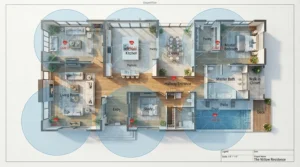
Open-concept floor plans look simple on a listing and get complicated once furniture arrives. A kitchen island, a staircase and a sectional can carve a “wide open” space into three partial views.
Here’s a quick drill. Sketch your floor plan, then mark where your pet naps, eats and waits at the door. Draw sightlines from candidate mounting spots to each one. The best location is the one that reaches all three zones with the fewest obstructions, usually the “hinge” of an L-shaped layout or the midpoint of the longest wall.
Take a 12 m × 6 m main floor with an island splitting the kitchen from the lounge. A Tapo C225 on a bookcase mid-wall can sweep both halves. If a pillar blocks the dog’s crate corner, a Furbo Mini 360° or eufy Indoor Cam E220 becomes your second set of eyes. Open-concept floor plans reward two modest cameras more often than one expensive one. Wasted coverage is the usual failure here, not missing features.
Camera Placement Height: Where to Mount for Maximum Coverage
Camera placement height is the most underrated variable. Based on geometry, higher mounting increases floor coverage and reduces furniture occlusion, but pets shrink in the frame. These are my analytical rules of thumb, not manufacturer specs:
- Open-concept anchor camera: roughly 1.8-2.1 m (6-7 ft), on a tall bookcase or wall mount. This clears sofas and islands.
- Treat-toss or conversation cameras: roughly 0.9-1.2 m (3-4 ft), on a console or shelf. They need a tabletop perch and a clear landing zone, as with the Furbo 360° Dog Camera.
- Limited-tilt cameras: with only 75° of vertical range, the eufy Indoor Cam S350 wants a mid-height perch rather than a ceiling mount. The Wyze Cam Pan v4, with 180° of tilt, handles higher spots.
Avoid mounting directly above a window or in front of one. Backlighting turns your pet into a silhouette. And test a position by checking the live view from your couch’s far end before you drill any holes.
Setup Guide: Your First 30 Days With a 360 Pet Camera for Large Rooms
A little discipline in month one pays off for years.
Week 1: mount, connect, calibrate. Place the camera at your chosen height and check Wi-Fi strength there. Set a home position that frames the room’s main traffic area.
Week 2: tune alerts. Draw activity zones around doorways and pet spots, and exclude ceiling fans and TVs. Raise sensitivity gradually rather than starting at maximum.
Week 3: lock down security. Change default passwords, enable two-factor sign-in where offered and apply every firmware update. The Canadian Centre for Cyber Security maintains guidance on securing smart devices and home networks that’s worth a skim. Consider putting cameras on a separate network.
Week 4: audit coverage. Review a few days of footage and note where your pet disappears. Those gaps tell you whether to move the camera or add a satellite.
Common first-month mistakes include mounting too low, ignoring Wi-Fi strength and leaving alerts on “high” until you silence them all.
Real-World Scenarios: Matching Cameras to Canadian Homes
These are hypothetical profiles built from the spec analysis above.
Scenario 1: the condo great room. An 11 m × 5.5 m open space, one beagle, a budget around C$100. A Tapo C225 or Wyze Cam Pan v4 mounted mid-wall covers the long axis comfortably. The 4K Wyze Cam Pan v4 earns the nod if you care about zooming in.
Scenario 2: the two-storey family home. A 12 m × 7 m main floor, one dog and two cats. Here, the PETLIBRO Scout helps you tell pets apart. A eufy Indoor Cam E220 on the far side fills blind spots, though you’d pay the Scout’s subscription.
Scenario 3: the finished basement. A big rec room with a senior dog who needs reassurance. Pair a Furbo 360° Dog Camera as the anchor with a Furbo Mini 360° near the bed. Treat tossing doubles as a calming reward, and both are 2.4 GHz, which suits basement signal strength.
Problem → Solution Guide: Fixing Large-Room Camera Headaches
1. My pet vanishes in the far corner. Move the camera closer to mid-room, or choose a 4K or telephoto model like the Wyze Cam Pan v4 or eufy Indoor Cam S350.
2. Night footage looks washed out. Windows are reflecting infrared. Reposition away from glass, or close blinds. The Tapo C225‘s low-glow 940 nm option may help.
3. Video lags or drops. Check signal at the camera’s exact spot. Dual-band models like the eufy Indoor Cam S350 let you switch bands, while 2.4 GHz-only models may need a mesh node nearby.
4. The camera chases the wrong thing. Use activity zones to mask fans and TV screens. Test your pet detection settings during daylight.
5. Rotation stops mid-sweep. Some heads, like the eufy Indoor Cam E220, hit a mechanical stop and reverse. Set a sensible home position so it doesn’t rest in an awkward spot.

Features That Actually Matter (And Those That Don’t)
What matters: pixel count for distance (4K shines in large rooms), pan and tilt range matched to your mounting height, night-vision reach, dual-band Wi-Fi and clear privacy controls.
What doesn’t: the words “360 view” alone, which mean pan coverage and not simultaneous coverage. Big digital-zoom claims also deserve scepticism, because digital zoom only magnifies the pixels you already have. And ignore flashy sirens or colour-only night modes unless you’ll actually use them.
Consider the Furbo 360° Dog Camera‘s 4× digital zoom. It’s handy up close but can’t create detail that a 1080p sensor never captured. Meanwhile, the eufy Indoor Cam S350‘s dual-lens approach adds genuine optical reach.
Treat vendor figures as best-case numbers, and weigh features against your actual room. A fancy AI recap doesn’t help if the pet is always out of frame.
Long-Term Cost & Maintenance
Sticker price is only the opening bid. Running costs and lifespan decide the real winner.
| Camera | Upfront (CAD) | Ongoing Cost Note | Best For |
|---|---|---|---|
| Wyze Cam Pan v4 | C$80-C$120 | Optional cloud plans | Best per-pixel value |
| Tapo C225 | C$60-C$100 | Confirm storage options | Tight budgets |
| eufy Indoor Cam S350 | C$170-C$230 | Local storage plus optional cloud | Distance detail |
| eufy Indoor Cam E220 | C$70-C$110 | Local microSD option | Apple households |
| Furbo 360° Dog Camera | C$150-C$250 | Paid plan for AI alerts | Interactive dog owners |
| PETLIBRO Scout | C$130-C$180 | Paid plan for AI features | Multi-pet recognition |
| Furbo Mini 360° | C$100-C$150 | Varies by variant | Satellite coverage |
Spread over three years, a C$100 camera costs about C$0.09 a day, and a C$200 camera about C$0.18 a day. Add a subscription and that math shifts quickly, which is why the PETLIBRO Scout is pricier over time than its sticker suggests.
Maintenance is light. Wipe the lens, apply firmware updates, check the power cable and re-confirm Wi-Fi strength after any router changes.
Privacy, Safety & Compliance in Canada
A camera that watches your pet also watches your home. The Office of the Privacy Commissioner of Canada has published tips for securing web-connected cameras. It warns they can be hijacked, letting strangers watch intimate moments.
Practical steps: use strong, unique passwords, keep firmware current and pause or cover the lens when you’re home. Hardware like the PETLIBRO Scout‘s privacy cover or the Wyze Cam Pan v4‘s privacy mode makes that easy. Avoid aiming a camera at neighbours’ windows or shared spaces. If a dog walker, cleaner or houseguest enters your home, tell them a camera is running. Rules vary by province, so check yours.
For safety, confirm the power adapter carries a recognized Canadian certification mark such as CSA or cUL, and keep cables out of chewing range.
FAQ
❓ How many cameras do I need for a 100 m² (1,076 sq ft) open-concept space?
❓ Is 4K worth paying extra for in a pet camera?
❓ Do 360 pet cameras work without a subscription?
❓ Which 360 pet cameras work on 5 GHz Wi-Fi?
❓ Can a 360 pet camera see my whole living room at night?
Conclusion
Large rooms punish lazy camera choices. The right 360 pet camera for large rooms isn’t the one with the loudest marketing. It’s the one whose lens, motor, Wi-Fi band and mounting position fit your actual floor plan.
If distance is your enemy, the eufy Indoor Cam S350 is the standout, with its telephoto lens. For the best pixels per dollar, the Wyze Cam Pan v4 leads. The Tapo C225 and eufy Indoor Cam E220 cover budget needs well. Dog owners who crave interaction will love the Furbo 360° Dog Camera, ideally with a Furbo Mini 360° as a satellite. Multi-pet households should look hard at the PETLIBRO Scout and weigh its subscription.
Whatever you pick, measure first, mind your camera placement height and plan around coverage radius in square footage rather than box claims. Add a second camera when open-concept floor plans throw up sightline breaks. That’s how you turn a gadget into genuine peace of mind.
✨ Ready to Cover Every Corner?
🐾 Pick the camera that matches your room, not just your budget. Tap any highlighted product above to check current pricing and availability on amazon.ca, and give your pet the full-room view they deserve!
Recommended for You
- 360 Camera For Multi-Cat Households: 7 Best Picks (2026)
- 360 Degree Camera vs Fixed Lens Pet Camera: 7 Picks (2026)
- 7 Best 360 Pet Camera Under $150 CAD Picks (2026 Guide)
Disclaimer: This article contains affiliate links. As an Amazon Associate, I earn from qualifying purchases. If you purchase products through these links, we may earn a small commission at no additional cost to you.
✨ Found this helpful? Share it with your friends! 💬🤗
