
In This Article
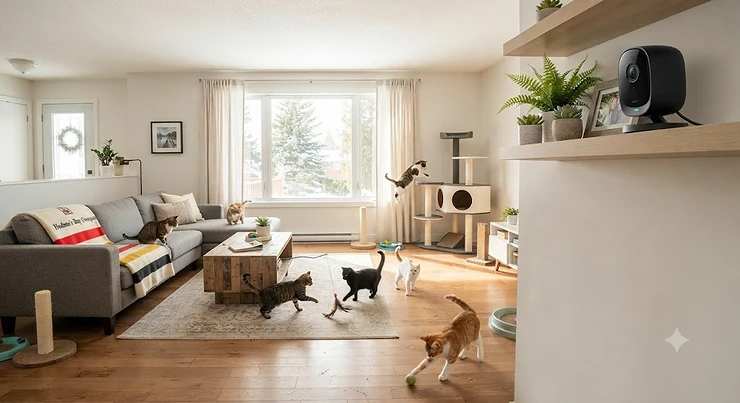
You leave for work. The cats stare at you like tiny, judgmental landlords. Nine hours later you come home to a shredded paper towel roll, a mystery puddle near the litter box, and one cat hiding under the bed who clearly lost an argument you’ll never hear about.
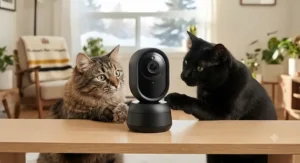
Sound familiar? That’s exactly the problem a 360 camera for multi-cat households is built to solve.
What is a 360 camera for multi-cat households? It’s a Wi-Fi pet camera with a motorized head that pans a full 360° horizontally (and tilts vertically), so one device can cover an entire room. The better models add AI pet detection, auto-tracking and activity zones, which let you see which cat is doing what — not just that “motion happened.”
Here’s why the rotation matters so much with more than one cat. A fixed camera with a 110° lens is fine for a single dog that parks itself on the couch. Cats, however, operate in three dimensions: the cat tree, the windowsill, the top of the fridge, the dark gap behind the sofa. Multiply that by two or three animals with their own territories, and a fixed lens misses most of the story. The motorized mechanism is essentially a small consumer version of a pan–tilt–zoom camera, the same concept security teams have used for decades — just shrunk down and pointed at your tabby.
In this guide, I’ve compared seven real models available to Canadian shoppers on amazon.ca, from sub-C$50 bargains to C$200+ dual-lens flagships. You’ll get honest spec analysis, aggregated review sentiment, setup tricks, and the stuff spec sheets quietly leave out — like how long those little pan-tilt motors actually last when a curious Bengal decides the camera is a toy. All pricing is shown as ranges in CAD because prices move constantly; check current pricing before you buy.
Quick Comparison Table: The 7 Best 360 Cameras at a Glance
| Camera | Resolution | Rotation (Pan / Tilt) | Auto-Tracking | Local Storage | Approx. Price (CAD) | Best For |
|---|---|---|---|---|---|---|
| Tapo C225 | 2K QHD 4MP | 360° / 149° | Yes, pet-aware | microSD up to 512 GB | C$80-C$110 | Tapo C225: best overall for 2-4 cats |
| eufy Indoor Cam S350 | 4K dual-lens | 360° PTZ, 8× zoom | Yes (AI tracking) | microSD / HomeBase | C$180-C$230 | eufy Indoor Cam S350: large open-plan homes |
| Furbo 360° Cat Camera | 1080p | 360° rotating | Depends on plan | Cloud (subscription) | C$180-C$260 | Furbo 360° Cat Camera: treat-motivated cats |
| eufy Indoor Cam E220 | 2K | 360° / 96° | Motion-triggered | microSD, no fee | C$50-C$75 | eufy Indoor Cam E220: fee-free budget recording |
| Wyze Cam Pan v3 | 1080p | 360° / 180° | Yes | microSD up to 256 GB | C$50-C$70 | Wyze Cam Pan v3: sunrooms and cold porches |
| Petcube Cam 360 | 1080p | 360° pan/tilt | No (manual) | Cloud only | C$60-C$90 | Petcube Cam 360: vet-chat peace of mind |
| Tapo C210 | 2K 3MP | 360° / ~117° coverage | Yes | microSD up to 512 GB | C$35-C$50 | Tapo C210: cheapest second-room camera |
Looking at the table, the Tapo C225 hits the sweet spot: pet-aware auto-tracking, the widest tilt in the budget-to-mid tier, and generous local storage without a mandatory subscription. If your home is a big, open loft where cats scatter across 15 metres of floor, the eufy Indoor Cam S350‘s dual lenses and optical zoom justify roughly double the cost. Meanwhile, the Furbo 360° Cat Camera is the only pick here built specifically around cats — but most of its brains live behind a monthly plan, so factor that into your math.
💬 Just one click — help others make better buying decisions too!😊
Top 7 360 Cameras for Multi-Cat Households: Expert Analysis
Every camera below is a real, currently listed model. I’ve grouped honest spec interpretation, review sentiment, and who each one actually suits — because a camera that’s perfect for a studio apartment with two cats can be a frustrating mismatch for a three-storey house with four.
1. Tapo C225 — best all-rounder for busy cat households
The Tapo C225 earns the top spot because it treats cats as first-class citizens rather than “motion.” TP-Link specifies a 2K QHD 4MP sensor (2688 × 1520), 360° horizontal and 149° vertical rotation, and pan speeds up to 120° per second. In practice, that tilt range is the headline for cat owners: 149° lets you look up at a cat tree and down at a litter box from the same mounting spot, which the 96°-tilt cameras simply can’t do.
The 1/2.9″ Starlight sensor also matters more than it sounds. Cats are crepuscular — most active at dawn and dusk — so low-light clarity is precisely when you need detail. Add AI detection that identifies cats and dogs, activity zones, microSD support up to 512 GB, and a physical privacy shutter, and you have a camera that covers the multi-pet checklist without a subscription.
Based on the spec comparison, this is the one I’d hand to someone with two to four cats in a typical Canadian condo or bungalow. Reviewers and TP-Link community users consistently praise its tracking speed and Apple HomeKit support, while a recurring complaint is that the 2.4 GHz-only Wi-Fi can struggle in crowded apartment buildings.
Pros:
- ✅ Pet-aware tracking with fast 120°/s panning
- ✅ 149° tilt covers cat trees and floors
- ✅ Up to 512 GB local storage, no fee
Cons:
- ❌ Wi-Fi limited to the 2.4 GHz band
- ❌ No treat tosser or play features
Typically found in the C$80-C$110 range at the time of research — outstanding value for multi-cat monitoring.
2. eufy Indoor Cam S350 — dual-lens 4K for open-plan homes
The eufy Indoor Cam S350 is the heavyweight here, pairing a 4K wide camera with a second telephoto lens for 3× optical and up to 8× hybrid zoom. Why should a cat owner care? Because digital zoom on a 1080p camera turns a cat’s face into a watercolour painting. Optical zoom means you can actually tell whether Luna or Mochi is the one repeatedly scratching the couch arm across the room.
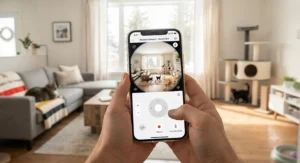
It also brings dual-band Wi-Fi 6 (2.4 and 5 GHz), AI tracking, pet and human detection, and up to four preset positions you can cycle through. Those presets are underrated in a multi-cat home: set one for the feeding station, one for the litter area, one for the window perch, and check each with a tap.
On paper, this is overkill for a one-bedroom apartment. However, for large open-concept main floors — common in newer Canadian builds — it replaces two cheaper cameras with one sharper unit. Reviewers consistently highlight image sharpness and the lack of a mandatory monthly fee, while some note that the app can feel dense and that the camera is noticeably larger than typical pet cams.
Pros:
- ✅ True optical zoom identifies individual cats
- ✅ Dual-band Wi-Fi 6 for stable streaming
- ✅ Four presets map cat zones quickly
Cons:
- ❌ Premium price for a pet camera
- ❌ Bulkier footprint than compact rivals
Usually in the C$180-C$230 range — worth it for big spaces, excessive for small ones.
3. Furbo 360° Cat Camera — cat-specific alerts and treat tossing
The Furbo 360° Cat Camera is the only camera on this list designed from the ground up for cats rather than adapted from a security cam. It offers 1080p live view, a 360° rotating body, colour night vision, two-way audio, and a treat tosser sized for small cat treats. The standard version runs without a monthly fee, but Furbo’s Nanny subscription unlocks the cat-specific smart alerts — things like meowing and unusual-behaviour notifications, including vomiting alerts.
What most buyers overlook: the treat toss is not just a gimmick in a multi-cat home. It’s a tool. Rewarding the shy cat while the bold one is across the room is a small but genuine way to reduce resource competition — a theme veterinary behaviourists stress in managing intercat tension.
Reviewers of Furbo’s 360° line consistently praise the build quality and night vision, and the most common complaint is how many smart features sit behind the paywall. Canadian reviewers also note the 2.4 GHz-only Wi-Fi and that treats must be small and dry to avoid jams.
Pros:
- ✅ Built specifically for cat behaviour
- ✅ Treat toss rewards individual cats remotely
- ✅ Colour night vision is genuinely useful
Cons:
- ❌ Best alerts require an ongoing subscription
- ❌ 1080p limits detail at room distance
Generally in the C$180-C$260 range depending on bundle — best value if you’ll use the subscription features.
4. eufy Indoor Cam E220 — fee-free 2K recording on a budget
The eufy Indoor Cam E220 delivers 2K resolution (2304 × 1296), 360° pan with 96° tilt, on-device pet detection, infrared night vision to roughly 10 metres (32.8 ft), and free local microSD recording. It also plays nicely with Apple HomeKit, Alexa and Google Assistant, plus RTSP for NAS recording if you’re the tinkering type.
Here’s the honest nuance. eufy’s own listing describes auto-tracking primarily around human motion, while pet detection logs cat clips. So the camera will reliably record your cats’ drama, but it may not chase a sprinting cat the way the Tapo C225 does. For many owners, that’s fine — you mostly want the clip of who knocked the plant over, not a live cinematic chase.
The 96° tilt is the other trade-off. Mount it at mid-height (a bookshelf at about 1.2 m) rather than high on a wall, or you’ll lose the floor-level litter area.
Reviewers consistently point to strong value, easy setup, and dependable local recording, while a recurring complaint concerns occasional app lag when loading SD-card playback.
Pros:
- ✅ 2K clarity at a budget price
- ✅ Local recording with no monthly fee
- ✅ Works across all major smart platforms
Cons:
- ❌ Tracking prioritizes humans over cats
- ❌ 96° tilt limits high-mount coverage
Typically C$50-C$75 at the time of research — one of the best fee-free buys here.
5. Wyze Cam Pan v3 — weatherproof tracking with a huge tilt range
The Wyze Cam Pan v3 is the rugged one. Wyze lists 1080p video, 360° pan and a remarkable 180° tilt, pan speeds up to 110° per second, an IP65 rating, and an operating range of -20°C to 50°C. It supports microSD cards up to 256 GB and uses 2.4 GHz Wi-Fi only.
Why would a cat camera need weather resistance? Think Canadian homes: a three-season sunroom, an enclosed “catio,” or a mudroom where temperatures swing hard between January and July. Most indoor pet cams aren’t rated for those conditions; this one is. The 180° tilt also means you can mount it on the ceiling and still see nearly everything below — handy when your cats have claimed every shelf.
Motion tracking locks onto moving subjects, though Wyze’s more advanced AI detections (like distinguishing pets from people) generally require its Cam Plus subscription. Reviewers consistently praise the value and colour night vision, while common complaints involve 1080p softness at zoom and occasional firmware-update hiccups.
Pros:
- ✅ IP65 rating suits sunrooms and catios
- ✅ 180° tilt ideal for ceiling mounts
- ✅ Fast 110°/s tracking
Cons:
- ❌ Smart pet detection needs Cam Plus
- ❌ 1080p softens noticeably when zoomed
Usually C$50-C$70 — excellent value for unusual spaces.

6. Petcube Cam 360 — simple controls plus a vet on call
The Petcube Cam 360 takes a different approach: it’s less about AI wizardry and more about simplicity and support. Specs include 1080p video, a 105° lens with 360° pan-tilt rotation, 8× digital zoom, and night vision reaching around 9 metres (30 ft). Reviews from Digital Camera World and PetsRadar both highlight quick QR-code setup and smooth manual panning.
The key limitation for this guide: it has no automatic motion tracking. You steer it yourself. In a multi-cat home, that means it’s more of a “check-in camera” than a “catch-the-culprit camera.” Recording history and many alerts also require a Petcube Care plan, which bundles 24/7 online vet chat.
That vet chat is the real selling point. If one of your cats has a chronic condition — say, a senior with kidney issues — being able to show a vet a live stream of odd behaviour at 11 p.m. is genuinely valuable. Reviewers consistently call it easy for beginners, while the most frequent complaints are subscription dependence and image quality that degrades at full zoom.
Pros:
- ✅ Very easy setup for non-techy owners
- ✅ Care plan includes online vet access
- ✅ Compact, discreet design
Cons:
- ❌ No auto-tracking; manual control only
- ❌ Recording requires a paid plan
Commonly C$60-C$90 plus a plan — best for health-focused owners.
7. Tapo C210 — the cheapest way to cover a second room
The Tapo C210 proves you don’t need to spend much to add a 360° view. TP-Link specifies 2K 3MP (2304 × 1296), 360° pan coverage with about 117° tilt coverage, 850 nm infrared night vision reaching roughly 12 metres (40 ft), motion tracking, activity zones, privacy mode, and microSD support up to 512 GB.
In multi-cat households, its best role is as a second camera. Put the Tapo C225 or eufy Indoor Cam S350 in the main living area, then drop a Tapo C210 in the basement laundry room where the litter boxes live. Both run on the same Tapo app, so switching between feeds is seamless. That split-coverage approach often beats one expensive camera trying to see around corners it physically can’t.
Its motion tracking is motion-based rather than pet-specific at the hardware level, so a swaying curtain can trigger it. Reviewers consistently praise the price-to-clarity ratio and simple setup; recurring complaints mention 2.4 GHz-only Wi-Fi and a slightly noisy motor during tracking.
Pros:
- ✅ Rock-bottom price for 2K 360° coverage
- ✅ Long 12 m infrared night range
- ✅ Shares one app with the Tapo C225
Cons:
- ❌ Motion tracking can chase curtains
- ❌ Motor is audible in quiet rooms
Usually C$35-C$50 — the best budget add-on camera available.
Top 7 Specs Side by Side
| Camera | Tilt Range | Pan Speed | Night Vision | Pet Detection | Subscription Needed? | Best For |
|---|---|---|---|---|---|---|
| Tapo C225 | 149° | Up to 120°/s | Starlight + IR ~9 m | Yes (on-device) | No | Tapo C225: all-round multi-cat use |
| eufy Indoor Cam S350 | Full PTZ | Not published | IR night vision | Yes | No | eufy Indoor Cam S350: identifying cats at distance |
| Furbo 360° Cat Camera | Rotating | Not published | Colour night vision | With plan | For smart alerts | Furbo 360° Cat Camera: interaction + alerts |
| eufy Indoor Cam E220 | 96° | Not published | IR ~10 m | Yes | No | eufy Indoor Cam E220: budget clip recording |
| Wyze Cam Pan v3 | 180° | Up to 110°/s | Colour night vision | With Cam Plus | For AI detection | Wyze Cam Pan v3: ceiling mounts, catios |
| Petcube Cam 360 | Pan/tilt | Not published | IR ~9 m | Limited | For recording | Petcube Cam 360: vet support |
| Tapo C210 | ~117° | Not published | IR ~12 m | Motion-based | No | Tapo C210: second-room coverage |
The pattern here is clear: the TP-Link and eufy cameras keep their core features free, while Furbo 360° Cat Camera, Wyze Cam Pan v3 and Petcube Cam 360 lean on subscriptions for their smartest tricks. Notice too that tilt range varies wildly — from 96° on the eufy Indoor Cam E220 to 180° on the Wyze Cam Pan v3 — and that single number decides where you can realistically mount the camera.
Practical Setup Guide: Getting Your 360 Camera for Multi-Cat Households Right in the First 30 Days
Unboxing takes five minutes. Setting up a 360 camera for multi-cat households well takes a little more thought. Here’s the playbook.
📍 Step 1: Pick the “command centre” spot
Mount the camera where the most cat traffic intersects — usually the living room, with a line of sight to the food bowls, a cat tree, and at least one window. Height matters. For cameras with limited tilt (the eufy Indoor Cam E220 at 96°), a bookshelf at roughly 1-1.5 m works best. For wide-tilt models like the Tapo C225 or Wyze Cam Pan v3, a high shelf or ceiling mount unlocks the full room.
🔌 Step 2: Secure the cable and the base
Cats chew cords. Cats also swat things off shelves for sport. Use cable raceways, and fix the base with the included screw mount or strong adhesive putty. A camera knocked face-down records a very boring eight hours.
⚙️ Step 3: Calibrate before you trust the alerts
Spend the first week with sensitivity on medium. Review the clips each evening, note false triggers (sunlight patches, ceiling fans), and adjust. Most people crank sensitivity to max on day one, get 200 notifications, and switch alerts off entirely by day four.
🧹 Step 4: Build a maintenance habit
- ✅ Wipe the lens weekly with a microfibre cloth — cat fur and nose smudges are real.
- ✅ Blow dust from the pan joint monthly.
- ✅ Check microSD health every three months and reformat if playback stutters.
- ✅ Update firmware promptly; it often fixes tracking bugs.
Common first-month mistake: placing the camera directly above a heat register. Warm air shimmer triggers motion detection constantly, especially during a Canadian February.
Real-World Scenarios: Three Homes, Three Different Picks
Specs are abstract. Households are not. Here’s how the picks play out in three realistic Canadian situations.
🏙️ Scenario 1: Two cats in a 650 sq ft Toronto condo
Budget: under C$100. Environment: one open living-kitchen area, busy apartment Wi-Fi. The owner works hybrid, so the camera runs about 25 hours a week unattended.
Pick: Tapo C225. One camera sees the whole space thanks to its 149° tilt, and pet-aware tracking follows the cats instead of the robot vacuum. The one caveat is 2.4 GHz congestion in a high-rise — place the router within about 8 m and you’re fine.
🏡 Scenario 2: Four cats in a two-storey Calgary house
Budget: C$250-C$300. Environment: open main floor, litter boxes in the basement, and one senior cat with diabetes.
Pick: eufy Indoor Cam S350 + Tapo C210. The eufy Indoor Cam S350 covers the main floor with optical zoom — crucial for telling four cats apart — while the Tapo C210 watches the basement litter station. Tracking litter visits per cat is genuinely useful information for a diabetic senior’s vet appointments.
🌲 Scenario 3: Three cats and a catio in rural Nova Scotia
Budget: flexible. Environment: an enclosed porch the cats use from April to October, where temperatures can dip below freezing.
Pick: Wyze Cam Pan v3 for the catio, Furbo 360° Cat Camera indoors. The Wyze Cam Pan v3‘s IP65 rating and -20°C operating floor handle the porch, and the Furbo 360° Cat Camera keeps the shy cat engaged indoors with treat tosses when the others are outside.
Problem → Solution: Fixing Common Multi-Cat Camera Headaches
Every multi-cat owner runs into the same handful of frustrations. Here’s what actually fixes them.
❓ Problem 1: The camera keeps tracking the wrong cat (or the curtain). ✅ Solution: Switch from generic motion tracking to pet detection where available (the Tapo C225, eufy Indoor Cam S350). Then use activity zones to exclude windows and fans. On the Tapo C210, which tracks motion rather than pets, lower sensitivity and mask the curtain area.
❓ Problem 2: You can’t tell which cat did it. ✅ Solution: Resolution and zoom win here. The eufy Indoor Cam S350‘s optical zoom is the strongest tool. A cheaper trick: different-coloured breakaway collars make cats instantly identifiable even on 1080p footage from the Petcube Cam 360 or Wyze Cam Pan v3.
❓ Problem 3: One cat is being bullied, but it only happens when you’re away. ✅ Solution: Create a zone around resource hotspots (food, water, litter) and review clips daily for a week. Patterns such as blocking doorways or staring down a cat at the litter box are classic signs of intercat tension. The 2024 AAFP Intercat Tension Guidelines, hosted by the Canadian Veterinary Medical Association, describe these subtle behaviours and recommend multiple, separated resource stations — footage makes a vet consult far more productive.
❓ Problem 4: Cats knock the camera over. ✅ Solution: Screw-mount it. If that isn’t possible, choose a lower-profile model like the Petcube Cam 360 and place it behind a small shelf lip.
❓ Problem 5: Notification overload. ✅ Solution: Schedule alerts only for hours you’re away, and keep smart alerts (meowing, vomiting on the Furbo 360° Cat Camera plan) switched on while muting generic motion.
How to Choose a 360 Camera for Multi-Cat Households
Choosing well comes down to seven questions, in this order:
- Count your cats and rooms first. Two cats in one room need one good camera; four cats across two floors need two. Buying a premium unit for the wrong room wastes money.
- Check the tilt range, not just the pan. Everyone advertises 360° pan. Tilt decides whether you see the cat tree and the floor — look for 140° or more if you’ll mount high.
- Prioritize pet detection over plain motion. Pet-aware AI dramatically cuts false alerts from shadows, fans and robot vacuums.
- Match resolution to room size. 1080p is fine up to about 4-5 m; beyond that, 2K or 4K helps you tell similar-looking cats apart.
- Decide on local vs cloud storage. microSD recording keeps costs flat; cloud plans add convenience but add up over three years.
- Confirm your Wi-Fi band. Most models here are 2.4 GHz only; the eufy Indoor Cam S350 also supports 5 GHz.
- Consider interaction features. Treat tossing (the Furbo 360° Cat Camera) or vet chat (the Petcube Cam 360) are worth paying for only if you’ll use them weekly.
A good rule of thumb: spend on the camera for your busiest room, then economize everywhere else.
Auto-Tracking Motion Sensors: What They Actually Do (and Don’t)
Auto-tracking motion sensors sound like magic — the camera “sees” a cat and follows it. In reality, most consumer pet cameras don’t use a separate physical sensor at all. They analyze the video image for pixel changes (motion detection) and, on better models, run an AI classifier that labels the moving object as a person, pet, or vehicle. The motor then pans toward the moving region.
That distinction explains nearly every tracking frustration. Cameras whose auto-tracking motion sensors rely on plain pixel change — like the Tapo C210 — will happily follow a curtain, a shadow, or your robot vacuum. Cameras that layer on-device pet detection, like the Tapo C225 and eufy Indoor Cam S350, filter those triggers out more reliably.
Now the multi-cat twist: with two cats moving at once, a tracking camera must pick one. Most follow the largest or first-detected moving object. That means your quiet, stealthy cat may go unrecorded while the camera chases the zoomie king around the room. The fix is to combine tracking with preset positions or a patrol routine, so the camera periodically returns to key zones regardless of who’s moving.
A few more honest limits of auto-tracking motion sensors:
- ⚡ Pan speed caps matter. A cat can outrun 110-120°/s at close range.
- 🌙 Tracking accuracy drops in infrared night mode.
- 🔄 Constant tracking adds wear to the motor (more on that below).
If you want a 360 pet camera with auto tracking that behaves sensibly around multiple cats, pet-aware AI is the feature to pay for.
Multi-Pet Activity Zones: Mapping Your Cats’ Territory
Here’s where a 360 camera for multi-cat households stops being a novelty and becomes a behaviour tool. Multi-pet activity zones let you draw regions on the camera view — the feeding station, the litter corner, the window perch — and receive alerts or log clips only when something happens inside them.
Why does that matter? Cats are territorial, and conflict usually concentrates around resources. By setting multi-pet activity zones around each resource, you can answer real questions: Is one cat guarding the food bowl? Is anyone avoiding the litter box? Who’s claiming the sunny perch every afternoon?
How to set up multi-pet activity zones effectively
- ✅ Draw tight zones. A zone covering half the room is just motion detection with extra steps.
- ✅ Exclude windows. Birds, headlights and sunlight flicker trigger false alerts.
- ✅ Pair zones with presets. On a rotating camera, zones apply to a specific camera position. The eufy Indoor Cam S350‘s four presets or the Tapo C225‘s patrol points keep zones meaningful.
- ✅ Review weekly, not hourly. Patterns emerge over days.
One practical caveat: on the Tapo C210, activity zones only work alongside motion detection, and on some models zones may be disabled while auto-tracking is active, because the view keeps changing. Check the app behaviour before relying on it. Well-configured multi-pet activity zones turn random clips into a clear map of your cats’ social life.
Pan-Tilt Motor Durability: The Spec Nobody Prints
Here’s an uncomfortable truth: not one of the seven manufacturers publishes a cycle rating for its pan-tilt motor. You’ll find resolution, Wi-Fi bands, and night-vision distances in every spec sheet, but pan-tilt motor durability is left to guesswork. So let’s reason it through honestly.
These cameras use small stepper motors and plastic gearing. Every tracking event, patrol, or manual pan adds wear. A camera in a quiet single-cat home might move a few dozen times a day. In a multi-cat household with auto-tracking on, it could move hundreds of times daily. That’s the real risk factor for pan-tilt motor durability — not age, but movement count.
User-review patterns across budget pan-tilt cameras suggest the most common long-term failures are grinding noises, a head that stops rotating in one direction, or a camera that “loses” its home position. Cats add their own hazards: swatting the head mid-rotation forces the gears, and shed fur works its way into the pan joint.
How to protect pan-tilt motor durability
- ✅ Turn auto-tracking off when you’re home.
- ✅ Use scheduled patrols rather than constant tracking.
- ✅ Never force the head by hand; rotate it in the app.
- ✅ Keep the camera out of paw range, or screw it down.
- ✅ Register your product and keep the receipt for warranty claims.
From a value angle, pan-tilt motor durability is a strong argument for the budget models: replacing a C$40 Tapo C210 after two hard years is painless, while a failed C$200 unit stings.
360 Pet Camera With Auto Tracking vs Fixed Wide-Angle Cameras
Is a 360 pet camera with auto tracking really better than a cheaper fixed wide-angle camera? For multi-cat households, usually yes — but not always.
| Factor | 360 Pet Camera With Auto Tracking | Fixed Wide-Angle Camera | Best For |
|---|---|---|---|
| Coverage | Whole room from one spot | 110-130° slice | 360 camera: open rooms with several cats |
| Following movement | Pans to follow cats | Cats leave frame | 360 camera: catching who did what |
| Mechanical wear | Motor can wear out | No moving parts | Fixed camera: long-term reliability |
| Seeing two cats at once | Can only face one area | Always sees its full field | Fixed camera: small rooms, litter stations |
| Cost | ~C$35-C$230 | ~C$30-C$150 | Tie, depending on features |
The takeaway: a 360 pet camera with auto tracking is the better main camera for open living spaces where cats roam, like a Tapo C225 in the living room. A fixed camera, however, is often smarter for a small, defined space like a litter room, where it sees everything at once with nothing to wear out. Many owners end up with one of each.
Finding the Top Rated 360 Degree Cat Monitor Canada Shoppers Can Actually Trust
Searching for the top rated 360 degree cat monitor Canada has to offer comes with a few distinctly Canadian wrinkles that US-focused reviews skip.
1. Availability on amazon.ca varies. A camera sold everywhere in the US may be listed on amazon.ca by third-party sellers with different warranty terms. Look for “Ships from and sold by Amazon.ca” or the brand’s official store to keep warranty claims simple.
2. Bilingual support and packaging. Products sold officially in Canada must carry bilingual English/French labelling, which is also a quick signal you’re getting the Canadian version rather than a grey-market import.
3. Star ratings aren’t the whole story. When evaluating the top rated 360 degree cat monitor Canada reviewers recommend, read the three-star reviews. They’re often the most specific about app issues, subscription surprises, and motor wear.
4. Subscription pricing in CAD. Plan pricing for services like Furbo Nanny or Petcube Care can differ between the US and Canada, and US review sites rarely convert. Check the in-app Canadian price before counting on a feature.
5. Climate considerations. If your “cat room” is a sunroom or cottage porch, only the Wyze Cam Pan v3 here publishes a sub-zero operating range.
Taking all that together, the Tapo C225 earns our pick as the top rated 360 degree cat monitor Canada buyers can get without subscription strings, with the eufy Indoor Cam S350 as the premium alternative.
Long-Term Cost & Maintenance: The Three-Year Math
The sticker price is only the opening bid. Here’s a realistic three-year view.
| Camera | Upfront (CAD) | Needed Extras | Est. 3-Year Total | Best For |
|---|---|---|---|---|
| Tapo C210 | C$35-C$50 | 128 GB microSD (~C$15-C$20) | ~C$50-C$70 | Tapo C210: lowest total cost |
| Tapo C225 | C$80-C$110 | microSD (~C$15-C$25) | ~C$95-C$135 | Tapo C225: best value overall |
| eufy Indoor Cam E220 | C$50-C$75 | microSD (~C$15-C$20) | ~C$65-C$95 | eufy Indoor Cam E220: fee-free budget |
| eufy Indoor Cam S350 | C$180-C$230 | microSD (~C$20-C$30) | ~C$200-C$260 | eufy Indoor Cam S350: premium, no plan |
| Wyze Cam Pan v3 | C$50-C$70 | Optional Cam Plus | Varies with plan | Wyze Cam Pan v3: rugged value |
| Petcube Cam 360 | C$60-C$90 | Care plan recommended | Rises sharply with plan | Petcube Cam 360: vet support |
| Furbo 360° Cat Camera | C$180-C$260 | Nanny plan for smart alerts | Highest of the group | Furbo 360° Cat Camera: interaction focus |
The numbers tell a simple story: over three years, subscription-based models can cost several times their purchase price, while the Tapo C225 and eufy Indoor Cam S350 stay close to their upfront cost. That doesn’t make the Furbo 360° Cat Camera or Petcube Cam 360 bad value — vet chat and cat-specific alerts are real services — but buy them because you’ll use those services, not by default.
✨ Don’t Miss These Exclusive Deals! 🔍
Take your cat monitoring to the next level with these carefully selected cameras. Click on any highlighted item to check current pricing and availability. These tools will help you create a calmer, happier multi-cat home your whole family will love!
Common Mistakes When Buying a 360 Camera for Multi-Cat Households
Most regrets fall into the same handful of traps.
Mistake 1: Buying on resolution alone. A 4K camera with plain motion tracking can be more annoying than a 2K camera with pet detection. Intelligence beats pixels for daily use.
Mistake 2: Ignoring the subscription fine print. Many buyers discover after purchase that recording history or pet alerts cost extra. Read the free vs paid feature split before checkout.
Mistake 3: Expecting one camera to see everything. Walls exist. A 360 camera for multi-cat households covers one room brilliantly, but it can’t see around corners into the hallway where the actual fight happens.
Mistake 4: Mounting in paw range. A camera on a low side table becomes a toy within a week — with predictable results for pan-tilt motor durability.
Mistake 5: Forgetting the router. Nearly every pick here needs 2.4 GHz Wi-Fi. If your router is on the opposite end of a brick house, budget for a mesh node.
Mistake 6: Skipping security settings. Default passwords and no two-factor authentication turn a pet camera into a privacy liability — which brings us to the next section.
Privacy and Security Guide for Canadian Homes
A camera that watches your cats also watches you, your guests, and anyone who drops by. Treat it like the connected device it is.
The Canadian Centre for Cyber Security’s guidance on Internet of Things security recommends changing default passwords, keeping firmware updated, and placing smart devices on a separate network where possible. For pet cameras, that translates into a practical checklist:
- 🔐 Use a unique, strong password and enable two-factor authentication in the app.
- 🔄 Turn on automatic firmware updates.
- 📶 Put cameras on a guest or IoT network, separate from work laptops.
- 🙈 Use privacy mode when you’re home — the Tapo C225 even has a physical lens shutter.
- 💾 Prefer local microSD storage if you’re uncomfortable with cloud uploads.
Also think about who else appears on camera. If you have a pet sitter, roommate, or cleaner, tell them the camera is there. The Office of the Privacy Commissioner of Canada’s overview of smart devices and your privacy is a useful read on how connected devices collect and share data, and it’s worth reviewing each brand’s privacy policy before setup.
Finally, avoid pointing cameras at windows that face neighbours’ yards. It’s courteous, and it cuts false motion alerts too.
FAQ
❓ Can a 360 pet camera with auto tracking follow two cats at once?
❓ Which 360 cat camera works without a subscription in Canada?
❓ Is a 360 camera for multi-cat households worth it for a small apartment?
❓ How long do pan-tilt pet cameras last?
❓ Do cats get stressed by a rotating pet camera?
Conclusion
Living with several cats means living with a quiet, invisible soap opera. Alliances form. Food bowls get guarded. Someone keeps missing the litter box, and everybody looks innocent at dinnertime.
A well-chosen 360 camera for multi-cat households turns that mystery into information. For most Canadian homes, the Tapo C225 is the smartest place to start: pet-aware tracking, a generous 149° tilt, and local storage with no required subscription. If you’ve got a big open-plan space or cats that look nearly identical, the eufy Indoor Cam S350‘s optical zoom earns its premium. Cat owners who want to interact — tossing a treat to the shy one — will appreciate the Furbo 360° Cat Camera, as long as they’re comfortable with the Nanny plan.
On a tight budget, the eufy Indoor Cam E220 and Tapo C210 deliver fee-free coverage for less than a bag of premium litter. The Wyze Cam Pan v3 owns the catio and sunroom niche, and the Petcube Cam 360 makes sense for owners who value on-demand vet chat.
Whatever you choose, set up multi-pet activity zones around food and litter, go easy on constant tracking, and lock down your security settings on day one. Your cats will keep their secrets for about a week. After that, you’ll finally know who knocked the plant over.
🐾 Ready to see what really happens while you’re out?
Check current prices and availability on the highlighted cameras above, and give your cats the attentive, well-informed owner they (secretly) appreciate!
Recommended for You
- 360 Degree Camera vs Fixed Lens Pet Camera: 7 Picks (2026)
- 7 Best 360 Pet Camera Under $150 CAD Picks (2026 Guide)
- Night Vision Pet Camera For Basements: 7 Best Picks (2026)
Disclaimer: This article contains affiliate links. As an Amazon Associate, I earn from qualifying purchases. If you purchase products through these links, we may earn a small commission at no additional cost to you.
✨ Found this helpful? Share it with your friends! 💬🤗
