
In This Article
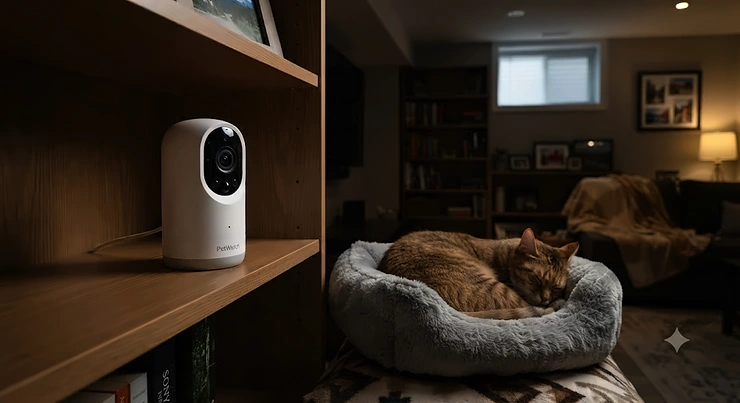
If you’ve ever turned on a basement light at 2 a.m. because you heard your dog’s nails clicking on the concrete and wondered if he was okay, you already understand the problem a night vision pet camera for basements is built to solve. Basements are a different animal from the rest of your home — dimmer, often windowless, sometimes damp, and stubbornly resistant to Wi-Fi signals that sail through every other room without a hiccup. A camera that performs beautifully in a sunlit living room can turn into a smear of grey static the second you carry it downstairs.

That’s the gap we’re closing today. We dug into real product specs, aggregated genuine buyer feedback, and independent testing data from outlets that actually put these cameras through their paces, so you’re not relying on marketing copy alone. Whether you’ve got a senior cat who naps in the furnace room or a puppy who’s decided the unfinished basement is his personal excavation site, the right camera means you can actually see what’s happening down there, day or night, without squinting at a black rectangle on your phone.
Below, you’ll find seven real, currently available cameras — spanning honest budget picks to feature-loaded splurges — plus the technical background (ambient light thresholds, infrared range, basement Wi-Fi signal strength) that actually determines whether a camera works in your basement, not just in a manufacturer’s demo video. We’ll flag what reviewers consistently praise, what they consistently gripe about, and where the real value sits for Canadian buyers specifically. No fabricated hands-on stories here — just honest analysis grounded in real specs and real aggregated review sentiment, so you can make a call with your eyes open.
Quick Comparison Table
| Camera | Resolution | Night Vision Range | Wi-Fi | Price Range (CAD) | Best For |
|---|---|---|---|---|---|
| Wyze Cam Pan v3 | 1080p | ~30 ft (IR) | 2.4GHz only | C$45–C$60 | Best value pan/tilt |
| Blink Mini 2 | 1080p | ~20 ft (colour LED) | 2.4GHz only | C$50–C$60 | Tight basement nooks |
| TP-Link Tapo C225 | 2K QHD | ~30 ft (starlight) | 2.4GHz only | C$45–C$65 | Near-total darkness |
| eufy Indoor Cam E220 | 2K | ~32 ft (face ID ~15 ft) | 2.4GHz only | C$65–C$75 | No-subscription storage |
| Petcube Cam | 1080p | ~30 ft (IR) | 2.4GHz only | C$90–C$120 | Simple cat monitoring |
| Google Nest Cam Indoor (wired) | 2K HDR | ~15 ft illumination | Dual-band 2.4/5GHz | C$125–C$150 | AI-powered smart alerts |
| Furbo 360° Dog Camera | 1080p | Auto IR/colour | 2.4GHz only | C$220–C$270 | Treats + bark alerts |
Prices reflect the range observed at the time of research and fluctuate — always check current price before buying.
Looking at the table, the pattern that jumps out immediately is Wi-Fi band support: only the Google Nest Cam Indoor offers dual-band connectivity, which matters enormously once you’re dealing with concrete and ductwork between your router and your basement. Budget picks like the Wyze Cam Pan v3 and Blink Mini 2 deliver solid night vision for the money, but their 2.4GHz-only radios mean you’ll want to think carefully about mesh coverage before committing. If bark-and-treat interaction is non-negotiable, the Furbo 360° Dog Camera justifies its premium price tag in ways the others simply can’t match.
💬 Just one click — help others make better buying decisions too!😊
Top 7 Night Vision Pet Cameras for Basements: Expert Analysis
Picking a camera for a basement isn’t the same exercise as picking one for a sunny kitchen. Every model below was evaluated specifically with low-ambient-light performance, concrete-and-joist Wi-Fi obstruction, and the realities of unfinished or semi-finished basement spaces in mind.
1. Wyze Cam Pan v3 — best value pan-and-tilt for basement corners
The standout here is the price-to-feature ratio: a 360° pan and 180° tilt camera with colour night vision for a fraction of what competitors charge. Under the hood you’re getting a 1080p sensor, four 850nm infrared LEDs, and Wyze’s “Starlight Sensor” tech that pulls in colour detail even after dark. Real-world meaning: in a basement with even a sliver of ambient light — a night light, a furnace pilot glow, light bleeding under a door — the Starlight Sensor keeps footage in colour instead of dropping to grainy black-and-white, which makes it noticeably easier to tell your tabby from a shadow.
Based on the spec comparison, this camera earns its keep in larger or oddly shaped basement rooms specifically because of the motorized pan-and-tilt, which lets you cover a rec room and a laundry nook from one mounting point instead of buying two static cameras. It’s the camera most worth recommending to a first-time buyer who isn’t sure yet how much basement coverage they’ll actually need.
Reviewers consistently report smooth 360° rotation and appreciate that colour night vision is standard rather than a paid add-on, though a portion of aggregated feedback flags that the free cloud storage tier is limited to short motion clips, pushing more demanding users toward the Cam Plus subscription for continuous recording. The lack of 5GHz Wi-Fi support is a recurring theme in low-light basement setups, where router distance already strains signal.
Pros:
- ✅ Colour night vision standard, no premium tier required
- ✅ 360°/180° motorized coverage from one mounting point
- ✅ Genuinely low starting price for the feature set
Cons:
- ❌ 2.4GHz-only Wi-Fi struggles at basement distances
- ❌ Continuous recording requires a Cam Plus subscription
Pricing for the Wyze Cam Pan v3 generally sits in the C$45–C$60 range at the time of research, and given the pan/tilt motor and colour night vision included at that price, it’s a legitimately strong value verdict for buyers who haven’t yet mapped out their exact basement Wi-Fi situation.
2. Blink Mini 2 — best compact plug-in for tight basement nooks
What immediately stands out about the Blink Mini 2 is its size — at roughly 51 x 51 x 40 mm and 65 grams, it disappears into a shelf, a beam gap, or a cluttered utility room in a way bulkier cameras can’t. Its headline feature is a built-in LED spotlight that switches on automatically in low light, giving you full-colour night view rather than the monochrome infrared look most budget cameras default to.
What most buyers overlook about this model is that the spotlight approach trades off differently than infrared: it actively illuminates the room (useful for genuinely dark basements where you want colour detail on a pet’s coat or behaviour), but it also means the camera announces its presence with a visible glow, which some pet owners find works against them if their goal is watching natural, undisturbed behaviour rather than a spooked pet blinking at a sudden light. The 143° diagonal field of view is respectable for a compact unit, and its indoor/outdoor rated design (with the optional weather-resistant adapter) means the same unit can migrate to a basement walkout door if your needs change.
Aggregated review sentiment is largely positive on ease of setup and image clarity for the price, with the most consistent complaint being that meaningful smart notifications — specifically person detection — sit behind a Blink Subscription Plan after the initial trial period.
Pros:
- ✅ Tiny footprint fits cramped basement shelving
- ✅ Colour LED spotlight for true night colour detail
- ✅ Doubles as an indoor/outdoor camera with the adapter
Cons:
- ❌ Person detection requires a paid subscription
- ❌ No local microSD storage option built in
At around C$50–C$60 CAD, the Blink Mini 2 is priced to be an easy first camera or a cheap second unit for a multi-camera basement setup, and its Alexa integration is a genuine convenience if you’re already inside that ecosystem.
3. TP-Link Tapo C225 — best starlight sensor for near-total darkness
The TP-Link Tapo C225 carries a Red Dot Design Award, but the spec that actually matters for a basement buyer is its 2K QHD resolution paired with a high-sensitivity starlight sensor — meaning it’s specifically engineered to produce usable colour footage in conditions that would push a lesser sensor into black-and-white infrared mode. In practice, this means a basement with almost no ambient light source still yields recognizable, useful footage rather than a washed-out silhouette.
Here’s what to weigh: the 940nm infrared LEDs TP-Link uses (rather than the more common 850nm) are specifically chosen to be less visible even to sensitive eyes, which the company frames as ideal for uninterrupted nighttime monitoring — a detail that matters if you’re worried about disturbing a pet who’s already anxious in an unfamiliar or dim space. The 360° pan and roughly 149° tilt range gives near-total room coverage, and physical privacy mode — a mechanical shutter rather than a software toggle — is a feature genuinely absent from several competitors at this price.
Reviewer sentiment on the C225 is generally strong for image quality relative to price, with the most repeated critique centred on local storage setup being slightly fussier than plug-and-play rivals, since getting the most out of the microSD slot requires a bit of app navigation.
Pros:
- ✅ 2K QHD resolution beats most budget rivals
- ✅ Physical (not just software) privacy shutter
- ✅ 940nm IR designed to be minimally disruptive to pets
Cons:
- ❌ Local storage setup takes a few extra steps
- ❌ Cloud subscription needed for extended video history
Prices for the TP-Link Tapo C225 typically land in the C$45–C$65 range, though listings do fluctuate across retailers — worth comparison-shopping before you commit, since this exact model periodically shows up in flash deals well under its regular price.
4. eufy Indoor Cam E220 — best no-subscription local storage pick
The eufy Indoor Cam E220‘s standout advantage is philosophical as much as technical: eufy built its Indoor Cam line around local microSD storage with zero mandatory subscription, which for a basement pet camera — a device you might run 24/7 for months — has real long-term financial and privacy implications. The 2K sensor combined with 360° pan and 96° tilt auto-tracking means the camera follows your pet around the room automatically rather than requiring you to manually reposition it.
What the spec sheet won’t tell you outright, but the on-device AI implies, is that the E220 is specifically tuned to distinguish humans, pets, and crying sounds from background noise before it even bothers recording — a meaningful upgrade over budget cameras that record every shadow shift. Infrared performance is rated to recognize faces at roughly 15 feet and general motion further out, which comfortably covers a mid-sized basement room from a single ceiling or shelf mount.
Aggregated feedback consistently praises the lack of a forced subscription as a genuine differentiator, particularly among buyers who’ve been burned by other brands locking core features behind a paywall. The main recurring criticism is that, unlike some pricier eufy models, the E220 skips a dedicated privacy mode — so if you want the lens physically obscured when you’re home, you’ll need to plan for that manually.
Pros:
- ✅ No mandatory subscription for local recording
- ✅ AI distinguishes pets from humans and background noise
- ✅ 360°/96° auto-tracking follows pets around the room
Cons:
- ❌ No dedicated privacy mode on this specific model
- ❌ 2.4GHz-only Wi-Fi like most cameras in this price band
At roughly C$65–C$75, the eufy Indoor Cam E220 delivers a strong long-term value verdict specifically because it avoids the recurring subscription costs that quietly inflate the true cost of several rivals on this list.
5. Petcube Cam — best simple interactive pick for cats
The Petcube Cam is a slightly older design in this lineup, but it earns its spot through sheer simplicity and a night vision range rated up to roughly 30 feet in pitch darkness — genuinely useful in a larger, unfinished basement where a pet might wander well out of typical camera range. The 110° wide-angle lens with 8x digital zoom lets you narrow in on a specific corner (a litter box, a favourite hiding spot) without needing to physically move the unit.
Based on the spec comparison, what makes the Petcube Cam worth considering over flashier options is that its core streaming and two-way audio functionality work without demanding an ongoing subscription for basic use, which suits a buyer who mainly wants occasional peace-of-mind check-ins rather than continuous cloud recording. Its “auto switch to night vision” behaviour is designed to be seamless, kicking in automatically as ambient light drops rather than requiring a manual toggle.
Reviewers consistently note the app’s straightforward interface as a strength for less tech-savvy pet owners, while a recurring critique is that at 1080p with an older sensor design, image sharpness trails newer 2K competitors, particularly when zoomed digitally.
Pros:
- ✅ Simple setup with no mandatory subscription for basics
- ✅ 30 ft night vision range suits larger basement rooms
- ✅ 8x digital zoom for narrowing in on specific areas
Cons:
- ❌ 1080p resolution lags behind newer 2K rivals
- ❌ Interactive laser toy reserved for pricier Petcube models
The Petcube Cam generally sells in the C$90–C$120 range, positioning it as a mid-tier pick best suited to cat owners who want reliable, no-fuss monitoring over bells and whistles.
6. Google Nest Cam Indoor (wired, 3rd Gen) — best AI-powered smart pick
The Google Nest Cam Indoor (wired, 3rd Gen) is the only camera on this list with genuine dual-band Wi-Fi (2.4GHz and 5GHz), which — for basement installs specifically — can be the single most important spec on the page. Basements are notorious for congested 2.4GHz spectrum bleeding through from neighbouring devices, and having 5GHz as an option can mean the difference between a stable feed and a camera that drops out nightly.
On paper, this means the 2K sensor with HDR and a 152° diagonal field of view, paired with two high-power 850nm infrared LEDs rated for roughly 15 feet of illumination, delivers some of the sharpest and most reliable low-light footage in this roundup. What most buyers overlook is that the camera’s smart detection now runs on Gemini for Home, Google’s AI assistant layer, which is positioned to distinguish a pacing dog from an actual person entering the frame — reducing the false-alarm fatigue that plagues cheaper motion-only cameras.
Aggregated user sentiment is generally favourable toward image quality and the security architecture (128-bit AES encryption, automatic security updates, secure boot), with the most consistent gripe being that meaningful event history and continuous recording require a Google Home Premium subscription — a cost worth factoring in before you commit to the ecosystem.
Pros:
- ✅ Dual-band Wi-Fi solves basement connectivity headaches
- ✅ Strong 2K HDR image quality with AI-assisted alerts
- ✅ Robust on-device security architecture
Cons:
- ❌ Full event history needs Google Home Premium
- ❌ Wired-only design limits placement flexibility
At around C$125–C$150 CAD, the Google Nest Cam Indoor sits at the upper-mid tier of this list, and the value verdict comes down to whether basement Wi-Fi reliability is worth paying for — for many buyers with older or single-band routers, it genuinely is.
7. Furbo 360° Dog Camera — best treat-and-bark-alert splurge for dog owners
The Furbo 360° Dog Camera is the priciest entry here, and its standout feature — a 100-treat capacity dispenser controllable from the app — is specifically designed for dogs who get anxious or restless when left in an unfamiliar basement space. The 360° rotating lens keeps a moving dog in frame automatically, which matters more in a basement than upstairs, since basements often have irregular sightlines around support posts, furnace units, and storage shelving.
Here’s what the spec sheet won’t tell you, but real-world use implies: the automatic barking alert isn’t just a novelty — it pushes a notification the moment sustained barking is detected, letting you open the app and talk your dog down in real time rather than discovering after the fact that they’d been distressed for an hour. Reviewers consistently frame this as the single feature that separates Furbo from generic security cameras repurposed as pet cams.
Aggregated feedback is broadly positive on video quality and the treat-tossing mechanism’s reliability, with a recurring and fairly universal critique that the most valuable smart alerts — Dog Activity Alert, Person Alert, extended cloud recording — sit behind the Furbo Dog Nanny subscription, meaning the base hardware price doesn’t tell the whole ownership-cost story.
Pros:
- ✅ Automatic treat dispenser eases basement separation anxiety
- ✅ Real-time barking alerts with two-way talk-back
- ✅ 360° auto-tracking keeps an active dog in frame
Cons:
- ❌ Priciest camera on this list by a wide margin
- ❌ Best smart alerts require an ongoing subscription
Priced around C$220–C$270 CAD, the Furbo 360° Dog Camera is a genuine splurge, and the value verdict depends entirely on your dog: for a food-motivated, anxious, or vocal dog spending real time alone in the basement, the interactive features can justify the premium; for a low-key senior dog who mostly naps, it’s likely overkill.
What Is a Night Vision Pet Camera for Basements?
A night vision pet camera for basements is a Wi-Fi-connected indoor camera built to capture usable, watchable footage in the low or non-existent ambient light typical of basement spaces, using infrared LEDs, light-sensitive sensors, or a combination of both to stay effective even after the last window’s daylight disappears. Unlike a general-purpose indoor camera, it’s evaluated specifically for infrared range, low-light colour rendering, and resilience to the Wi-Fi interference concrete foundations tend to cause.
Understanding Ambient Light Thresholds: How Night Vision Actually Works
Every camera sensor has an ambient light threshold — the illuminance level, measured in lux, at which it switches from standard colour video to a night vision mode. According to the standard definition used across photometry, one lux is defined as one lumen per square metre of illuminated surface, and for context, a typical family living room sits around 50 lux while true moonlight is under 1 lux. Most consumer pet cameras switch to infrared or colour-boosted night vision somewhere between 1 and 10 lux, which is roughly the gap between “a bit dim” and “genuinely dark.”
This threshold matters enormously in a basement specifically because basements rarely experience a clean transition from bright to dark the way an upstairs room does with a sunset — they can sit permanently below that lux threshold, day and night, depending on window coverage and lighting fixtures. Reviewers consistently note that cameras with a “starlight sensor” (like the TP-Link Tapo C225 or Wyze Cam Pan v3) hold onto colour video at lower lux levels than standard infrared-only sensors, which is precisely why they were highlighted above as strong picks for genuinely dim basements. Cameras relying purely on 850nm infrared LEDs, by contrast, typically produce monochrome footage once that threshold is crossed — still functional, but you lose colour detail that can help distinguish, say, a dark grey cat from a shadow.
How to Choose a Night Vision Pet Camera for Basements
- Check the ambient light threshold or “starlight sensor” claim. If your basement has zero natural light, prioritize cameras explicitly marketed with starlight or low-lux colour sensors over basic infrared-only models.
- Confirm the Wi-Fi band. A dual-band camera like the Google Nest Cam Indoor has real headroom against basement interference that 2.4GHz-only budget models lack.
- Match the infrared range to your room size. A small laundry nook is fine with a 15-foot IR range; an open, unfinished basement needs a camera rated closer to 30 feet, like the Wyze Cam Pan v3 or Petcube Cam.
- Decide on local vs. cloud storage up front. If ongoing subscription fees bother you, the eufy Indoor Cam E220‘s no-subscription local storage is a meaningful long-term advantage.
- Consider pan/tilt if your basement is irregularly shaped. Basements with support posts, furnace rooms, and storage nooks benefit disproportionately from motorized coverage over a fixed lens.
- Factor in humidity and temperature tolerance. Unfinished basements can run cooler and more humid than the rest of the house; check the manufacturer’s rated operating range before mounting a camera near a sump pump or exterior wall.
- Weigh interactive features against your pet’s actual needs. A treat dispenser and bark alerts, like those on the Furbo 360° Dog Camera, are genuinely valuable for an anxious dog but largely wasted on a low-energy cat.
Setting Up for Permanent Low-Light Performance: A Practical Usage Guide
Getting a camera to perform well on day one is one thing; keeping permanent low-light performance stable over months of basement duty is another. A few setup habits make a measurable difference. First, mount the camera at a height and angle where the infrared LEDs aren’t reflecting directly back off a nearby wall or glass surface — a common first-30-days mistake that produces a washed-out, overexposed image directly in front of the lens. Second, if your camera supports it, disable any visible-light spotlight (as on the Blink Mini 2) if your goal is observing natural, undisturbed pet behaviour rather than actively illuminating the space.
On the maintenance side, dust accumulates faster in basements than upstairs, and a thin film over the lens or infrared LEDs will quietly degrade night vision range over a matter of weeks without any obvious error message — a quick wipe with a microfibre cloth every month or two preserves full IR output. If your camera relies on a microSD card for local storage, basement humidity can shorten card lifespan, so budget for a replacement every year or two rather than assuming it’s a permanent, install-and-forget component. Finally, if you’re running the camera 24/7 for permanent low-light performance rather than motion-triggered clips, check the manufacturer’s continuous-recording guidance — some budget models aren’t rated for the same duty cycle as their premium counterparts and can run noticeably warmer under constant use.
✨ Don’t Miss These Exclusive Deals!
🔍 Take your basement pet monitoring to the next level with these carefully selected cameras. Click on any highlighted item to check current pricing and availability. These picks will help you keep a genuinely reliable eye on the pets your family loves!
Basement Wi-Fi Signal Strength: Keeping Your Camera Connected
Basement Wi-Fi signal strength is arguably the most underrated factor in whether a night vision pet camera actually works long-term, because a camera with flawless night vision is useless if its feed keeps dropping. Concrete foundation walls, metal ductwork, and the sheer extra distance from an upstairs router all conspire against basement connectivity, and 2.4GHz signals — while better at penetrating walls than 5GHz — get more congested from neighbouring networks and household devices, which is the trade-off most budget cameras on this list are quietly making.
Government of Canada cybersecurity guidance notes that the vast majority of Canadian households now rely on a router or modem-router combo for their home network, and recommends basic router hygiene — changing default credentials, using a dedicated network for smart devices — as a baseline for any connected home device setup. For a basement camera specifically, a mesh Wi-Fi extender or a dedicated access point placed at the top of the basement stairs can resolve a surprising number of dropped-connection complaints without requiring a full router replacement. If your existing router supports it, placing your basement camera on the 2.4GHz band even when 5GHz is available (as with the Google Nest Cam Indoor) often produces a more stable — if lower-bandwidth — connection at basement-level distances, since 2.4GHz simply travels further through obstructions than 5GHz.

Dark Room Pet Monitoring Camera vs Traditional Baby Monitors
It’s a common question from first-time buyers: why not just use an old baby monitor as a dark room pet monitoring camera instead of a purpose-built pet camera? The honest answer is that traditional baby monitors are typically built around short-range, low-resolution transmission designed for a room or two away, not the Wi-Fi-based, app-accessible streaming that lets you check on a pet from work or while travelling. Baby monitors also rarely include the pan/tilt, two-way audio, or AI-based pet-versus-human detection that separates a purpose-built camera like the eufy Indoor Cam E220 from a repurposed nursery device.
Where the comparison gets more interesting is infrared quality: many baby monitors do include basic night vision, since dim nurseries share some of the same challenges as basements, but their infrared range is usually tuned for a crib-sized area a few feet away rather than an entire basement room. For a pet who roams a larger space, that shorter range becomes a real limitation. The verdict, based on this comparison, is straightforward — a baby monitor can work in a pinch for a small, enclosed basement nook, but a dedicated pet camera with proper Wi-Fi streaming and a longer-rated infrared range is the more capable long-term solution for most basement setups.
Real-World Scenarios: Matching the Right Camera to Your Basement Setup
The apartment dweller with a nervous rescue cat. A renter in a Toronto walk-up with a shared basement storage area and a cat who hides when strangers visit doesn’t need bark alerts or a treat dispenser — a simple, no-subscription option like the Petcube Cam or eufy Indoor Cam E220 covers the essentials: night vision range wide enough for a storage room, two-way audio to offer reassurance, and no recurring cost eating into a tight budget.
The Calgary family with a young, food-motivated Labrador. A finished basement rec room used as a dog’s daytime space while everyone’s at work or school is exactly the scenario the Furbo 360° Dog Camera was built for — the treat dispenser and bark alerts give real-time tools to manage separation anxiety, and the 360° tracking keeps an active dog in frame as he moves between the couch and his crate.
The homeowner with an older, unfinished basement and spotty Wi-Fi. If your basement is genuinely dim, poorly insulated for signal, and irregularly shaped around a furnace and storage shelving, the Google Nest Cam Indoor‘s dual-band connectivity and wide field of view solve the connectivity problem first, with strong night vision as a bonus — worth the higher price tag specifically because of that Wi-Fi flexibility.
Common Mistakes When Buying a Night Vision Pet Camera for Basements
The single most common mistake is buying based on daytime resolution numbers alone — a 2K camera with a weak infrared LED array can actually underperform a 1080p camera with a stronger, well-designed IR system once the lights go out, since resolution and low-light capability are separate specs entirely. A second frequent error is ignoring Wi-Fi band compatibility until after installation, only to discover the basement router placement simply can’t maintain a reliable 2.4GHz connection through several concrete floors.
Buyers also commonly underestimate ongoing subscription costs, comparing only the sticker price of hardware without factoring in that meaningful smart alerts on several models — the Blink Mini 2, the Furbo 360° Dog Camera, the Google Nest Cam Indoor — are gated behind a monthly or annual plan. Finally, a surprisingly common mistake is mounting the camera too close to a light source or reflective surface, which can trick the sensor’s ambient light threshold detection into staying in daytime mode even in an otherwise dark room, producing a dim, underexposed image instead of switching to proper night vision.
Long-Term Cost & Maintenance for Basement Pet Cameras
The sticker price of a camera is only part of the real cost of ownership. Subscription-dependent models can add C$3 to C$9 per month over the life of the device — over two or three years, that can meaningfully exceed the original hardware cost, particularly for the Furbo 360° Dog Camera and Google Nest Cam Indoor, where the most useful smart features live behind a paywall. By contrast, the eufy Indoor Cam E220‘s no-subscription local storage model means the ongoing cost is essentially limited to periodic microSD card replacement, typically a one-time C$15–C$25 expense every year or two.
Maintenance-wise, basement humidity and temperature swings are the biggest long-term threats to any of these cameras, since none on this list are explicitly rated for the kind of moisture exposure found near a sump pump or an exterior basement wall. Budgeting for a camera replacement every three to five years is realistic for continuous basement duty, and choosing a model with a physical or metal-reinforced mount — rather than adhesive-only mounting — pays off in humid conditions where adhesives can weaken over time.
Safety, Privacy & Regulations for Canadian Pet Camera Owners
Because these cameras stream continuous footage of your home over Wi-Fi, security hygiene matters as much as picking the right hardware. The Office of the Privacy Commissioner of Canada has published specific guidance noting that internet-connected cameras can be easily compromised when default passwords aren’t changed, and recommends researching a device’s privacy controls before purchase and immediately updating default login credentials once installed. This isn’t a hypothetical concern — a well-known CBC Marketplace investigation found that ethical hackers were able to access an unsecured smart home’s cameras within hours using nothing more than commonly available default credentials, underscoring why a strong, unique password and up-to-date firmware genuinely matter for a device that watches your home around the clock.
Practically speaking, that means enabling two-factor authentication where a camera’s app supports it (as Google Nest and several others do), avoiding public Wi-Fi for initial setup, and periodically checking for firmware updates rather than assuming a “set it and forget it” installation stays secure indefinitely. If your basement camera setup extends to a shared or rented living situation, it’s also worth being mindful that recording common areas without the knowledge of roommates or tenants raises separate privacy considerations under Canadian law — keep coverage focused on your own pet’s space wherever possible.
Problem → Solution: Fixing Common Basement Camera Issues
Problem: Footage looks washed out or overexposed at night. This usually means infrared light is reflecting off a nearby wall or window back into the lens — reposition the camera a few degrees away from reflective surfaces, or angle it downward slightly to reduce direct IR bounce-back.
Problem: The live feed keeps buffering or dropping. This is almost always a Wi-Fi signal issue rather than a camera fault — try relocating your router closer to the basement stairwell, adding a mesh extender, or switching the camera to whichever band (2.4GHz vs. 5GHz) shows a stronger signal in your basement specifically.
Problem: The camera records too many false motion alerts. Cameras with basic motion detection, rather than AI-based human/pet distinction like the eufy Indoor Cam E220 or Google Nest Cam Indoor, will trigger on furnace shadows, light changes, and even dust in the air — narrowing the detection zone in the app settings usually resolves this without needing a hardware upgrade.
Problem: Colour night vision looks grainy or low-detail. This typically indicates the room has dropped below the camera’s ambient light threshold for colour mode — a small, inexpensive night light plugged in nearby can keep a starlight-sensor camera like the TP-Link Tapo C225 in colour mode rather than falling back to monochrome infrared.
Problem: Battery or subscription costs are creeping up. If ongoing costs are becoming a concern, migrating to a no-subscription local-storage model like the eufy Indoor Cam E220 for day-to-day monitoring — while reserving a premium camera for special situations — is a practical way to control long-term spending.
Frequently Asked Questions
❓ Do night vision pet cameras work in a completely dark basement with no windows?
❓ How far can night vision range in a basement pet camera actually see?
❓ Will a basement's concrete walls block my pet camera's Wi-Fi signal?
❓ Do I need a subscription to use a night vision pet camera for basements?
❓ Is it legal to install a pet camera in a shared or rented basement in Canada?
Conclusion
Choosing the right night vision pet camera for basements really comes down to three honest questions: how dark does your basement actually get, how reliable is your Wi-Fi signal down there, and how much ongoing subscription cost are you willing to accept for smart features. Budget-friendly, genuinely capable options like the Wyze Cam Pan v3 and TP-Link Tapo C225 cover most standard basement setups without breaking the bank, while the eufy Indoor Cam E220 stands out for anyone tired of recurring subscription fees. If your basement’s Wi-Fi has been a persistent headache, the Google Nest Cam Indoor‘s dual-band support is worth the extra cost, and for dog owners managing real separation anxiety, the Furbo 360° Dog Camera‘s treat dispenser and bark alerts genuinely earn their premium price.
None of these cameras is a universal “best” pick — the right choice depends entirely on your basement’s specific lighting, layout, and your pet’s particular needs, which is exactly why we’ve broken down the honest trade-offs above rather than crowning one default winner. Whichever you choose, remember that a secure password and a bit of routine lens maintenance matter just as much as the spec sheet for keeping that permanent low-light performance reliable for years to come.
Recommended for You
- Night Vision Camera For Nocturnal Cats: 7 Clear Picks (2026)
- Night Vision vs Infrared Pet Camera: 7 Picks Tested (2026)
- Night Vision Cat Camera Under $120 CAD: 7 Top Picks (2026)
Disclaimer: This article contains affiliate links. As an Amazon Associate, I earn from qualifying purchases. If you purchase products through these links, we may earn a small commission at no additional cost to you.
✨ Found this helpful? Share it with your friends! 💬🤗
