
In This Article
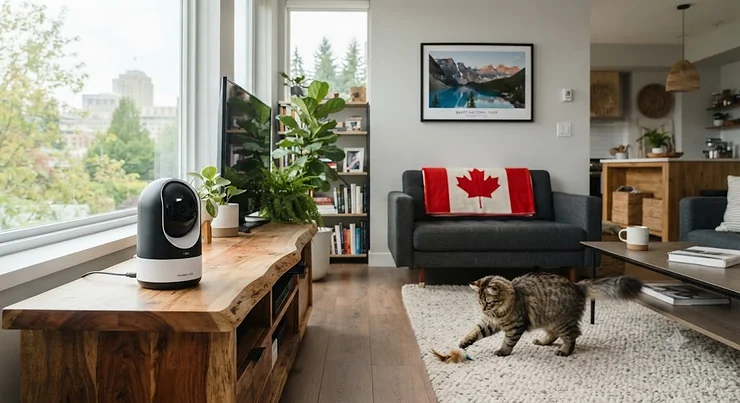
A 360 pet camera under $150 CAD is a Wi-Fi-connected camera that pans, tilts, or rotates to cover an entire room from a single mounting point, letting owners check on pets remotely through a smartphone app without leaving dead zones behind furniture or in corners. That’s the textbook definition, but here’s the messier truth: not every camera wearing a “360” badge actually spins the full circle, and the difference between a true pan-tilt motor and a wide-angle lens pretending to be one matters a lot once your cat decides the blind spot behind the couch is the perfect place to shred a cushion.

If you’ve spent any time scrolling Amazon.ca at 11 p.m. wondering whether your dog is having a meltdown or a nap, you already know the appeal. Static cameras were fine when pets sat still, which — let’s be honest — they never do. A rotating lens mechanism changes the equation entirely, following motion or letting you sweep the frame manually from a bus stop, an office desk, or a hotel room three time zones away. This guide dissects seven real, currently available options, all priced under C$150, with honest analysis of what the pan-tilt-zoom design actually buys you versus what’s marketing gloss.
We’re not going to pretend every camera here is flawless, and we’re not going to invent five-star reviews to make a sale. What follows is a grounded look at specs, aggregated review sentiment, and where each model earns — or doesn’t earn — its spot on a Canadian pet parent’s shopping list.
Quick Comparison Table
For readers who want the short version before diving into specifics, here’s how the seven models stack up on the fundamentals that actually change day-to-day use: rotation range, resolution, and whether a subscription is required to unlock core features.
| Camera | Rotation | Resolution | Subscription Needed? | Best For |
|---|---|---|---|---|
| Blink Mini Pan-Tilt Camera | 360° (manual) | 1080p | Optional (storage only) | Tightest budget |
| TP-Link Tapo C200 | 360° pan, motion track | 1080p | No | No-fee local storage |
| TP-Link Tapo C210 | 360° pan / 114° tilt | 2K | No | Sharper image, same price tier |
| eufy Indoor Cam E220 | 360° pan / 96° tilt | 2K | No (core features) | Fewer false alerts |
| Petcube Cam 360 | 360° pan-tilt | 1080p | Optional (AI alerts) | Pet-specific ecosystem |
| Wyze Cam Pan v3 | 360° pan / 180° tilt | 1080p | No | Widest coverage, IP65 |
| Furbo Mini 360 | 360° rotating | 2K | No (core features) | Treat-toss training |
Looking at the spread, the real dividing line isn’t price — it’s tilt range and whether the manufacturer locks basic viewing behind a paywall. The Wyze Cam Pan v3 and Tapo C210 offer the widest physical coverage without a subscription wall, while the Blink Mini Pan-Tilt Camera sits at the absolute floor of the budget but trades away automatic motion tracking to get there. Buyers chasing the lowest sticker price should weigh that trade-off carefully before clicking “add to cart.”
Just one click — help your fellow Canadian pet parents make a better buying decision too! 😊
Top 7 360 Pet Camera Under $150 CAD Picks: Expert Analysis
Every model below is a real, currently listed product — no invented names, no fictional specs. Prices are given as ranges because retailer pricing shifts constantly; always check current listings before buying.
1. Blink Mini Pan-Tilt Camera — cheapest true rotating option
The standout here is simple: this is likely the least expensive way to get motorized 360° rotation into a pet-watching setup in this entire roundup. It pairs Amazon’s tiny Blink Mini camera body with a motorized cradle that pans and tilts on command from the app, rather than relying on a fixed lens and hoping for the best.
The 1080p HD sensor delivers respectable daytime clarity, and infrared night vision keeps things visible after the lights go out — useful for nocturnal cats who apparently only get interesting at 2 a.m. Two-way audio lets you talk your dog down from barking at the mail carrier, and the whole unit plugs into a standard outlet rather than depending on battery life.
Based on the spec comparison, what most buyers overlook about this model is that the rotation is manual, not automatic — you swipe to move the camera in the app, but it won’t follow your cat across the room on its own the way pricier competitors do. Reviewers consistently note this is a fine trade for anyone who mostly wants to periodically check a room rather than track a moving pet in real time, and Amazon-owned Blink’s app ecosystem tends to be simpler for first-time smart camera buyers.
Pros:
- ✅ Lowest entry price for genuine motorized 360° rotation
- ✅ Simple, beginner-friendly app setup
- ✅ Works with Alexa for voice control
Cons:
- ❌ No automatic motion tracking — rotation is manual only
- ❌ Cloud video storage requires a paid subscription after the trial
Sitting at roughly C$30-C$50 depending on sales, the Blink Mini Pan-Tilt Camera delivers solid value if you accept the trade-off of manual control, but it’s not the pick for anyone wanting hands-free tracking.

2. TP-Link Tapo C200 — no-subscription local storage
The Tapo C200‘s standout feature is its microSD-based local storage, which means you can record continuously without ever opening your wallet for a monthly plan. That’s a genuine differentiator in a category where subscription fatigue is real.
The camera delivers 1080p Full HD video with a 360° horizontal motion-tracking pan and night vision rated to roughly 9 metres (about 30 feet) in the dark — enough to see a cat’s silhouette clearly across most living rooms. Two-way audio and compatibility with Alexa and Google Assistant round out the basics, and the microSD slot supports up to 128GB, which translates to days of rolling footage depending on your settings.
What the spec sheet won’t tell you outright is that build quality feels appropriately budget for the price — this isn’t a camera built to survive a determined puppy’s chewing phase sitting on a low shelf. Aggregated forum sentiment on Canadian deal-tracking communities is generally positive for the price point, though at least one reported experience flagged inconsistent microphone clarity on a specific unit, a reminder that quality control at this tier can vary between individual units rather than being a universal flaw.
Pros:
- ✅ No subscription required for local video storage
- ✅ Frequently discounted below its regular price
- ✅ Wide compatibility with Alexa and Google Assistant
Cons:
- ❌ Some reported inconsistency in microphone clarity
- ❌ 1080p resolution is a step behind the C210’s sharper 2K sensor
Typically priced in the C$35-C$55 range, the TP-Link Tapo C200 is the camera to buy if avoiding recurring fees is your top priority.
3. TP-Link Tapo C210 — sharper image, same price bracket
The Tapo C210 takes everything the C200 does and bumps the resolution to 2K QHD, which is a meaningful jump in detail — you’ll actually be able to make out your dog’s expression rather than a blurry approximation of one. Its standout advantage is squeezing that sharper sensor into essentially the same budget tier.
Coverage spans a full 360° horizontally and 114 degrees vertically, with AI-assisted motion tracking that follows movement within the frame automatically rather than requiring manual nudges. Local storage tops out at a generous 512GB via microSD, well beyond what most households will ever fill, and cloud storage remains an optional add-on rather than a requirement.
Here’s what most buyers overlook: reviewers on Canadian deal forums have specifically praised the Tapo software experience as more polished than some rival budget brands, citing built-in person and pet detection without needing to pay extra for it — a feature some competitors reserve for premium tiers. On the flip side, a small subset of more technical users running third-party network video recorder software reported that pan-tilt-zoom controls didn’t integrate as cleanly with those tools, though this is unlikely to matter for anyone just using the standard Tapo app.
Pros:
- ✅ 2K resolution noticeably sharper than most competitors at this price
- ✅ Free AI person and pet detection included, no add-on fee
- ✅ Massive 512GB local storage ceiling
Cons:
- ❌ Third-party NVR software integration reported as inconsistent by some technical users
- ❌ Vertical tilt range (114°) is narrower than the Wyze Cam Pan v3’s 180°
Expect to pay somewhere in the C$50-C$75 range, making the TP-Link Tapo C210 arguably the best resolution-per-dollar pick on this list.
4. eufy Indoor Cam E220 — smarter alerts, fewer false alarms
What sets the eufy Indoor Cam E220 apart is its on-device AI that distinguishes between a human and a pet before sending a notification — a small feature that solves a genuinely annoying problem: getting fifteen “motion detected” pings a day because a curtain moved.
The camera offers 2K resolution with 360° pan and 96 degrees of tilt, auto-tracking that follows detected movement, and compatibility with Apple HomeKit alongside the usual Alexa and Google Assistant support — HomeKit compatibility being unusually rare at this price tier. Two-way audio lets you interject when the dog starts negotiating with the delivery driver.
Based on the spec comparison, the smart filtering is the real story here: aggregated Amazon review data cited in retail deal trackers shows a rating around 4.4 out of 5 stars across more than 22,000 reviews, a substantial sample size that suggests consistent satisfaction rather than a handful of enthusiastic early adopters. Reviewers consistently note that full 24/7 video history requires an optional cloud subscription, though the core live-view and AI-filtered alerts work without one.
Pros:
- ✅ AI distinguishes pets from humans to cut down false alerts
- ✅ Apple HomeKit support, unusual at this price point
- ✅ Large review sample (22,000+) with a strong average rating
Cons:
- ❌ 96° tilt range is narrower than several rivals on this list
- ❌ Full video history and cloud clips require a separate subscription
Priced around C$55-C$85 depending on sales, the eufy Indoor Cam E220 is the pick for anyone whose phone has been buzzing nonstop with irrelevant motion alerts.
5. Petcube Cam 360 — built for pets, not repurposed security gear
The Petcube Cam 360‘s standout advantage is that it was designed from the ground up as a pet camera, not a home security camera wearing a pet-friendly sticker — and that shows in features like an optional live vet chat add-on that generic security brands simply don’t offer.
Specs include 1080p HD video, pan-tilt rotation with a 105-degree wide-angle lens, 8x digital zoom, and night vision reaching roughly 9 metres. A physical privacy mode tilts the lens away and blocks the view entirely when you want a genuine off-switch, not just a software toggle. Two-way audio remains standard across the range.
What the spec sheet won’t tell you, but user reports on Chewy and other retailers consistently suggest, is that setup is notably painless — reviewers describe it as ready to go in minutes with a clear, sharp picture straight out of the box. A pet-focused reviewer who tested the camera over several weeks called it a genuinely solid budget-friendly option, specifically highlighting the 360-panning feature for checking an entire room from a phone. The trade-off: base features come without extended video history, and digital zoom — as with virtually every camera in this price class — loses sharpness the further you push it.
Pros:
- ✅ Purpose-built pet ecosystem, including optional vet chat
- ✅ Physical privacy shutter, not just a software toggle
- ✅ Reviewers consistently describe setup as fast and simple
Cons:
- ❌ Extended video history sits behind an optional subscription
- ❌ Digital zoom softens noticeably past the midpoint
Generally landing between C$65-C$95, the Petcube Cam 360 suits owners who want a pet-first ecosystem rather than a general security camera doing double duty.
6. Wyze Cam Pan v3 — the widest coverage, indoors or out
The Wyze Cam Pan v3 wins on raw coverage: 360 degrees of pan combined with a full 180 degrees of tilt, the widest vertical range in this entire roundup, plus an IP65 weatherproof rating that lets it survive a sunroom or covered porch.
That weatherproofing is a genuine bonus rather than a marketing footnote — paired with a separately sold outdoor power adapter, this camera can double as a monitor for a pet door or a covered patio where your dog likes to sunbathe. Automatic motion tracking follows movement rather than waiting for a static trigger zone, and local microSD storage scales up to 512GB, among the largest ceilings tested here.
Based on aggregated coverage from Canadian pet-tech review roundups, the Wyze Cam Pan v3 is consistently framed as “the honest premium stretch pick” in its category — capable enough to justify sitting closer to the top of a budget range, with a pan-tilt spread that outclasses cheaper fixed-lens alternatives. The trade-off is that it’s wired rather than battery-powered, and true outdoor use requires that extra adapter sold separately, which nudges the effective cost up if you want the full weatherproof setup.
Pros:
- ✅ Widest tilt range (180°) of any camera in this roundup
- ✅ IP65 weatherproofing extends use to porches and sunrooms
- ✅ 512GB local storage ceiling, no subscription required
Cons:
- ❌ Wired power only — no battery-operated version
- ❌ Full outdoor weatherproofing needs a separately sold adapter
Pricing generally runs C$70-C$120 depending on promotions, positioning the Wyze Cam Pan v3 as the coverage champion for multi-purpose households.
7. Furbo Mini 360 — treat-tossing built into a compact frame
The Furbo Mini 360 is the only camera in this roundup that dispenses treats, and its standout advantage is compressing that feature — usually reserved for pricier Furbo models — into a smaller, more affordable body that fits condos and apartments comfortably.
It streams 2K QHD video with a full 360-degree rotating view, offers a “lite” treat-toss mechanism, two-way audio, and colour night vision. Crucially, core see-talk-toss functionality works without any subscription, unlike some Furbo models that gate basic use behind a mandatory plan.
Here’s what most buyers overlook: pet-tech review roundups covering the Canadian market note that the compact size comes with a smaller treat hopper than the full-size Furbo 360°, meaning it suits shorter absences — a lunch run, an afternoon errand — better than a full eight-hour workday without a midday refill. It also skips the automatic dog-tracking found on Furbo’s flagship model, so a wandering dog will simply drift out of frame rather than being followed by the lens. Early adopter sentiment frames it as the sensible choice for condo and apartment dwellers who want the Furbo name and treat-tossing gimmick without the subscription commitment or full-size footprint.
Pros:
- ✅ Treat-tossing built in for positive-reinforcement training
- ✅ Core features work with no subscription required
- ✅ Compact size suited to condos and smaller apartments
Cons:
- ❌ Smaller hopper needs refilling more often for full workdays
- ❌ No automatic tracking — a moving dog can drift out of frame
Sitting at roughly C$95-C$150, right at the ceiling of this budget category, the Furbo Mini 360 is the pick for reward-based trainers who don’t mind topping up the hopper more frequently.
Practical Usage Guide: Setting Up Your 360 Pet Camera
Unboxing day mistakes are almost universal, so a bit of planning saves a frustrating first evening. Start by placing the camera at chest height or higher on a shelf, not on the floor — pets investigate low objects, and a curious paw can knock over a plugged-in camera surprisingly easily. Aim the lens toward the centre of the room rather than a wall, since pan-tilt motors need open space to actually use their rotation range.
During the first 30 days, resist the urge to enable every alert type at once. Motion-only notifications, layered with human/pet AI filtering where available (as on the eufy Indoor Cam E220 and TP-Link Tapo C210), dramatically cut down on notification fatigue compared to enabling sound alerts too, which tend to fire on every passing siren or dishwasher cycle.
For maintenance, wipe the lens monthly — pet hair and dust accumulate faster than most owners expect, and a hazy lens undermines even the sharpest 2K sensor. Check firmware updates quarterly through each app; manufacturers regularly patch both security holes and tracking-algorithm improvements. Finally, test your Wi-Fi signal strength at the camera’s exact mounting spot before committing to permanent placement — a rotating camera stuck on a weak signal will stutter and drop frames regardless of how good its optics are.
Real-World Scenarios: Which 360 Pet Camera Fits Your Home
Picture three different Canadian households. First, a downtown Toronto condo owner with one anxious rescue cat and a nine-to-five office job: the compact Furbo Mini 360 fits the smaller footprint, and treat-tossing gives the cat something to associate with the owner’s absence besides silence. Second, a suburban family in Kitchener with a large dog, a fenced yard, and a three-season sunroom: the Wyze Cam Pan v3‘s weatherproofing and widest tilt range make it the natural fit for covering both the indoor lounge area and a semi-outdoor space.
Third, a budget-conscious student renting a small apartment who just wants basic peace of mind for a single cat without committing to any monthly fee: the TP-Link Tapo C200 delivers no-subscription local recording at the lowest realistic cost in this roundup. Pet behaviour research covered by CBC’s reporting on webcams and wearable pet tech notes that many owners discover their pets are far more distressed alone than expected — but also cautions against over-interpreting footage as a substitute for professional behavioural guidance. That’s a genuinely useful reminder: a camera reveals patterns, but a veterinarian or certified behaviourist interprets what they mean.
Problem → Solution: Common 360 Pet Camera Headaches
Problem: Constant false alerts. Solution: switch from generic motion detection to AI-based human/pet filtering, available on the eufy Indoor Cam E220 and TP-Link Tapo C210, which cuts notification volume dramatically by ignoring irrelevant movement like curtains or shadows.
Problem: Camera can’t see the whole room. Solution: this is precisely what full-room blind spot elimination via genuine pan-tilt hardware solves — verify a model rotates a true 360 degrees rather than relying on a fixed wide-angle lens marketed as “360-degree view,” a distinction covered later in this guide.
Problem: Video history disappears after a few days. Solution: prioritize models with microSD local storage support, like the Wyze Cam Pan v3‘s 512GB ceiling or the TP-Link Tapo C210‘s equally generous slot, rather than relying solely on cloud plans that expire footage after a short retention window.
Problem: Pet seems more anxious after installing a camera, not less. Solution: according to veterinary guidance referenced by the University of Guelph, two-way audio should reinforce calm behaviour, not scold bad behaviour — using the speaker to interrupt anxious barking with a stern tone can actually worsen the pet’s association with the owner’s absence.
Problem: Camera keeps disconnecting from Wi-Fi. Solution: most rotating models draw more bandwidth during active pan-tilt movement; placing the router closer or adding a mesh extender near the camera’s mounting point typically resolves intermittent drops.
✨ Don’t miss these exclusive Amazon.ca deals! 🐾
Take your pet’s home comfort to the next level with a camera picked for your exact setup.
How to Choose a 360 Pet Camera Under $150 CAD
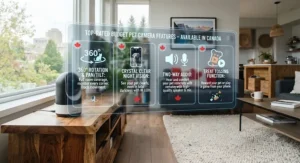
- Confirm true rotation, not just a wide lens. A genuine pan-tilt motor covers far more ground than a fixed 105-degree lens marketed loosely as “360.”
- Check subscription requirements before buying. Some models, like the TP-Link Tapo C200 and Wyze Cam Pan v3, offer full local storage without fees; others gate basic history behind a plan.
- Match tilt range to your space. A tall room or multi-level open concept benefits from wider vertical tilt, like the Wyze Cam Pan v3‘s 180 degrees.
- Prioritize AI filtering if false alerts bother you. The eufy Indoor Cam E220 and Tapo C210 both include human/pet distinction at no extra cost.
- Decide if treat-dispensing matters. Only the Furbo Mini 360 in this roundup tosses treats, a genuine perk for reward-based training.
- Consider indoor-only versus indoor/outdoor use. Weatherproofing, as on the Wyze model, only matters if you plan to monitor a porch or sunroom.
- Read the fine print on night vision range. Most models here reach roughly 9 metres, sufficient for typical living rooms but worth confirming for larger spaces.
Understanding the Rotating Lens Mechanism
The rotating lens mechanism inside these cameras isn’t actually a lens that spins in place — it’s a small stepper motor housed in the camera’s base or gimbal that physically rotates the entire camera module horizontally (pan) and vertically (tilt), directed either by app commands or an onboard motion-tracking algorithm. This differs meaningfully from digital pan, which simply crops and zooms into a wide-angle image without any physical movement, sacrificing resolution in the corners of the frame.
What most buyers overlook is that mechanical rotation, like that found in the Wyze Cam Pan v3 and TP-Link Tapo C210, delivers consistent image quality across the entire rotation range because the sensor itself is always facing forward. Cameras relying purely on a fisheye or ultra-wide static lens, by contrast, often show visible distortion and softness toward the frame’s edges — the classic sign of digital rather than mechanical 360 coverage. When comparing specs, look specifically for stated pan and tilt degree ranges rather than a bare “360° view” claim, since the latter can describe either technology.
Full-Room Blind Spot Elimination: Why 360° Coverage Actually Matters
Full-room blind spot elimination sounds like marketing language, but it addresses a real, specific frustration: a fixed camera aimed at a couch will never show what’s happening behind that couch, under the dining table, or in a doorway just outside its frame. Pets, unhelpfully, gravitate toward exactly those spots.
A true pan-tilt system solves this by physically repositioning the sensor rather than depending on placement luck. Reviewers across the models in this roundup consistently frame automatic motion tracking — following a pet as it moves rather than staying locked on one static zone — as the single feature that separates a “nice to have” camera from one that actually earns its keep. The trade-off is that automatic tracking pulls slightly more power and processing than a manual or fixed setup, which is part of why cheaper entry-level models sometimes limit rotation to manual app control instead.
Entry-Level 360 Models: Are They Worth the Savings?
Entry-level 360 models like the Blink Mini Pan-Tilt Camera save real money, often landing C$20-C$40 below mid-tier competitors, but that savings comes from specific, identifiable trade-offs rather than a mysterious quality gap. The biggest one: manual-only rotation instead of automatic tracking, meaning you have to actively open the app and swipe to reposition the camera rather than letting software follow your pet automatically.
For owners who mostly want to periodically check in — glancing at the app during a lunch break rather than leaving it running continuously — that trade-off is genuinely reasonable. For owners hoping to catch every zoomie session or monitor active separation anxiety symptoms in real time, the lack of auto-tracking on entry-level models becomes a real limitation, and stepping up to a mid-tier option like the TP-Link Tapo C200 or eufy Indoor Cam E220 closes that gap for a relatively modest price difference.
Affordable 360 Rotating Cat Camera Canada: What Cat Owners Should Know
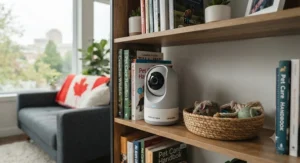
Cat owners searching for an affordable 360 rotating cat camera in Canada face a slightly different set of priorities than dog owners. Cats favour elevated perches and tight enclosed spaces — bookshelves, under-bed gaps, closet interiors — that a camera mounted at typical human eye level may simply never capture, regardless of how wide its rotation range is. Positioning matters more than spec sheets here: mounting a rotating camera higher, closer to where a cat actually spends idle time, does more for coverage than upgrading resolution alone.
Night vision range also matters disproportionately for cats, since many display more activity overnight than dogs do. The Petcube Cam 360, with its pet-specific vet chat feature, holds particular appeal here, since cats mask illness and anxiety more subtly than dogs — pacing or excessive grooming caught on camera can prompt an earlier conversation with a veterinarian than symptoms noticed by chance. The eufy Indoor Cam E220‘s AI pet-detection is also worth prioritizing for multi-cat homes, since it reduces false alerts triggered by cats simply existing in frame throughout the day.
360 Camera Price Comparison Canada: Where the Extra Dollars Go
Running a 360 camera price comparison across the Canadian market reveals that the jump from roughly C$35 to roughly C$150 doesn’t buy a linear improvement in one single spec — it buys a combination of resolution, tilt range, AI filtering, and subscription-free features that stack differently depending on the model.
| Price Tier | Typical Range | What You Gain | Best For |
|---|---|---|---|
| Entry | C$30-C$55 | True rotation, basic 1080p | Blind Mini Pan-Tilt Camera, Tapo C200 |
| Mid | C$55-C$95 | 2K resolution, AI filtering | eufy E220, Tapo C210, Petcube Cam 360 |
| Upper | C$95-C$150 | Widest coverage or treat-toss | Wyze Cam Pan v3, Furbo Mini 360 |
Interpreting this spread, the biggest value jump happens between the entry and mid tiers, where AI-based pet detection appears and meaningfully cuts down false alerts — arguably a bigger quality-of-life upgrade than the jump in resolution alone. The move from mid to upper tier buys either the widest possible physical coverage (Wyze) or an entirely different feature category (Furbo’s treat dispenser) rather than a straightforward image-quality upgrade, so buyers should choose based on which specific gap matters to their household rather than assuming higher price always means “better camera” in every dimension.
What to Expect: Real-World Performance
Specs on a product page rarely match the lived experience of actually using one of these cameras daily, so here’s the honest 360 degree pet camera review Canada buyers actually need: expect a noticeable lag, typically one to three seconds, between opening the app and the live feed loading — universal across this entire price category, not a flaw specific to any one brand. Expect night vision to render in grainy black-and-white or muted colour rather than the crisp daytime image shown in marketing photos; colour night vision, where available, still softens detail compared to daylight footage.
Expect automatic motion tracking, where included, to occasionally lose a fast-moving cat mid-frame and need a manual nudge to recentre. And expect that no camera in this price bracket replaces genuine behavioural assessment — footage is a tool for noticing patterns, not a diagnostic instrument, a distinction worth keeping in mind before drawing conclusions from a few clips.
Safety, Privacy & Regulations: What Canadian Pet Owners Should Know
Any Wi-Fi-connected camera introduces privacy considerations worth taking seriously before installation, particularly since these devices sit on home networks continuously. The Office of the Privacy Commissioner of Canada has published practical tips for securing web-connected cameras, including changing default passwords immediately, enabling two-factor authentication where the manufacturer offers it, and keeping firmware updated to patch known vulnerabilities — advice that applies directly to every camera featured in this roundup.
Positioning also matters legally, not just practically: aim these cameras at your own living space rather than toward windows facing a neighbour’s property, since recording someone else’s private space without consent can raise legal complications in Canada regardless of intent. All seven cameras here support standard 2.4GHz Wi-Fi and are sold through Amazon.ca or manufacturer storefronts serving the Canadian market, meaning they meet the baseline compliance expected of consumer electronics sold domestically — still, confirming a specific unit’s certification markings on arrival is a reasonable five-minute precaution.
Frequently Asked Questions
❓ Is a 360 pet camera under $150 CAD actually as good as pricier options?
❓ Do 360 pet cameras need a monthly subscription to work?
❓ What's the difference between a 360 camera and a regular pan-tilt camera?
❓ Can a 360 pet camera help with a dog's separation anxiety?
❓ Which 360 pet camera is best for a small apartment or condo?
Conclusion
Choosing among seven legitimate contenders under C$150 comes down less to finding a single “best” camera and more to matching specific trade-offs to your actual household. Renters on the tightest budget get real value from the Blink Mini Pan-Tilt Camera or TP-Link Tapo C200, both of which deliver genuine 360-degree rotation without ongoing fees. Households frustrated by constant false notifications should lean toward the AI-equipped eufy Indoor Cam E220 or TP-Link Tapo C210, while anyone with a sunroom, porch, or larger multi-level space benefits most from the Wyze Cam Pan v3‘s unmatched tilt range and weatherproofing.
Cat-specific households gain the most from the Petcube Cam 360‘s purpose-built ecosystem, and dog owners focused on positive-reinforcement training will find the Furbo Mini 360‘s treat-tossing genuinely useful despite its smaller hopper. None of these cameras replace attentive pet ownership or professional veterinary guidance when real behavioural concerns arise — but as a tool for peace of mind during a workday or a weekend away, any of these seven picks earns its spot on the shortlist.
Recommended for You
- Night Vision Pet Camera For Basements: 7 Best Picks (2026)
- Night Vision Camera For Nocturnal Cats: 7 Clear Picks (2026)
- Night Vision vs Infrared Pet Camera: 7 Picks Tested (2026)
Disclaimer: This article contains affiliate links. As an Amazon Associate, I earn from qualifying purchases. If you purchase products through these links, we may earn a small commission at no additional cost to you.
✨ Found this helpful? Share it with your friends! 💬🤗
