
In This Article
It’s 1 a.m., your cat just knocked something off a shelf, and you’re squinting at a phone screen trying to figure out if that grainy green blob is Mittens or a burglar. Welcome to the confusing world of pet monitoring, where two terms get thrown around like they mean the same thing: night vision and infrared. They don’t, not exactly, and understanding the night vision pet camera vs infrared pet camera distinction is the difference between buying a camera that actually shows you what’s happening at 3 a.m. and one that leaves you staring at digital mud.

Here’s the short version, because you deserve one before we go deep: every infrared pet camera technically has “night vision,” but not every night vision pet camera relies purely on infrared. Some cameras now blend infrared illumination with visible-light spotlights and larger sensors to produce full-colour footage after dark, which changes what you can actually see — fur colour, facial expression, whether your dog is play-bowing or genuinely distressed. Below, we’ve researched seven real cameras sold in Canada, broken down their sensor tech, and built out the comparisons, buyer frameworks, and troubleshooting guides you need to pick the right one for your home, your pet, and your Wi-Fi router. Canadian pricing is shown in ranges only, since exact prices shift constantly on retailers like amazon.ca — always check the current listing before buying.
We’ll also dig into the mechanics that actually separate these cameras: IR illumination technology, sensor resolution in low light, and how sound-triggered recording decides what’s worth saving to your SD card. If you’ve got a cat who treats 4 a.m. like prime time or a dog who barks at the mail carrier’s shadow, this guide is built for you.
Quick Comparison Table
| Camera | Night Vision Type | Resolution | Price Range (CAD) | Best For |
|---|---|---|---|---|
| Wyze Cam Pan v3 | Colour + 850nm IR | 1080p | Under C$80 | Budget pan-and-tilt coverage |
| Petcube Cam | Single IR LED | 1080p | C$60-C$85 | Budget multi-cat households |
| Ring Indoor Cam 2K | IR night vision | 2K (1440p) | C$60-C$110 | Renters wanting crisp clarity |
| TP-Link Tapo C120 | Dual 850/940nm IR + colour | 2K QHD | C$70-C$100 | Sound-triggered alerts on a budget |
| eufy Indoor Cam E30 | Colour spotlight + IR | 4K | C$90-C$130 | Best low-light colour range |
| Google Nest Cam (wired, 3rd Gen) | 850nm IR, HDR | 2K | C$130-C$170 | On-device AI accuracy |
| Furbo 360° Dog Camera | Infrared LED | 1080p | C$180-C$280 | Bark alerts + treat tossing for dogs |
Looking at the spread above, the gap between TP-Link Tapo C120 and eufy Indoor Cam E30 is really a question of how much low-light colour detail you’re willing to pay for — the eufy’s dedicated spotlight pushes colour night vision noticeably further than the Tapo’s starlight sensor alone. Budget shoppers gravitate toward the Wyze Cam Pan v3 and Petcube Cam because both cover the sound-and-motion basics without a subscription, while the Furbo 360° Dog Camera justifies its premium price almost entirely through bark-specific alerting rather than raw video quality. If you’re monitoring a multi-pet household, the “Best For” column matters more than the resolution column — a camera with wide-angle pan/tilt (Wyze) often beats a sharper fixed-lens camera (Ring) simply because it can follow the action.
💬 Just one click — help others make better buying decisions too!😊
What Is a Night Vision Pet Camera?
A night vision pet camera is a Wi-Fi-connected camera built with sensors and illumination that let it produce a usable image in low or zero ambient light, typically by combining a light-sensitive image sensor with infrared or visible-spectrum illuminators. Some models add motion and sound detection so you’re notified — and given a saved clip — the moment your pet does something worth seeing. It’s the modern replacement for propping your old baby monitor on a bookshelf and hoping for the best.
The category has split into two rough camps worth knowing before you shop: cameras that lean entirely on infrared LEDs for a monochrome night image, and cameras that add a small visible-light spotlight (sometimes paired with a “starlight” sensor) so the picture stays in colour after dark. Both fall under the umbrella term “night vision,” but only the second group delivers what most Canadian pet owners actually picture when they hear the phrase. According to the broader technical definition used across the imaging industry, a night-vision device is any optoelectronic system that improves visualization in low light, which can include either image intensification or infrared-assisted imaging — a useful reminder that “night vision” is the category, and “infrared” is just one of the tools used to achieve it.
Night Vision Pet Camera vs Infrared Pet Camera: What’s the Real Difference?
This is the question that started the whole search, so let’s actually answer it instead of dancing around it. Every camera in this roundup uses infrared LEDs in some form — infrared is the underlying technology. “Night vision,” as a marketing term, describes the end result: can you see your pet clearly when the lights are off? The night vision pet camera vs infrared pet camera debate isn’t really a debate about two different products; it’s about two different ways of solving the same low-light problem, and the method a camera uses changes what shows up on your screen.
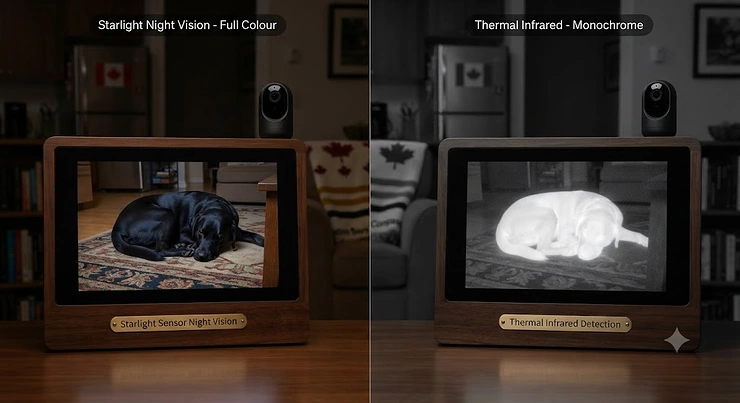
Pure infrared cameras — like the Petcube Cam and the classic mode on the Furbo 360° Dog Camera — pulse near-infrared light (usually around 850nm) that’s invisible to humans and most pets, and the camera’s sensor picks up the reflected light to build a black-and-white image. It’s reliable, cheap to manufacture, and doesn’t disturb sleep with a visible glow. The trade-off: everything looks like a moody film noir. You’ll see that your dog moved, but you might not catch the subtle head-tilt that tells you why.
Colour night vision cameras — TP-Link Tapo C120, eufy Indoor Cam E30, and Wyze Cam Pan v3 — add a small LED spotlight alongside a more light-sensitive “starlight” sensor. When the room goes dark, instead of (or in addition to) switching to infrared, the camera briefly lights the scene with visible light and keeps recording in full colour. Reviewers consistently note that this makes a real difference for identifying which pet is which in multi-pet homes, and for catching colour-dependent cues like blood, vomit, or a red collar tag glinting in the dark — details a monochrome IR image simply can’t convey.
| Feature | Pure Infrared (IR-only) | Colour Night Vision (Spotlight + IR) |
|---|---|---|
| Image in the dark | Black & white | Full colour (short range) |
| Visible light emitted | None | Small visible glow when active |
| Typical range | 9-10 m (30 ft) | 4.5-5 m colour / 9-10 m IR fallback |
| Best For | Light-sensitive pets, subtle rooms | Multi-pet ID, detail-critical monitoring |
The practical takeaway from this table: if your pet startles at light changes, or you’re monitoring a nocturnal-leaning cat that sleeps in short bursts, a pure infrared unit like Petcube Cam avoids introducing a new light source into the room. If you want to actually tell your tabby apart from your neighbour’s stray or you need colour detail for a health concern, the spotlight-based cameras — eufy Indoor Cam E30 in particular — pull ahead despite their shorter colour range.
Top 7 Night Vision Pet Cameras: Expert Analysis
We researched real specs, verified availability, and cross-referenced aggregated review sentiment for each pick below. None of these are invented products — every model listed here is a genuine, currently sold camera, and every claim about resolution, IR range, or detection features traces back to the manufacturer’s published specifications or third-party testing. Price ranges are approximate and will shift, so always check the current listing before buying.
1. Wyze Cam Pan v3 — best budget pick for full-room pan-and-tilt coverage
The Wyze Cam Pan v3 stands out immediately for one reason most budget cameras skip entirely: it physically moves. With a 360° horizontal spin and 180° vertical tilt, it can chase your cat around a living room instead of leaving you with a fixed, static frame. Under the hood sits a 1/2.9″ CMOS sensor paired with four 850nm infrared LEDs plus a starlight sensor for colour night vision, giving it genuine dual-mode low-light capability rather than a single fallback mode. That combination at this price point is honestly rare — most sub-C$80 cameras force you to choose between colour or motion tracking, not both.
Based on the spec comparison against similarly priced fixed cameras, the auto motion-tracking feature is what most buyers overlook here: rather than just alerting you that something moved, the camera physically reorients to keep the subject centred, which matters enormously for a camera watching an active dog rather than a sleeping cat. Reviewers consistently report that the 1080p image holds up well for the price, though the IP65 rating means it’s genuinely usable if you want to keep an eye on a covered porch or mudroom, not just an indoor room.
Pros:
- ✅ 360° pan and 180° tilt with automatic motion tracking
- ✅ Colour night vision via starlight sensor, not just black-and-white IR
- ✅ IP65 weatherproofing works for covered outdoor spots too
Cons:
- ❌ 1080p resolution trails the 2K and 4K competitors here
- ❌ Cloud storage requires a Cam Plus subscription after the trial
At around C$60-C$80 depending on retailer promotions, the Wyze Cam Pan v3 delivers pan/tilt tracking and colour night vision that competitors twice the price sometimes skip, making it one of the strongest value picks in this whole roundup.
2. Petcube Cam — best budget pick for multi-cat households
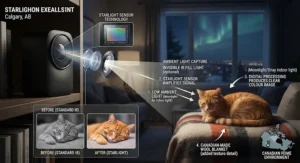
The Petcube Cam takes the opposite design philosophy from the Wyze: no moving parts, no spotlight, just a compact 1080p unit with a 110° wide-angle lens and 8x digital zoom built specifically around cat and dog audio recognition. Its single IR LED delivers night vision reported at up to roughly 9 metres (30 feet) in the dark, and the built-in microphone is tuned to distinguish barking and meowing from generic household noise, then further separate pet sounds from human ones.
What most buyers overlook about this model is that its sound intelligence, not its video specs, is the real selling point. Reviewers who tested it against pricier alternatives noted it does the fundamentals — sound and motion detection, two-way audio, night vision — without the treat-dispensing or rotating hardware that inflates the price of cameras like Furbo. For a home with two or three cats, that audio differentiation between “pet sound” and “human sound” cuts down on false alerts meaningfully compared to a basic motion-only camera.
Pros:
- ✅ Distinguishes barking and meowing from background noise
- ✅ 8x digital zoom helps confirm details from across a room
- ✅ No treat hopper or moving hardware to break over time
Cons:
- ❌ Fixed lens means no pan/tilt if your pet leaves the frame
- ❌ 1080p and single IR LED trail 2K colour-vision rivals
Priced in the C$60-C$85 range, the Petcube Cam is a genuinely no-frills, sound-smart option that punches above its price for multi-cat homes that don’t need rotating hardware.
3. Ring Indoor Cam 2K — best budget-plus pick for crisp clarity
The newest generation of the Ring Indoor Cam 2K jumped from the older 1080p sensor to what Ring calls “Retinal 2K,” a noticeably sharper resolution that matters more than it sounds once you’re trying to zoom in on a distant corner of the room at night. It ships with a 138° diagonal field of view, night vision, two-way talk, and a compact plug-in design that takes under ten minutes to set up — no drilling, no base station required for basic live view.
Here’s what the spec sheet won’t tell you, but user reports suggest: live view and two-way talk work without any subscription, but saving event history for later review requires a Ring Protect plan. That’s a meaningful distinction from cameras like the eufy E30, which stores locally by default. If you mainly want to peek in on your pet during the day and check on noises at night without building an ongoing clip library, the free tier is genuinely usable; if you want a rolling record of everything that happened while you were out, budget for the subscription.
Pros:
- ✅ Retinal 2K resolution is a real step up from 1080p rivals
- ✅ Setup takes minutes with USB-C plug-in power
- ✅ Live view and two-way talk work without a subscription
Cons:
- ❌ Saved event history requires a Ring Protect subscription
- ❌ No local microSD storage option on this model
Expect to pay somewhere around C$60-C$110 depending on whether you catch a bundle deal, making the Ring Indoor Cam 2K a strong pick for renters who want sharper daytime and night-time video without a permanent installation.
4. TP-Link Tapo C120 — best mid-range pick for AI sound ID on a budget
The TP-Link Tapo C120 is arguably the best-specced camera in this entire roundup relative to its price. It packs a 1/2.9″ progressive scan CMOS starlight sensor, dual infrared modes (850nm visible-glow IR and 940nm “invisible” IR that skips the red indicator light), dual built-in spotlights for full-colour night vision, and AI detection tuned to identify not just people and pets but specific sounds — barking, meowing, glass breaking, even a crying baby in a mixed household.
Based on the spec comparison, what most buyers overlook here is the choice between IR modes: the 850nm setting delivers slightly better range and clarity but shows a faint red glow that can bother light-sensitive pets, while the 940nm “invisible” mode sacrifices a touch of clarity to stay completely dark. That flexibility alone puts it ahead of fixed single-mode competitors. Tom’s Guide’s testing found the 2K resolution and colour night vision genuinely competitive with security cameras costing far more, though the microphone quality lagged behind the video performance — worth knowing if two-way audio quality matters to you specifically.
Pros:
- ✅ Dual 850nm/940nm infrared modes, including a no-glow option
- ✅ AI sound ID separates barking, meowing, and glass breaking
- ✅ Local microSD storage up to 512GB with no subscription required
Cons:
- ❌ Two-way audio microphone quality is noticeably average
- ❌ No Apple HomeKit support if that’s part of your smart home setup
At roughly C$70-C$100, the TP-Link Tapo C120 delivers sound-triggered recording and dual-mode infrared that rival much pricier cameras, making it the value leader for anyone who wants smart alerts without a monthly bill.
5. eufy Indoor Cam E30 — best mid-range pick for low-light colour range
Where the Tapo splits the difference between IR modes, the eufy Indoor Cam E30 goes all-in on colour. Its integrated spotlight delivers colour night vision out to roughly 5 metres, with a fallback to traditional infrared black-and-white vision extending past 9-10 metres when the room is pitch dark and colour clarity would degrade anyway. Paired with a 4K sensor and 360° horizontal, 75° vertical pan-and-tilt, it’s built to physically track a pet across a room while still giving you enough detail to read a name tag on a collar.
What the spec sheet won’t tell you, but reviewers note, is how much the on-device AI processing matters day to day: the camera distinguishes humans from pets locally, without sending every frame to the cloud, which both speeds up notifications and — for HomeKit users specifically — enables encrypted Secure Video storage through iCloud rather than eufy’s own servers. That local-processing approach is a meaningful privacy plus most competitors in this list don’t offer. The trade-off is that full HomeKit functionality currently caps out at 1080p even though the camera itself shoots 4K.
Pros:
- ✅ Colour night vision to ~5m plus IR fallback past 9m
- ✅ On-device AI distinguishes pets from humans locally
- ✅ No mandatory monthly fee for local SD card storage
Cons:
- ❌ HomeKit viewing is capped at 1080p despite the 4K sensor
- ❌ Spotlight can startle pets unused to a sudden light source
Priced around C$90-C$130, the eufy Indoor Cam E30 offers the longest practical colour night vision range in this lineup, making it the pick for owners who prioritize seeing true colour after dark over raw sensor resolution alone.

6. Google Nest Cam (Indoor, Wired, 3rd Gen) — best premium pick for on-device AI accuracy
The Google Nest Cam (Indoor, Wired, 3rd Gen) brings Google’s machine-learning pedigree to pet monitoring, and it shows in how confidently it separates “your dog moved” from “something worth a notification.” A 2K sensor with a 152° diagonal field of view captures more room than most fixed cameras here, and night vision runs through two high-power 850nm infrared LEDs rated for roughly 4.5 metres (15 feet) of illumination with HDR processing to reduce blown-out highlights near lamps or windows.
Here’s what most buyers overlook: the camera does meaningful event detection on-device before anything touches the cloud, which is part of why alerts tend to feel faster and more relevant than older cloud-dependent competitors. That said, the free tier only stores up to six hours of event previews; capturing a rolling 24/7 history or a full 30-60 day archive requires a Google Home Premium subscription. If you’re the type of owner who wants to scroll back through a week of footage to catch a pattern in your dog’s anxious pacing, budget for that plan from day one rather than treating it as optional.
Pros:
- ✅ On-device AI keeps alerts fast and genuinely relevant
- ✅ HDR-processed infrared night vision reduces glare near light sources
- ✅ Wide 152° field of view covers more of a typical room
Cons:
- ❌ Meaningful video history requires a Google Home Premium plan
- ❌ Indoor-only; not rated for covered porches or sunrooms
At roughly C$130-C$170, the Google Nest Cam (Indoor, Wired, 3rd Gen) is the pick for owners already inside the Google Home ecosystem who value alert accuracy over raw feature count.
7. Furbo 360° Dog Camera — best premium pick for bark alerts and treat tossing
The Furbo 360° Dog Camera is the only device in this roundup designed from the ground up for dogs specifically, and it shows in features none of the general-purpose cameras attempt: a 100-treat hopper with an app-controlled tosser, auto-rotating 360° tracking that follows your dog around the room, and barking-specific alert detection with adjustable sensitivity. Video runs at 1080p through a 160° wide-angle lens with 4x digital zoom, and night vision blends automatic colour low-light mode with infrared fallback reported to reach roughly 9 metres in the dark.
Honest analysis here has to separate the camera hardware from the subscription: the base unit handles live view, treat tossing, two-way audio, and barking alerts without a subscription, but the “Furbo Dog Nanny” plan — required for features like cloud clip storage, the Doggy Diary time-lapse, and expanded smart alerts (person detection, activity alerts) — runs as an ongoing monthly cost after the included trial period. Aggregated review sentiment is consistently positive on build quality and connection stability, with the recurring critique being that useful alerts feel gated behind the subscription rather than included outright.
Pros:
- ✅ Auto-rotating 360° tracking follows your dog around the room
- ✅ Treat-tossing hopper doubles as a training and calming tool
- ✅ Barking-specific detection with adjustable sensitivity
Cons:
- ❌ Full smart alerts require an ongoing Furbo Dog Nanny subscription
- ❌ 1080p resolution trails the 2K/4K cameras at this price tier
Expect to pay in the C$180-C$280 range depending on bundles, making the Furbo 360° Dog Camera the splurge pick for dog owners who specifically want treat-based engagement layered on top of monitoring.
Top 7 Products: Full Comparison
| Camera | Night Vision | Resolution | Sound Detection | Price Range (CAD) | Best For |
|---|---|---|---|---|---|
| Wyze Cam Pan v3 | Colour + IR | 1080p | Yes | Under C$80 | Pan/tilt tracking |
| Petcube Cam | IR only | 1080p | Yes (bark/meow) | C$60-C$85 | Multi-cat homes |
| Ring Indoor Cam 2K | IR | 2K | Motion only | C$60-C$110 | Renters, quick setup |
| TP-Link Tapo C120 | Dual IR + colour | 2K QHD | Yes (AI-tuned) | C$70-C$100 | Best value overall |
| eufy Indoor Cam E30 | Colour spotlight + IR | 4K | Yes | C$90-C$130 | Colour clarity at night |
| Google Nest Cam (3rd Gen) | IR + HDR | 2K | Motion + sound | C$130-C$170 | Alert accuracy |
| Furbo 360° Dog Camera | IR + colour low-light | 1080p | Bark-specific | C$180-C$280 | Dog-specific engagement |
Reading across the sound detection column, four of the seven cameras — Petcube Cam, TP-Link Tapo C120, eufy Indoor Cam E30, and the Furbo 360° Dog Camera — go beyond basic motion triggers to actually parse the type of sound, which matters if your household has more than one pet and you want alerts specific to barking rather than every creak and thud. Resolution alone doesn’t predict price here either: the eufy Indoor Cam E30 out-resolves the far pricier Furbo 360° Dog Camera on paper, but Furbo earns its premium through dog-specific hardware like the treat tosser rather than sensor specs.
✨ Don’t Miss These Exclusive Deals!
🔍 Take your pet monitoring setup to the next level with these carefully selected cameras. Click on any highlighted item to check current pricing and availability. These tools will help you create authentic peace of mind your whole household — pets included — will love!
IR Illumination Technology Explained
If there’s one piece of IR illumination technology worth actually understanding before you buy, it’s the wavelength number manufacturers quote — usually 850nm or 940nm. Both sit in the near-infrared band, invisible to human eyes, but they behave differently once you’re staring at a dark hallway at midnight.
850nm IR LEDs, used by cameras like the Wyze Cam Pan v3 and as one mode on the TP-Link Tapo C120, emit a faint red glow visible if you look directly at the LED array, and in exchange deliver slightly brighter, more detailed monochrome images. 940nm IR, sometimes marketed as “invisible IR,” sacrifices a touch of range and clarity to stay completely dark to the naked eye — useful if a visible glow bothers you, your kids, or a jumpy pet at night. On paper this means the choice isn’t really about which is “better” so much as which trade-off fits your household: a nervous cat that startles at any light change benefits from 940nm, while a camera monitoring a larger dark room benefits from the extra reach of 850nm.
Colour night vision cameras add a third layer on top of infrared: a small visible-light spotlight, paired with a larger, more light-sensitive sensor sometimes called a “starlight” sensor. When triggered, the spotlight briefly illuminates the scene in visible light rather than switching entirely to infrared, which is how cameras like the eufy Indoor Cam E30 produce colour footage in near-total darkness. It’s a more complex and slightly more expensive system, which is why it typically shows up on mid-range and premium cameras rather than the cheapest options in any lineup.
Sensor Resolution in Low Light: Why Megapixels Aren’t Everything
It’s tempting to assume more megapixels automatically means a clearer night-time image, but sensor resolution in low light behaves very differently than it does in daylight. A higher-resolution sensor packs more photosites into the same physical area, and each individual photosite ends up smaller — which, all else equal, actually collects less light per pixel in dim conditions. That’s why a well-engineered 2K camera with a larger sensor and dedicated starlight processing, like the TP-Link Tapo C120, can outperform a cheaper 4K camera with a smaller sensor once the lights go out.
What the spec sheet won’t tell you, but the engineering explains, is that physical sensor size (often listed as a fraction like 1/2.9″) matters just as much as the megapixel count when you’re evaluating a camera specifically for night use. The eufy Indoor Cam E30‘s genuine 4K sensor pairs high resolution with a dedicated spotlight specifically because resolution alone wasn’t enough to guarantee usable low-light detail — the spotlight compensates for the smaller amount of light each pixel receives. If a listing only advertises resolution and skips sensor size or a “starlight” or “low-light” sensor callout entirely, treat that as a signal to dig into independent reviews before assuming its night performance matches its daytime numbers.
Night Vision Pet Cameras with Sound Detection: How Sound-Triggered Recording Works
A night vision pet camera with sound detection isn’t just listening for volume — the decent ones are running lightweight audio classification models that try to distinguish a bark from a doorbell, or a meow from a squeaky floorboard. Sound-triggered recording works by continuously sampling ambient audio at low resolution, and only kicking into a full recording (and pushing a notification) once the pattern matches a trained category like “barking,” “glass breaking,” or “crying.”
Reviewers consistently note that the sophistication here varies enormously between budget and mid-range cameras. The Petcube Cam distinguishes bark and meow sounds from generic noise and from human speech, which cuts down on 3 a.m. notifications about nothing. The TP-Link Tapo C120 goes further, adding glass-breaking and baby-crying recognition on top of pet sounds, useful in mixed households. What most buyers overlook is that sound-triggered recording, done well, actually reduces your total notification volume compared to simple motion detection — a camera that only fires on motion will ping you every time a curtain sways in a draft, while one tuned to specific sound categories stays quiet until something genuinely matches.
The trade-off worth flagging honestly: sound-based AI detection isn’t perfect. Aggregated review sentiment across several of these cameras mentions occasional missed barks in noisy multi-dog households, or false positives triggered by a TV left on. If sound-triggered recording is your primary use case — say, tracking separation-anxiety barking while you’re at work — it’s worth testing the sensitivity settings in the first week rather than assuming the defaults are dialled in for your specific home.
Night Vision Pet Cameras for Cats in Canada: What to Look For
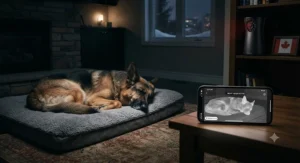
Cats complicate camera shopping in a way dogs generally don’t, and it comes down to biology. Cats aren’t strictly nocturnal — they’re crepuscular, meaning their activity naturally peaks around dawn and dusk rather than the dead of night — but plenty of indoor cats in Canadian apartments and houses run on a schedule shifted entirely off daylight hours, especially through winter when Canadian sunset times creep as early as 4:30 p.m. in many provinces. A night vision pet camera for cats in Canada needs to handle both the brief twilight window and genuine darkness convincingly, which pushes colour night vision from “nice to have” toward “actually useful.”
Here’s what most buyers overlook when shopping specifically for cats: field of view and mounting flexibility often matter more than raw resolution, because cats favour elevated, hard-to-monitor spots — bookshelves, window ledges, the top of the fridge — that a fixed, low-mounted camera simply can’t see. The Wyze Cam Pan v3‘s pan-and-tilt range and the eufy Indoor Cam E30‘s 360° horizontal rotation both solve this better than fixed-lens cameras like the Ring Indoor Cam 2K. For multi-cat homes specifically, sound differentiation matters too — the Petcube Cam and TP-Link Tapo C120 both distinguish meowing from other household noise, which helps you catch a genuinely distressed cry rather than routine chatter.
One Canada-specific consideration worth flagging: winter heating systems and older apartment wiring in many Canadian buildings can create Wi-Fi dead zones near exterior walls, which is exactly where cats often like to perch. If you’re placing a camera near a drafty window to watch a favourite cat-napping spot, test your Wi-Fi signal strength at that exact location before committing to a specific camera’s placement — a night vision pet camera for cats in Canada is only useful if the connection holds through a Canadian winter’s worth of interference.
How to Choose a Night Vision Pet Camera
- Decide between pure infrared and colour night vision first. If subtle detail — fur colour, collar tags, telling pets apart — matters, prioritize a spotlight-based camera like the eufy Indoor Cam E30 or TP-Link Tapo C120 over IR-only options.
- Match field of view to your pet’s favourite spots. Cats especially favour elevated or hard-to-reach corners, so pan-and-tilt models like the Wyze Cam Pan v3 often outperform fixed lenses for erratic movement.
- Check whether sound detection differentiates pet sounds from noise. A camera that fires on every furnace click will train you to ignore alerts entirely, defeating the purpose.
- Confirm the storage model before you buy, not after. Local microSD storage (Tapo, eufy) avoids ongoing fees; cloud-only models (Ring, Furbo’s advanced features) mean budgeting a subscription from day one.
- Weigh subscription costs into the real price, not just the sticker price. A cheaper camera with a mandatory C$3-C$10/month plan can cost more over two years than a pricier camera with free local storage.
- Verify Wi-Fi compatibility with your router, especially in older Canadian homes. Most of these cameras need 2.4GHz Wi-Fi specifically; confirm your router supports it at the intended placement.
- Consider dog-specific versus general-purpose hardware. If treat dispensing or bark-specific behavioural tracking genuinely matters, the Furbo 360° Dog Camera earns its premium; if not, a general camera saves real money.
Common Mistakes When Buying a Night Vision Pet Camera
The single most common mistake, based on the aggregated complaints across the cameras researched here, is assuming “night vision” on the box guarantees colour footage. Plenty of budget cameras — and even some mid-range ones — default to black-and-white IR at night regardless of how the marketing copy reads, and buyers only discover this after unboxing. Always confirm whether “night vision” means infrared-only or genuine colour night vision before purchasing, not after.
A second frequent misstep is skipping the subscription math entirely. Several cameras here, including the Ring Indoor Cam 2K and elements of the Furbo 360° Dog Camera‘s smart alert system, gate meaningful functionality behind ongoing plans. Buyers who only compare hardware price against a camera with free local storage, like the TP-Link Tapo C120 or eufy Indoor Cam E30, often end up spending more over time than the sticker price suggested.
Third, and this one’s easy to overlook: not every camera sold for home security is safety-certified for the Canadian electrical market. Devices legitimately sold on amazon.ca from established brands typically carry appropriate certification marks, but off-brand listings from unfamiliar third-party sellers sometimes skip this step. The CSA Group has certified electrical products for the Canadian market since the 1940s, and looking for a recognized certification mark on the packaging — rather than assuming any plug-in device sold online is automatically compliant — is a reasonable five-second check before you plug an unfamiliar camera into a Canadian outlet.
Practical Usage Guide: Setup, Placement & the First 30 Days
Getting a night vision pet camera set up correctly in the first week meaningfully changes how useful it is for the next two years, so it’s worth doing properly rather than rushing the unboxing.
Start with placement before power: most cameras in this roundup perform best mounted at a height of roughly 1.5-2 metres, angled slightly downward, avoiding direct line-of-sight to windows where headlights or streetlights can trigger false motion alerts overnight — a surprisingly common complaint in aggregated reviews of cameras placed near windows. For pan-and-tilt models like the Wyze Cam Pan v3, leave clearance on all sides so the rotation isn’t obstructed by furniture or curtains.
During setup, connect to 2.4GHz Wi-Fi specifically (most of these cameras don’t support 5GHz), and if your router broadcasts a combined network name, you may need to temporarily split the bands in your router settings to complete pairing. Once connected, spend the first evening deliberately testing night vision in your actual room conditions rather than trusting the spec sheet — ambient light from streetlights, nightlights, or electronics with standby LEDs can all affect how a camera’s automatic day/night switching behaves.
In the first 30 days, tune sensitivity settings gradually rather than accepting defaults. Motion and sound thresholds set too aggressively generate alert fatigue that leads most owners to silence notifications entirely within two weeks — defeating the entire purpose of the purchase. A common mistake in this window is leaving detection zones set to the full frame; narrowing the zone to exclude high-traffic areas like doorways (where humans, not pets, trigger most alerts) dramatically improves signal-to-noise. Finally, schedule a monthly maintenance check: wipe the lens (dust and pet hair accumulate faster than most owners expect), confirm firmware is current, and, for microSD-based storage, verify the card isn’t approaching capacity — a full card silently stops recording on several of these models rather than alerting you.
Real-World Scenarios: Which Camera Fits Your Home
The apartment cat owner working long shifts: A Toronto condo-dweller with two indoor cats and a job that runs 7 a.m. to 7 p.m. needs sound differentiation more than treat dispensing — they want to know if a meow at 2 p.m. means playful or genuinely distressed. The Petcube Cam‘s bark/meow distinction and budget price point fit this scenario well, especially paired with its compact size for a smaller apartment.
The multi-dog household with separation anxiety: A family in a suburban Calgary home with two dogs that bark when left alone needs bark-specific alerting with adjustable sensitivity to avoid alert fatigue from two dogs’ worth of noise. The Furbo 360° Dog Camera‘s barking alerts, combined with treat tossing as a calming intervention, directly addresses this use case — the subscription cost is easier to justify when it’s solving a specific behavioural problem rather than just general monitoring.
The budget-conscious student with one nocturnal cat: A student renting a small unit near a Canadian university, watching one cat that gets active after midnight, doesn’t need 4K resolution or a treat hopper — they need reliable colour night vision that fits inside a tight budget. The Wyze Cam Pan v3‘s combination of pan/tilt tracking and colour night vision, all under roughly C$80, matches this budget and use case better than pricier alternatives with features that would go unused.
Problem → Solution: Common Night Vision Pet Camera Issues
Problem: The night vision image is grainy or washed out. This usually traces back to a camera relying on a small sensor pushed to a high resolution, or a room with a partial light source (like a streetlight) confusing the automatic day/night switch. Solution: manually force night mode in the app rather than relying on auto-switching, and if grain persists, a camera with a larger physical sensor and dedicated starlight processing, like the TP-Link Tapo C120, will outperform a smaller-sensor camera even at a lower advertised resolution.
Problem: Too many false alerts overnight. Almost always caused by motion zones covering reflective surfaces, windows, or high-traffic doorways. Solution: narrow the detection zone in the app to exclude windows and doorframes, and if your camera supports sound-based detection like the Petcube Cam or eufy Indoor Cam E30, lean on sound triggers over pure motion for rooms with a lot of ambient movement, like curtains near an air vent.
Problem: The camera loses Wi-Fi connection overnight, specifically. Older Canadian homes with plaster or brick walls can weaken 2.4GHz signal strength enough that a connection which holds during the day drops when the router experiences overnight interference from neighbouring networks. Solution: reposition the router closer to the camera if possible, or add a mesh extender near the camera’s location rather than assuming the camera itself is faulty.
Problem: Subscription costs are creeping higher than expected. This is a budgeting issue more than a technical one. Solution: audit which features you’re actually using — if you’re paying for cloud clip storage but rarely review old footage, a camera with local microSD storage and no mandatory plan, like the eufy Indoor Cam E30, may cover your actual needs at a lower total cost.
Problem: Pets seem startled or avoid the camera’s location entirely. Some cats and anxious dogs react to the visible red glow of 850nm IR LEDs or a spotlight’s activation. Solution: switch to a camera’s “invisible” 940nm IR mode if available (the TP-Link Tapo C120 offers this), or reposition the camera slightly off the pet’s usual sightline so the illumination isn’t directly in their eyeline.
💬 Solved your setup headache? Pass this guide along to a fellow pet owner!
Long-Term Cost & Maintenance: Subscriptions, SD Cards & Power
The upfront price tag is only part of the real cost of ownership here, and it’s worth doing this math before, not after, committing to a camera. Cameras with mandatory or near-mandatory cloud subscriptions — Ring Indoor Cam 2K for event history, Furbo 360° Dog Camera for its smart alerts and cloud clips — typically run somewhere in the C$3-C$10 per month range depending on the tier, which adds up to roughly C$36-C$120 annually on top of the hardware cost. Over a two-year ownership window, that can meaningfully close the gap between a “budget” camera with a subscription and a “mid-range” camera that stores locally for free.
Local storage isn’t entirely free either, in practice: a decent 128GB or 256GB microSD card runs a modest one-time cost, and it’s worth budgeting for a card rated for continuous write cycles (often labelled “high endurance” for security camera use) rather than a standard consumer card, which can wear out faster under 24/7 recording. Cameras like the TP-Link Tapo C120 and eufy Indoor Cam E30 support up to 512GB locally, which at typical compression rates covers weeks of continuous footage before old clips need to cycle out.
Power costs are genuinely negligible — these are low-wattage devices, typically drawing less than most phone chargers — but it’s worth budgeting for occasional hardware replacement. Plug-in cameras left running 24/7 in a Canadian home, particularly ones near a window exposed to summer heat or winter cold swings, have a realistic lifespan in the three-to-five-year range before connectivity issues or component wear set in, based on aggregated longevity feedback across similar smart home devices. Treating the camera as a recurring line item rather than a one-time purchase leads to a more accurate sense of total cost over its useful life.
Safety, Privacy & Regulations for Smart Pet Cameras in Canada
Any Wi-Fi-connected camera in your home is also, technically, an internet-connected device with a camera pointed at your living space — which means privacy hygiene matters here just as much as picking the right resolution. The Office of the Privacy Commissioner of Canada has published specific guidance on this exact category of device, noting that internet-connected cameras can be surprisingly easy for outsiders to access if left on default settings, and that changing the default password is one of the simplest, highest-impact steps an owner can take to reduce that risk.
Beyond password hygiene, a few practical habits go a long way: keep your camera’s firmware updated (most of the cameras in this roundup push automatic updates, but it’s worth confirming this is enabled), avoid reusing a password from another account, and check what the camera’s app actually shares with third parties before enabling every optional integration during setup. For anyone purchasing a camera specifically to watch a room where guests or family members might also appear on screen, it’s also worth a quick conversation about where the camera is pointed and why, rather than assuming pet-monitoring intent is self-evident to everyone in the household.
On the regulatory side, any wireless device sold and used in Canada — including every camera on this list — is required to meet Innovation, Science and Economic Development Canada’s technical standards for radiocommunication equipment, which govern interference and safety before a device can legally be imported, distributed, or offered for sale in Canada. Established brands sold through mainstream Canadian retailers meet this requirement as a matter of course; it’s really only a concern with unfamiliar, ultra-cheap listings from unverified third-party sellers, where it’s worth doing a few extra minutes of research before buying.
Frequently Asked Questions
❓ What's the actual difference between night vision and infrared on a pet camera?
❓ Do I need color night vision for a pet camera, or is black-and-white enough?
❓ How far can a typical pet camera see in the dark?
❓ Is a subscription required for these pet cameras to work?
❓ Can a night vision pet camera work well in a Canadian apartment with thick walls?
Conclusion
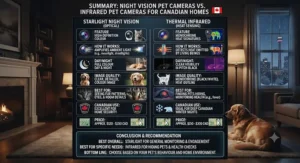
If you’ve made it this far, you already know the night vision pet camera vs infrared pet camera framing was never really an either/or choice — it’s a spectrum, running from pure black-and-white infrared units like the Petcube Cam through hybrid colour-and-IR cameras like the TP-Link Tapo C120 and eufy Indoor Cam E30, up to specialized dog-focused hardware like the Furbo 360° Dog Camera. The right pick depends less on chasing the highest resolution number and more on matching sensor type, sound detection, and mounting flexibility to your specific pet, room, and budget.
For most Canadian households weighing this decision, the TP-Link Tapo C120 remains the strongest all-around value: dual infrared modes, genuine colour night vision, AI-tuned sound detection, and local storage with no mandatory subscription. Cat owners dealing with elevated hiding spots should lean toward the pan-and-tilt flexibility of the Wyze Cam Pan v3 or eufy Indoor Cam E30, while dog owners specifically chasing separation-anxiety insights and treat-based engagement will likely find the Furbo 360° Dog Camera‘s premium price justified by features nothing else here replicates. Whichever you choose, remember that price ranges shift constantly — always confirm current pricing and availability on amazon.ca before completing a purchase.
✨ Don’t Miss These Exclusive Deals!
🔍 Ready to finally see what your pet gets up to after dark? Click through to check current prices on any of these picks — your peace of mind (and your pet’s late-night antics) are worth it!
Recommended for You
- Night Vision Cat Camera Under $120 CAD: 7 Top Picks (2026)
- Treat Camera for Training Cats: 7 Proven Picks (2026)
- Treat Camera for Multiple Cats: 7 Fairest Picks (2026)
Disclaimer: This article contains affiliate links. As an Amazon Associate, I earn from qualifying purchases. If you purchase products through these links, we may earn a small commission at no additional cost to you.
✨ Found this helpful? Share it with your friends! 💬🤗
