

In This Article
A two-way audio cat camera is a Wi-Fi camera with a built-in microphone and speaker that lets you watch your cat live and talk to her through a smartphone app. You hear the meows, thumps and suspicious silences. She hears your voice. Some models add treat tossing, pan-and-tilt tracking or AI alerts.
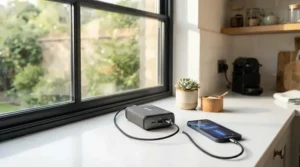
Here’s the plot twist: cats are not small dogs. A dog might sprint to the camera when you call. A cat might flick an ear and file your voice under “later.” Still, these devices keep climbing wish lists, and the cat’s hearing is part of the reason. Wikipedia’s overview of hearing range notes that cats detect an extremely broad span of frequencies, far beyond the 20 to 20,000 Hz commonly cited for humans. So audio quality deserves as much attention as video resolution when you choose a two-way audio cat camera.
This guide covers seven real models that Canadian shoppers can buy. It gives price ranges in Canadian dollars and plain-language analysis of what each spec means in a real living room. Maybe you want an affordable two-way audio pet monitor Canada budgets can handle, a two-way audio cat camera review Canada buyers can trust, or a two-way audio camera price guide Canada households can plan around. You’ll find all three below. We’ll also dig into microphone sensitivity, speaker volume range and background noise filtering, the three audio traits that spec sheets love to skip.
One honest note up front: I haven’t handled these cameras. Everything here comes from manufacturer specifications, retailer listings and published reviews. Where I couldn’t verify something, I say so. Prices are approximate and change often, so check current prices before you buy.
Quick Comparison: Best Two-Way Audio Cat Camera Picks in Canada
| Model | Best For | Approx. Price (CAD) | Standout Features |
|---|---|---|---|
| Furbo 360° Cat Camera | Interactive play | C$200–C$250 | 360° rotation, treat toss, feather wand |
| Petcube Bites 2 Lite | Treat rewards in one room | C$150–C$230 | 160° view, treat dispenser, optional meow recognition |
| eufy Indoor Cam E220 | Smart alerts and local storage | C$65–C$90 | 2K video, 360° pan, human and pet AI |
| Tapo C210 | Audio-first budget buyers | C$40–C$65 | 2K, pan/tilt, noise-cancelling audio, microSD |
| Wyze Cam Pan v3 | Echo-free conversations | C$55–C$75 | Echo cancellation, privacy mode, IP65 |
| Blink Mini 2 | Discreet second room | C$45–C$65 | Compact, colour night view with spotlight |
| Tapo C100 | Lowest-cost trial run | C$25–C$40 | 1080p fixed lens, microSD slot |
Looking at the table, the Tapo C210 and Wyze Cam Pan v3 deliver the most audio-focused features per dollar, while Furbo 360° Cat Camera and Petcube Bites 2 Lite cost more because they add treat mechanics. If you only want to see and speak, the extra C$100 or more buys you hardware your cat may or may not care about. Budget buyers should note that Tapo C100 sacrifices pan and tilt for its rock-bottom price.
💬 Just one click — help others make better buying decisions too!😊
Two-Way Audio Cat Camera Review Canada: Top 7 Picks, Analyzed
Each pick below is judged on real specifications, published roundups and retailer feedback. I avoid inventing quotes or ratings. Where I couldn’t verify review data for a model, I say so rather than guess.
1. Furbo 360° Cat Camera — feather wand plus treat tossing
Most cameras watch your cat. Furbo 360° Cat Camera tries to entertain her, pairing a feather wand toy with remote treat tossing.
A rotating 360° view and a built-in mic and speaker mean you can follow a cat who relocates from sofa to windowsill and call her name on arrival. The treat toss does the heavy lifting here. A voice cue followed by a snack is the fastest way to teach a cat that your tinny voice from the shelf means good news.
Based on the spec comparison, this suits owners who want engagement, not just surveillance, such as a single-cat home with a bored young cat. The catch is that premium extras like AI alerts and longer video history sit behind the Furbo Nanny subscription, which Furbo’s Canadian page prices at roughly C$7–C$10 a month depending on plan length.
Roundups I reviewed consistently list Furbo cameras among the best for two-way communication, with the subscription as the usual complaint. I couldn’t find independent audio measurements for this cat-specific model, so treat that praise as directional.
Pros:
- ✅ Treats and feather wand encourage real play
- ✅ 360° rotating view follows a roaming cat
- ✅ Built-in mic and speaker for voice calls
Cons:
- ❌ Premium alerts need a paid Furbo Nanny plan
- ❌ Priciest camera in this lineup
Expect roughly C$200–C$250 for the camera; check current price. Verdict: worth it only if play matters more than monitoring.
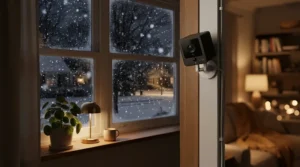
2. Petcube Bites 2 Lite — wide 160° view with a treat dispenser
Petcube Bites 2 Lite pairs a wide-angle lens with a treat launcher, so one tap rewards a cat who just trotted into frame.
The 1080p sensor and 160° lens cover most of a small living room without any motors that might buzz and startle a nervous cat. The dispenser takes uniform crunchy treats up to about 2.5 cm, and the container holds up to roughly 680 g, so a weekend away won’t empty it. Check your cat’s favourite treats first, because soft or irregular shapes may jam.
Petcube describes the audio as natural and life-like so pets recognize your voice. A fixed camera keeps your voice coming from one consistent spot, which may help a cat link the sound with the place. That makes it a fit for condo owners where one room holds all the action.
Pet-camera roundups repeatedly place the Bites 2 family near the top for value. The optional Petcube Care plan adds video history plus barking and meowing recognition. I didn’t find a large body of Canada-specific reviews, so scan recent Amazon.ca feedback.
Pros:
- ✅ 160° view needs no moving parts
- ✅ Large treat container for longer absences
- ✅ Optional Care plan recognizes meowing
Cons:
- ❌ Fixed lens can’t follow a roaming cat
- ❌ Treat size and shape restrictions apply
Roughly C$150–C$230; check current price. Verdict: a solid middle ground if treats are part of your plan.
3. eufy Indoor Cam E220 — 2K clarity with AI pet detection
eufy Indoor Cam E220 is for owners who want sharp video and smart alerts without being forced into a cloud plan.
It records in 2K, pans 360° and tilts 96°. Its on-device AI separates people, pets and crying, and it can flag excessive noise, so you get pinged when something meaningful happens instead of when a curtain twitches. Footage can go to local storage, cloud or an NAS via RTSP, which privacy-minded households will appreciate. Two-way audio is built in.
On paper, the real value is the filtering. Fewer false alerts mean you’ll actually look when the phone buzzes. eufy’s product pages don’t publish microphone sensitivity or speaker output figures, so audio quality is something to verify in recent buyer feedback.
I couldn’t verify a deep set of independent reviews specific to this model’s audio, so I won’t characterize it beyond the specs.
Pros:
- ✅ Sharp 2K video with 360° pan
- ✅ Pet-aware AI cuts false alerts
- ✅ Local, cloud and NAS storage options
Cons:
- ❌ Detailed audio specs aren’t published
- ❌ Indoor-only, with no weather rating
Single cameras sit around C$65–C$90 at the time of research, and multi-packs usually lower the per-camera cost. Verdict: strong mid-range value.
4. Tapo C210 — 2K pan and tilt with noise-cancelled audio
Tapo C210 is the quiet overachiever: a 2K pan/tilt camera that lists two-way audio with noise cancellation at budget prices.
The 3 MP sensor, 360° pan and roughly 114° of tilt keep a wandering cat in view, and night vision is rated up to 30 ft (about 9 m). Local microSD storage up to 512 GB means you can skip the cloud fee entirely. Alexa and Google Assistant are supported.
Noise cancellation on a spec sheet is a promise, not a measurement. Still, it’s the feature that matters most for apartment dwellers fighting fridge hum or street noise. This is the audio-first pick for people who want movement tracking more than treat mechanics.
I couldn’t verify enough independent reviews of this model’s audio to summarize them fairly, so check recent Amazon.ca ratings before you commit.
Pros:
- ✅ 2K video with wide pan and tilt
- ✅ Noise-cancelling two-way audio listed
- ✅ microSD recording avoids monthly fees
Cons:
- ❌ Cloud features need a Tapo Care plan
- ❌ No treat tossing or toy function
Around C$40–C$65; check current price. Verdict: probably the best value for audio-first owners.
5. Wyze Cam Pan v3 — echo cancellation and a privacy mode
Wyze Cam Pan v3 tackles the most annoying two-way audio glitch: your own voice echoing back through the speaker.
Wyze lists noise and echo cancellation, a 1080p sensor, 360° pan, 180° tilt and colour night vision through a starlight sensor. It runs on a 1.8 m USB cable, so you’ll need an outlet near the mounting spot, and it supports 2.4 GHz Wi-Fi only. It lists IC among its certifications, which is a useful reassurance for Canadian buyers.
Privacy Mode swivels the lens straight down, a thoughtful touch for overnight or when guests visit. Wyze’s own example for paid Cam Plus detection is a barking pet, so I couldn’t confirm cat-specific alerts like meowing. Lean on the motion and sound alerts instead.
A pet-camera roundup named a Wyze Cam Pan its favourite for cats and dogs, though that list may refer to an earlier generation. I couldn’t verify v3-specific audio reviews.
Pros:
- ✅ Echo and noise cancellation on audio
- ✅ Privacy mode points the lens down
- ✅ IP65 rating adds rugged flexibility
Cons:
- ❌ 2.4 GHz Wi-Fi only
- ❌ Plug-in power with a 1.8 m cable
Roughly C$55–C$75; check current price. Verdict: an easy first choice at the price.
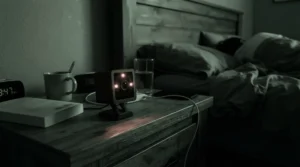
6. Blink Mini 2 — tiny with colour night view and spotlight
Blink Mini 2 is the camera that vanishes on a bookshelf, about 5 cm tall and plugged straight into the wall.
It streams 1080p video with colour night view from a built-in spotlight, a wider field of view than the original, and two-way audio. Storage is cloud through a Blink Subscription Plan (30-day trial included) or local through a separate Sync Module.
The spotlight helps with visibility, but a sudden light in a dark room may startle a sleeping cat. Consider keeping it off and relying on standard night vision. It’s a fine second-room camera, such as the kitchen counter where a certain tabby plots crimes.
Buyers on retailer listings generally call it good value, though some say the audio could be better. That’s consistent with a small speaker in a very small body.
Pros:
- ✅ Compact, discreet plug-in design
- ✅ Colour night view with built-in spotlight
- ✅ Cloud or local storage choices
Cons:
- ❌ Local storage needs an extra Sync Module
- ❌ Audio called merely serviceable by some owners
Roughly C$45–C$65; check current price. Verdict: great for a low-budget second room.
7. Tapo C100 — the cheapest way in the door
Tapo C100 is what you buy when you want to try a two-way audio cat camera without committing real money.
It offers 1080p video, two-way audio, night vision, motion alerts and a microSD slot for local clips. The lens is fixed, so placement becomes your main skill. Aim it at the feeding station or a favourite perch and you’ll get 80% of the value.
One pet-camera roundup found the audio surprisingly usable but noted the microphone picked up background noise in windy conditions, and still crowned it best budget pick. Treat that as a reminder to keep it away from open windows and fans.
Pros:
- ✅ Lowest price in this lineup
- ✅ Simple setup through the Tapo app
- ✅ microSD slot for local clips
Cons:
- ❌ Fixed lens can’t pan or tilt
- ❌ Microphone can pick up background noise
Roughly C$25–C$40; check current price. Verdict: an unbeatable entry ticket if you accept a single viewpoint.
✨ Don’t Miss These Top Picks!
🔍 Take your cat monitoring to the next level with these carefully selected cameras.Click on any highlighted item to check current pricing and availability. These picks will help you create reassuring check-ins your cat will love!
Setup Guide: Getting Your Two-Way Audio Cat Camera Working Right in 30 Days
Plugging in a camera takes five minutes. Teaching a cat that the little box means something takes a few weeks. Here’s the practical schedule that product listings never give you.
Day 1: Placement and Wi-Fi
Mount or perch the camera at or just above your cat’s eye level, aimed at a favourite spot like the window perch or feeding station. Keep it out of direct sun to avoid glare. If you chose Wyze Cam Pan v3, remember it’s 2.4 GHz only and tethered by a 1.8 m cable, so pick a spot near an outlet. Tuck away excess cord, because cables are chew bait.
Week 1: Watch, Don’t Talk
Spend the first days observing. When does your cat nap, patrol or yowl? You’ll learn the quiet baseline that makes alerts meaningful.
Weeks 2–3: Build the Voice Cue
Use a short, calm phrase plus a reward. With Furbo 360° Cat Camera or Petcube Bites 2 Lite, pair your voice with a treat toss. With Tapo C210, eufy Indoor Cam E220, Blink Mini 2 or Tapo C100, use the phrase just before a play session or your arrival home.
Day 30: Maintenance Routine
Wipe the lens monthly, install app and firmware updates, and check that a determined paw hasn’t nudged the angle. The classic first-month mistakes are cranking the volume, talking nonstop and treating the camera as a babysitter instead of a supplement.

Problem → Solution: Echo, Hiss, Silence and the Cat Who Ignores You
Most two-way audio frustration falls into five predictable buckets, and each has a practical fix.
Echo or screeching feedback: This happens when your voice returns through the speaker. Use headphones, lower your phone’s volume, or step out of the room. Wyze Cam Pan v3 lists echo cancellation, which helps when you can’t.
Hissing or hum: Move the camera away from fridges, fans and open windows. Tapo C210 lists noise cancellation, while Tapo C100 testers reported microphone pickup of background noise, so placement matters most on the budget model.
A startled cat: Drop the volume, use a calm low voice and start with her name. With Petcube Bites 2 Lite, follow the voice with a treat so the speaker becomes a good omen.
Laggy audio: Move your router closer, confirm the camera is on a supported band, and update the app. Wyze Cam Pan v3 only works on 2.4 GHz, so a 5 GHz-only network won’t connect.
Night-time spotlight surprises: Switch off the colour-night spotlight on Blink Mini 2 if it wakes a sleeper. Standard night vision is gentler on a cat in the dark.
How to Choose a Two-Way Audio Cat Camera: 7 Steps
Choose a two-way audio cat camera by matching budget, audio features, coverage, storage, Wi-Fi and security to your cat’s habits. Work through these steps in order:
- Set a budget. A basic affordable two-way audio pet monitor Canada shoppers can find sits around C$25–C$65, while treat and toy models start near C$150.
- Decide between watching and playing. If you only want check-ins, skip the treat mechanics and save the money.
- Check coverage. A 160° fixed lens like Petcube Bites 2 Lite suits one room. Pan/tilt models like Tapo C210 suit a cat who roams.
- Prioritize audio features. Manufacturers rarely publish microphone sensitivity, so look for noise or echo cancellation instead.
- Plan storage and subscriptions. MicroSD recording avoids monthly fees, while cloud plans add convenience at a cost.
- Verify Wi-Fi compatibility. Some cameras only connect to 2.4 GHz networks.
- Vet security. Canada’s cyber agency has warned since its 2018 assessment that criminals are shifting toward connected home devices, as CBC News reported. Use unique passwords and keep firmware updated.
Two-Way Audio Cat Camera vs Traditional Alternatives
| Option | Real-Time Voice | Cost Pattern | Best For |
|---|---|---|---|
| Two-way audio cat camera | Yes | One-time purchase, optional subscription | Daily check-ins |
| Camera without audio | No | One-time purchase | Silent monitoring |
| Pet sitter drop-in | Human contact | Per-visit fee, varies by city | Medical needs, long trips |
| Automatic feeder | No | One-time purchase | Scheduled meals |
The table shows that a two-way audio cat camera fills the gap between silent cameras and paid visits. It won’t replace a sitter on a long trip, but it adds a layer of reassurance for the everyday workday. If your cat takes medication or has special needs, human visits still win.
Microphone Sensitivity: How Well Will It Hear Your Cat?
Microphone sensitivity describes how faint a sound a camera can pick up. Set too high, it hears the fridge compressor. Set too low, it misses a meow from across the room. For a two-way audio cat camera, the ideal is a mic that captures a soft chirp without turning every household hum into a soundtrack.
In the manufacturer pages I reviewed, none of the seven cameras publish microphone sensitivity figures. That’s a gap worth knowing about. Instead, look at the features that act on the microphone’s output. Wyze Cam Pan v3 and Tapo C210 list noise cancellation, eufy Indoor Cam E220 uses AI to flag excessive noise and crying, and Petcube Bites 2 Lite offers meow recognition through Petcube Care.
A simple home test helps. Place the camera one to three metres from your cat’s favourite spot, ask a family member to speak softly at that distance, and listen through the app. If you can’t hear a whisper, move the camera closer to the action. Good microphone sensitivity is as much about placement as hardware.
Speaker Volume Range: Loud Enough to Reach, Gentle Enough Not to Scare
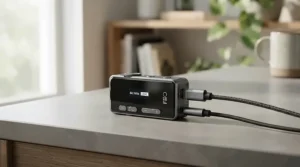
Speaker volume range is how loud the camera can speak back. Small speakers are generally tuned for speech, so don’t expect room-filling sound. That’s fine, because your cat doesn’t need a concert, just a clear, familiar voice.
Cats hear far more than people do. A research paper on the domestic cat’s hearing range found it extends from 48 Hz to 85 kHz at 70 dB SPL, one of the broadest among mammals. In practice, a camera speaker reproduces only a slice of that, but your cat’s ears will still catch every crackle and distortion. Start with the volume low and raise it gradually.
None of the cameras I reviewed publish speaker output in decibels, so treat the app’s volume slider as your guide. Keep your tone soft, and avoid shouting through the speaker. If your cat is elderly or has hearing loss, expect less response and consider pairing voice with visual cues like treats or a toy.
Background Noise Filtering: Echo, Hum and the Fridge Problem
Background noise filtering is the camera’s ability to suppress sounds you don’t want, like echo, wind or appliance hum. It’s the feature that makes the difference between a clear “I’m home” and a muddy mess.
Wyze Cam Pan v3 lists noise and echo cancellation, which targets feedback when you speak. Tapo C210 lists two-way audio with noise cancellation. eufy Indoor Cam E220 takes a different approach, using AI to detect noise levels and crying instead of cleaning up the audio stream. A tester at one roundup found Tapo C100 picked up background noise in windy conditions, showing that budget models may lack aggressive filtering.
Filtering has limits, and no algorithm fixes a camera mounted beside a loud vent. Combine good placement with good features. Keep cameras away from windows, HVAC registers and appliances, and you’ll get better results than any spec upgrade could deliver.
Two-Way Audio Camera Price Guide Canada: What You’ll Really Spend
| Tier | Models | Approx. Range (CAD) | Trade-Off | Best For |
|---|---|---|---|---|
| Budget | Tapo C100, Tapo C210, Blink Mini 2, Wyze Cam Pan v3 | C$25–C$75 | No treats, basic AI | Watch and talk |
| Mid-range | eufy Indoor Cam E220 | C$65–C$90 | No treats, indoor-only | Smart alerts |
| Premium | Petcube Bites 2 Lite, Furbo 360° Cat Camera | C$150–C$250 | Higher cost, subscriptions | Interactive play |
The pattern is clear: audio quality doesn’t rise in lockstep with price. The premium tier buys mechanics and AI, while the budget tier delivers the core audio feature. If your goal is simply to talk to your cat, spending more may not improve the conversation.
Affordable Two-Way Audio Pet Monitor Canada: The Sweet Spot
For most households, the sweet spot lands between C$40 and C$75, where Tapo C210 and Wyze Cam Pan v3 deliver pan/tilt and audio cancellation. Add a microSD card and you avoid monthly fees entirely.
The Subscription Math
Subscriptions change the real cost. Furbo’s Nanny plans run roughly C$7–C$10 a month, which adds about C$250–C$360 over three years on top of the camera. Petcube Care, Tapo Care and Blink plans are optional, but check what’s locked behind them before you buy.
Safety, Privacy and Canadian Compliance Checklist
A camera that talks is also a camera that listens, so treat it like any connected device. Look for IC radio certification on the label. Wyze lists IC among the certifications for Wyze Cam Pan v3, for example.
The Canadian Centre for Cyber Security offers practical guidance on securing your devices, computers and networks, including multi-factor authentication and updates. Industry guidance also recommends putting smart devices on a separate guest network to limit damage if one is compromised.
Be courteous, too. Tell sitters, partners and guests that there’s a microphone in the room. Avoid pointing cameras at neighbours’ windows or private spaces. Use features like Privacy Mode on Wyze Cam Pan v3 when you’re home, and unplug any camera that’s unused for long stretches.
Frequently Asked Questions
❓ Can my cat recognize my voice through a two-way audio cat camera?
❓ Does a two-way audio cat camera need a subscription?
❓ Do I need 5 GHz Wi-Fi for a two-way audio cat camera?
❓ Can I use a two-way audio cat camera with Alexa or Google Assistant?
❓ Will talking through the camera stress my cat?
Conclusion
The best two-way audio cat camera is the one that matches how your cat actually lives. If play is the priority, Furbo 360° Cat Camera is the most interactive pick, while Petcube Bites 2 Lite suits one-room homes that want treat rewards. For smart alerts without a mandatory cloud plan, eufy Indoor Cam E220 is a strong mid-range choice.
If you simply want to see and talk, the budget tier is hard to beat. Tapo C210 and Wyze Cam Pan v3 pair pan/tilt with noise or echo cancellation, Blink Mini 2 fits discreetly in a second room, and Tapo C100 is the cheapest way to try the idea. Whichever you choose, remember microphone sensitivity, speaker volume range and background noise filtering matter more than megapixels, and placement matters more than all three.
Start small, build a voice cue with treats or play, and keep security basics tight. Your cat may not answer, but she’ll almost certainly hear you.
✨ Ready to hear your cat’s day from anywhere?
🐱 Pick the camera that fits your home, click any highlighted product to check current pricing and availability, and give your cat a voice she can recognize!
Recommended for You
- 360 Pet Camera For Large Rooms: 7 Best Picks 2026
- 360 Camera For Multi-Cat Households: 7 Best Picks (2026)
- 360 Degree Camera vs Fixed Lens Pet Camera: 7 Picks (2026)
Disclaimer: This article contains affiliate links. As an Amazon Associate, I earn from qualifying purchases. If you purchase products through these links, we may earn a small commission at no additional cost to you.
✨ Found this helpful? Share it with your friends! 💬🤗
