
In This Article
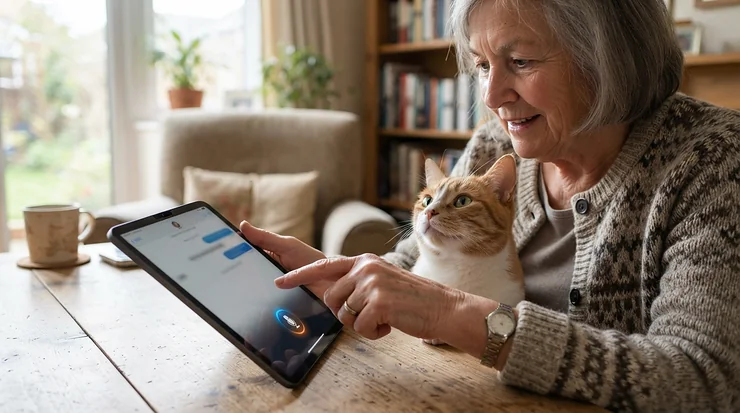
A two-way audio pet camera for elderly cat owners is a Wi-Fi camera with a built-in microphone and speaker, paired with a phone app that is simple enough for anyone to use. It lets you watch a senior cat, hear what’s happening, and speak to them from anywhere, without fiddly menus or a tech degree.
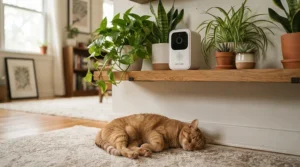
Here’s the thing about senior cats: they don’t announce trouble. They just get quieter, sleep in odd places, or start yowling at 3 a.m. Cats are living longer, and behaviour changes in older cats are well documented. A review in the Journal of Feline Medicine and Surgery stresses that many medical problems first show up as behavioural signs, which is exactly why a camera earns its keep. And if you are an older adult caring for that cat (or an adult child helping a parent), the camera has to be easy for you too.
So this guide skips the gadget hype. I compared seven real cameras sold in Canada on the things that matter here: audio clarity, app simplicity, setup effort, and long-term cost. Along the way, we’ll cover each secondary need directly: a two-way audio camera for senior pet owners Canada can rely on, a simple two-way talk camera for cats, simplified app interfaces, large-button remote controls, and an easy setup process.
One honest note up front. I haven’t handled these cameras myself. Everything below is built from manufacturer specs and aggregated review sentiment from published sources, and I’ll flag anything I couldn’t verify. Prices are ranges in Canadian dollars, so check current pricing before you buy.
Quick Comparison: Best Two-Way Audio Cameras at a Glance
| Camera | Video | Key Strength | Approx. Price Range (CAD) | Best For |
|---|---|---|---|---|
| Wyze Cam v4 | 2.5K | Clear audio, strong value | Around C$50-C$75 | Wyze Cam v4 suits budget-minded first-timers |
| Eufy Indoor Cam C120 | 2K | Plug-in simplicity | Around C$45-C$75 | Eufy Indoor Cam C120 suits “just make it work” buyers |
| Ring Indoor Cam (2nd Gen) | 1080p | Physical privacy cover | Around C$70-C$100 | Ring Indoor Cam (2nd Gen) suits privacy-minded households |
| Tapo C211 | 2K (3MP) | Pan/tilt at a low cost | Around C$45-C$70 | Tapo C211 suits tight budgets needing room coverage |
| Eufy Indoor Cam E220 | 2K | Pan, tilt and pet AI | Around C$55-C$100 | Eufy Indoor Cam E220 suits roaming cats |
| Petcube Cam 360 | 1080p | Beginner-friendly app | Around C$100-C$160 | Petcube Cam 360 suits first-time pet cam owners |
| Furbo Mini 360° | 2K QHD | Rotating view plus treats | Around C$150-C$230 | Furbo Mini 360° suits owners wanting everything in one |
Reading the table honestly: Wyze Cam v4 and Tapo C211 win on price, while Furbo Mini 360° and Petcube Cam 360 cost more but bundle pet-specific features. If your cat naps in one spot, a fixed camera like Eufy Indoor Cam C120 is plenty. If your cat wanders, paying slightly more for pan and tilt (Eufy Indoor Cam E220 or Tapo C211) saves you hunting for a cat that’s off-screen.
💬 Just one click — help others make better buying decisions too!😊
Top 7 Two-Way Audio Pet Cameras for Elderly Cat Owners: Expert Analysis
1. Wyze Cam v4 — best budget pick for clear audio
Audio is the standout here, and that matters when you’re trying to calm a nervous senior cat. The Wyze Cam v4 offers 2.5K video, colour night vision, a built-in spotlight and siren, Wi-Fi 6 support, and an upgraded amplifier and microphone for two-way talk. In practice, reviewers describe the speech as clear even when the camera sits flat against a wall, which means your voice won’t turn into static on the other end.
Based on the specs, this is a strong match for someone who wants a capable camera without paying premium money. Motion alerts reportedly arrive in under two seconds. The Wyze app is mature but has more menus than some rivals, so a helper may want to pre-set it for you.
Aggregated sentiment is positive: one major retail listing shows roughly 4.3 out of 5 stars across more than 1,500 ratings, and reviewers frequently praise the value. Some pet and person detection features sit behind the optional Cam Plus subscription, which reviewers price at about US$2.99 per month per camera.
Pros:
- ✅ Clear, noise-reduced two-way talk
- ✅ 2.5K video with colour night vision
- ✅ Local microSD recording, no subscription needed
Cons:
- ❌ App has more menus than rivals
- ❌ Pet detection needs paid Cam Plus
Price range: around C$50-C$75. Verdict: excellent value for the audio quality.

2. Eufy Indoor Cam C120 — best “plug in and go” simplicity
Simplicity is the pitch. The Eufy Indoor Cam C120 is the entry model in its range, with 2K resolution, built-in two-way audio, on-device human and pet detection, and plug-in power. It’s designed to sit on a shelf and stay put, which is exactly what you want for an elderly cat who has a favourite sunny spot.
On paper, the 2K picture means you can actually see small details, like whether your cat is breathing comfortably or favouring a leg. Reviewers at Digital Camera World called it quick and easy to set up, and noted that it doesn’t try to be fancy. Eufy also supports Alexa, Google Assistant and Apple HomeKit, which gives you voice-control options.
Customer sentiment is mostly favourable. One buyer reported trouble linking it to an existing Eufy system, which is a reminder to set it up as a standalone camera in the Eufy app first.
Pros:
- ✅ Quick, uncomplicated setup process
- ✅ On-device AI separates pets from people
- ✅ Works with Alexa, Google and HomeKit
Cons:
- ❌ Fixed view, no pan or tilt
- ❌ Some reports of linking trouble with older Eufy kits
Price range: around C$45-C$75. Verdict: a safe, simple choice for a cat who naps in one place.
3. Ring Indoor Cam (2nd Gen) — best built-in privacy cover
Privacy is the headline. The Ring Indoor Cam (2nd Gen) has a manual cover you swivel over the lens, which also switches off the microphone. For an older adult who wants a clear, physical “off” switch (no menu required), that’s a genuinely useful design choice.
It records in 1080p HD with colour night vision, plugs into a standard outlet, and offers two-way talk with noise cancellation. Ring says live view, real-time alerts and two-way talk work without an extra fee on compatible devices. Setup runs through the Ring app, where you scan a QR code on the back, so it’s smart to start that step before you mount the camera.
Reviewers describe it as small, compact and affordable, though one tech reviewer felt the video quality could be better, and one buyer felt the second generation lost some features of the first. Treat the picture as “good enough,” not “cinematic.”
Pros:
- ✅ Physical cover disables camera and mic
- ✅ Simple Ring app, familiar to many
- ✅ Core features included without subscription
Cons:
- ❌ 1080p picture trails the 2K rivals
- ❌ Fixed view, no pan or tilt
Price range: around C$70-C$100. Verdict: pay for peace of mind, not pixels.
4. Tapo C211 — lowest-cost pan and tilt
Value is the story. The Tapo C211 gives you a 3MP (2K) picture, pan and tilt, two-way audio with noise cancellation, a privacy zone feature, microSD storage up to 512 GB, and optional cloud storage through Tapo Care. Pan and tilt is the feature that matters most for a senior cat who moves between a bed, a window and a litter box.
Note the spec sheet lists 2.4 GHz Wi-Fi only, so if your router merges its bands or you’ve switched to a 5 GHz-only setup, check compatibility first. Reviewers at a retailer repeatedly call it easy to set up through the Tapo app, and the app gets “smooth” comments. One reviewer noted that the privacy blanking zone moves with the camera instead of staying fixed, which limits its usefulness.
Review sentiment is mostly positive but modest in volume, so I’d call it a promising budget pick rather than a proven favourite.
Pros:
- ✅ Pan and tilt at a very low price
- ✅ Easy setup through the Tapo app
- ✅ Up to 512 GB local storage
Cons:
- ❌ 2.4 GHz Wi-Fi only
- ❌ Privacy zone moves with the camera
Price range: around C$45-C$70. Verdict: best value for room coverage.
5. Eufy Indoor Cam E220 — best for a cat who roams
Tracking is the upgrade. The Eufy Indoor Cam E220 adds 360° pan and 96° tilt with auto-tracking to the 2K picture, plus human and pet AI and two-way audio. It follows your cat across the room so you don’t have to chase them with your thumb.
One review noted a delay of a second or two between speech and what appears on your phone, which can make back-and-forth conversation feel a little disjointed. For a calming “hello, Whiskers,” that lag doesn’t matter much. For anything rapid, it will.
Retail reviewers describe it as a well-priced indoor camera that works well for monitoring pets, and note the app can handle multiple Eufy cameras. That’s useful if you later add one in the bedroom or by the litter box.
Pros:
- ✅ Auto-tracking follows a wandering cat
- ✅ 2K picture with pet detection
- ✅ Manages multiple cameras in one app
Cons:
- ❌ Noticeable audio delay in one review
- ❌ Indoor use only
Price range: around C$55-C$100. Verdict: worth the small step up if your cat moves a lot.

6. Petcube Cam 360 — best beginner-friendly app
Ease is the draw. The Petcube Cam 360 has 360° pan-tilt rotation, 1080p video, a 105° wide-angle lens and two-way audio. A reviewer at PetsRadar called it a top pick for beginners thanks to its easy setup, simple app and clear instructions, which lines up neatly with what older users need.
Petcube also sells a separate laser toy, but that’s optional, and a frail senior cat may not need it. Some app features, including audio recognition of meowing and a 24/7 vet line, sit behind a paid plan. The reviewer also noted that some other cameras are cheaper if you can live without those extras.
Review sentiment is positive, though some retailer reviews on bundle listings were incentivized, so I give them less weight.
Pros:
- ✅ Praised for simple setup and app
- ✅ 360° rotation covers the whole room
- ✅ Works with Alexa voice commands
Cons:
- ❌ Some features need a paid plan
- ❌ 1080p only, lower than 2K rivals
Price range: around C$100-C$160. Verdict: a gentler learning curve for the price.
7. Furbo Mini 360° — premium all-in-one with treat toss
Everything is included here. The Furbo Mini 360° has a 2K QHD picture, a smooth rotating view, up to 8x zoom, two-way audio, and a small treat tosser holding around 10 treats. One reviewer called its two-way audio among the best they’d tested.
The treat toss deserves a caution for senior cats: dietary needs change with age and kidney or thyroid conditions, so ask your vet before dispensing snacks. You can ignore the treat feature entirely and just use it as a rotating camera.
Furbo’s basic functions are reported to be free, with advanced features tied to a subscription, so confirm what’s included at checkout. One pet writer also noted that talking to pets through a camera sometimes caused alarm rather than comfort, so test your cat’s reaction gently.
Pros:
- ✅ Sharp 2K picture with 8x zoom
- ✅ Rotating view reduces blind spots
- ✅ Well-regarded two-way audio
Cons:
- ❌ Highest price on this list
- ❌ Advanced features need a subscription
Price range: around C$150-C$230. Verdict: premium, but only worth it if you’ll use the extras.
Top 7 Specs and Value Table
| Camera | Resolution | Pan/Tilt | Subscription Needed? | Best For |
|---|---|---|---|---|
| Wyze Cam v4 | 2.5K | No | Optional Cam Plus | Budget audio quality with Wyze Cam v4 |
| Eufy Indoor Cam C120 | 2K | No | Optional | Simplicity with Eufy Indoor Cam C120 |
| Ring Indoor Cam (2nd Gen) | 1080p | No | Optional plans | Privacy with Ring Indoor Cam (2nd Gen) |
| Tapo C211 | 2K | Yes | Optional Tapo Care | Cheap coverage with Tapo C211 |
| Eufy Indoor Cam E220 | 2K | Yes | Optional | Tracking with Eufy Indoor Cam E220 |
| Petcube Cam 360 | 1080p | Yes | Optional plans | Beginners with Petcube Cam 360 |
| Furbo Mini 360° | 2K QHD | Yes | For advanced features | All-in-one with Furbo Mini 360° |
Look at the pattern: three of the four pan-and-tilt options cost less than the premium Furbo Mini 360°, so the extra money buys treats and polish, not coverage. For a senior cat who naps in one room, Wyze Cam v4 or Eufy Indoor Cam C120 gives you the best audio-per-dollar. Subscriptions are optional on most of these, which keeps long-term costs predictable.
How to Choose a Two-Way Audio Pet Camera for Elderly Cat Owners
- Start with audio, not video. Clear speech through a tiny speaker is the whole point. Prefer cameras with noise or echo cancellation.
- Count the taps. Open the app on day one. If live view and the talk button aren’t reachable within two taps, keep looking.
- Match the view to your cat. A cat who sleeps in one bed needs a fixed camera. A wanderer needs pan and tilt.
- Check the Wi-Fi band. Some cameras are 2.4 GHz only. Confirm your router supports it.
- Look for a physical privacy control. A manual cover or clear off-switch is easier than a settings menu.
- Plan for subscriptions. Free core features are common, but advanced alerts often cost extra.
- Think about a helper. If a family member will set it up remotely, favour apps that support sharing with more than one phone.

Two-Way Audio Camera for Senior Pet Owners Canada: What Canadian Buyers Should Know
Canadian shoppers face a few quirks that product pages rarely mention. First, prices on amazon.ca can move around, so the ranges above are guides, not promises. Second, winter is real: a power bar and router that lose electricity in an ice storm take your camera offline too, so keep a spare cable and consider a small battery backup for the router.
Third, privacy law applies. Canada’s privacy commissioner has published advice on using smart devices, including checking how personal information is used and turning devices off when you aren’t using them. A camera with a microphone in your home is exactly that kind of device.
Finally, think about who else lives in or visits the home. Caregivers, cleaners and grandchildren may be recorded, so a visible privacy cover, like the one on Ring Indoor Cam (2nd Gen), is polite as well as practical. For a two-way audio camera for senior pet owners Canada can trust, favour brands with clear support pages and regular app updates, and keep the app and the phone’s operating system current.
Simple Two-Way Talk Camera for Cats: What “Simple” Really Means
A simple two-way talk camera for cats has three traits: one obvious talk button, a stable connection, and no mandatory add-ons. That’s it. Everything else is optional garnish.
Look at how the products here do it. Wyze Cam v4 and Eufy Indoor Cam C120 keep two-way talk on the live screen. Petcube Cam 360 is praised by one reviewer for a simple app and straightforward instructions. Furbo Mini 360° layers on treat tossing and a rotating view, which is delightful but not “simple.”
There’s also the cat’s side. Talking to an anxious senior can comfort them or startle them. A pet writer reviewing a Furbo camera noted that voice through a speaker sometimes produced alarm rather than comfort. Start with a short, low-volume greeting at a time your cat is already calm, and watch the response.
If your cat shows disorientation, night-time yowling or changes in sleep, that’s a conversation for your vet, not a camera feature. Veterinary sources note that many senior-cat conditions can mimic cognitive changes, so a clip from your camera is useful evidence to bring to the appointment.
Simplified App Interfaces: Why They Matter More Than Specs
A great camera with a confusing app is a paperweight. Simplified app interfaces decide whether an older adult actually uses the thing, so judge the app as hard as the hardware.
What does “simple” look like? A live-view screen that opens directly, a clearly labelled microphone or talk button, large text that respects your phone’s font settings, and notifications you can silence without hunting. Ring Indoor Cam (2nd Gen) benefits from Ring’s widely used app, and one review describes that app as easy to set up and use. Tapo C211 gets “smooth” comments from retailer reviewers, and Petcube Cam 360 earns beginner-friendly praise.
On the other side, Wyze Cam v4 has a mature but menu-rich app, so a family helper may want to hide extras and pin the camera to the home screen. Smart advice for any model: turn off every alert type you don’t need. Fewer pings mean fewer “what does this mean?” calls.
Also use your phone’s accessibility options. Larger display text, bold text and a simplified home screen can make any camera app far friendlier without buying anything.
Large-Button Remote Controls: What’s Realistic for a Camera Setup
Let’s be straight: none of these seven cameras ships with a physical remote. They’re controlled through phone apps. So if you’re searching for large-button remote controls, the honest answer is to recreate that experience in other ways.
Option one is an old phone or tablet dedicated to the camera, with the app on the home screen and the display zoom turned up. The buttons suddenly look enormous. Option two is voice control: Wyze Cam v4, Eufy Indoor Cam C120 and Petcube Cam 360 all list compatibility with Alexa or similar assistants, so a smart display can show the feed on command. Check each compatibility list before buying, because supported commands vary.
Option three is physical simplicity on the camera itself. The swivel cover on Ring Indoor Cam (2nd Gen) works like a big, tactile off-button. No app needed.
I’d rather you not buy a gadget that doesn’t exist. A dedicated tablet on a stand, with large text and the app pinned, is the closest, cheapest and most reliable equivalent.
Easy Setup Process: A 20-Minute Guide
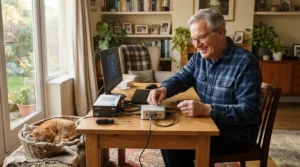
An easy setup process is mostly about preparation. Here’s a calm, step-by-step approach that works for most plug-in cameras.
- Gather what you need. Your Wi-Fi name and password, your phone, and a nearby outlet.
- Place the camera first, roughly. Ring’s setup involves scanning a QR code on the back, so start setup before you mount it.
- Install the app and create an account. Use a long, unique password.
- Check the band. If a camera is 2.4 GHz only, such as Tapo C211, confirm your router offers it.
- Name the camera by room. “Kitchen” beats “Camera 1.”
- Update the firmware when prompted.
- Test the talk button with a family member, not the cat, so you know it works.
Security matters at this stage too. The Canadian Centre for Cyber Security offers guidance on guest Wi-Fi networks, and putting smart devices on a separate network is a widely recommended precaution. Change the default passwords, and note that setup done once, properly, saves frustration for years.
Real-World Scenarios: Which Camera Fits Which Household
Scenario 1: A retired widow, one 16-year-old cat, a modest budget. Her cat sleeps on the same sofa cushion. A fixed camera is fine. Eufy Indoor Cam C120 keeps setup simple, and her daughter can help remotely. Budget: under C$100.
Scenario 2: A couple in their seventies, one cat who wanders between rooms. Pan and tilt makes sense here. Tapo C211 or Eufy Indoor Cam E220 follows the cat without anyone fiddling with the view. They’d benefit from a dedicated tablet with large text.
Scenario 3: An adult son monitoring his father’s senior cat from another city. He wants strong audio and shareable access. Wyze Cam v4 delivers clear speech at a modest price, and he can pre-configure the app. If privacy is a concern for his father, Ring Indoor Cam (2nd Gen) and its physical cover are a better fit.
Scenario 4: A tech-comfortable owner who wants all the extras. Furbo Mini 360° brings the rotating view and treats. Confirm any treats with your vet first, and decide in advance whether the subscription is worth it.
In every scenario, the winning move is the same: pick the camera your household will actually open every day.
Problem → Solution Guide: Common Camera Headaches
Problem: The audio sounds fuzzy or echoes. Move the camera away from hard, bare walls and a TV. Ask whoever is near the camera to stay quiet while you speak. Models with improved microphones, like Wyze Cam v4, tend to help.
Problem: The cat is never in frame. Switch to a pan-and-tilt model such as Eufy Indoor Cam E220, or place the fixed camera at your cat’s eye level near their favourite spot.
Problem: Your cat seems startled by your voice. Lower the volume, shorten the greeting, and try again at feeding time. If it keeps happening, stop. Some pets respond with alarm instead of comfort.
Problem: Too many notifications. Disable every alert except the one you truly need. Opt for a single motion zone instead of the whole room.
Problem: The camera goes offline. Check the Wi-Fi band, restart the router, and make sure firmware is current. If power cuts are common in your area, add a small battery backup to the router.
Problem: Nobody remembers the password. Store it in a password manager or write it in a sealed envelope kept with other important documents.
Two-Way Audio Camera vs Traditional Alternatives
| Option | Strength | Weakness | Best For |
|---|---|---|---|
| Two-way audio camera such as Wyze Cam v4 | Watch and speak from anywhere | Needs Wi-Fi and a phone | Daily check-ins |
| Neighbour or family drop-ins | Real human presence | Not continuous | Emergencies and visits |
| Pet sitter visits | Hands-on care | Ongoing cost | Long trips |
| Plain security camera with no audio | Cheaper | Can’t comfort the cat | Watching only |
A camera won’t replace hands-on care. What it does well is shrink the gap between visits. With Eufy Indoor Cam C120 or Wyze Cam v4, you can check on breathing, appetite and sleeping patterns in seconds.
Where cameras fall short: they can’t give medication, can’t clean up an accident, and can’t notice smells. Treat the camera as an early-warning system, and keep your vet, neighbours and family in the loop. A pet sitter still wins for longer absences, while a camera shines for the everyday “is everything okay?” moments.
Features That Actually Matter (And Those That Don’t)
Features worth paying for:
- Noise-cancelling two-way audio
- A physical or very obvious privacy control
- Local storage via microSD, which avoids mandatory fees
- Pan and tilt, but only for a cat who roams
Features you can skip:
- Treat tossing, unless your vet approves and you’ll use it
- Laser toys, since many senior cats won’t chase
- 360° rotation in a single-room, single-bed cat setup
- Extra-high zoom if the camera sits within a couple of metres of the cat
Marketing loves big numbers. A “2.5K” label sounds impressive, but for an elderly cat on a cushion, 1080p from Ring Indoor Cam (2nd Gen) shows the essentials. What you can’t compromise on is audio you can understand and an app you’ll open. Tapo C211 and Wyze Cam v4 prove you can get both without spending big.
Long-Term Cost & Maintenance
| Cost Item | Typical Range (CAD) | Notes |
|---|---|---|
| Camera | Around C$45-C$230 | Depends on model, from Tapo C211 to Furbo Mini 360° |
| microSD card | Around C$15-C$35 | For local recording on supported models |
| Optional plan | Varies by brand | Check each brand’s current plan |
| Router battery backup | Around C$40-C$100 | Helpful during power cuts |
Over several years, subscriptions can cost more than the camera itself. Wyze, for instance, lists an optional Cam Plus plan at around US$2.99 per month per camera, according to one reviewer. Multiply that by 12 months and several years, and you see why local microSD storage is attractive.
Maintenance is light: wipe the lens, check firmware every few months, and reboot occasionally. Remember to update the phone app too. Overall, Wyze Cam v4 and Tapo C211 look cheapest to own over time, while Furbo Mini 360° and Petcube Cam 360 cost more if you want their paid features.
Privacy and Safety Guide for Canadian Households
Cameras with microphones raise real privacy questions, and Canadians have a trusted starting point. The Office of the Privacy Commissioner has warned that web-connected cameras can be hijacked if they aren’t secured properly, and publishes tips including changing default settings and disabling the camera and microphone when not in use.
Practical steps:
- Use a unique password and, where offered, two-factor authentication.
- Put cameras on a guest network.
- Cover or switch off the lens when you’re home, which Ring Indoor Cam (2nd Gen) makes easy.
- Keep apps and firmware updated.
- Tell visitors when a camera with audio is in use.
For a sobering Canadian example of why this matters, CBC’s Marketplace hired ethical hackers to test a family’s smart home and found real vulnerabilities, and one manufacturer responded by strengthening protections. The lesson isn’t to avoid cameras; it’s to set them up carefully. For an elderly cat owner, that means choosing a trusted brand, doing the setup once with a helper, and reviewing settings every few months.

FAQ
❓ How much does a two-way audio pet camera for elderly cat owners cost in Canada?
❓ Can a cat actually hear and respond to my voice through a camera?
❓ Do these cameras work without a monthly subscription?
❓ What is the easiest camera for someone who isn't tech-savvy?
❓ Do these cameras come with a large-button remote?
Conclusion
Choosing a two-way audio pet camera for elderly cat owners comes down to one question: will the people in this household actually use it? Specs matter less than clear audio, a friendly app and a calm setup.
If you want the best value for audio quality, start with Wyze Cam v4. If simplicity is the priority, Eufy Indoor Cam C120 is the safer pick. For a cat who roams, Tapo C211 or Eufy Indoor Cam E220 adds pan and tilt without a big jump in price. If privacy tops your list, Ring Indoor Cam (2nd Gen) has the easiest physical off-switch. And if you want a beginner-friendly app or a premium all-in-one, look at Petcube Cam 360 and Furbo Mini 360°.
Whichever you pick, set it up with a helper, put it on a separate Wi-Fi network, and keep your vet in the loop about anything the camera shows you.
✨ Ready to give your senior cat (and yourself) some peace of mind?
🐱 Click any highlighted camera above to check current pricing and availability on amazon.ca, then choose the one your household will actually open every day.
Recommended for You
- Two-Way Audio Camera vs One-Way Audio Pet Camera: 7 Best Picks 2026
- Two-Way Talk Camera For Anxious Cats: 7 Best Picks (2026)
- Two-Way Audio Cat Camera: 7 Best Picks For Canada (2026)
Disclaimer: This article contains affiliate links. As an Amazon Associate, I earn from qualifying purchases. If you purchase products through these links, we may earn a small commission at no additional cost to you.
✨ Found this helpful? Share it with your friends! 💬🤗
