
In This Article
A two-way talk camera for anxious cats is a Wi-Fi indoor camera with a built-in microphone and speaker. It lets you watch your cat on your phone and speak to them from anywhere. It puts a familiar voice into a quiet, empty home, which may take the edge off a nervous cat’s day.
Anxious cats are masters of understatement. There’s no dramatic door-scratching marathon, just a shredded sofa arm, a missed litter box, a 2 p.m. yowl at an empty room, or a cat who clings like Velcro the moment your keys jingle. University veterinary teams list these as typical signs: eliminating outside the box, excessive vocalizing, destructive scratching, appetite changes and clinginess. 🐾
Here’s the honest bit. Vets at Texas A&M’s College of Veterinary Medicine describe separation anxiety as a genuine medical condition. Medication alone won’t resolve it, and cats need safe places to retreat to. A camera is not a cure. It is a window, a microphone and a very small comfort tool.
This guide covers seven real cameras, priced in CAD ranges. It also shows how to use your voice without backfiring, and where the marketing runs ahead of the evidence. If your cat’s distress is intense or sudden, book a vet visit first, since litter-box changes can also signal medical problems.
Quick Comparison: Two-Way Talk Camera for Anxious Cats at a Glance
| Camera | Standout Trait | Subscription Role | Best For |
|---|---|---|---|
| Furbo Mini 360° | 2K, 360° rotation, treat toss | Optional Nanny plan adds alerts and history | Voice-plus-reward routines |
| Furbo 360° Cat Camera | Cat-branded rotating model | Optional Nanny plan | Cat-focused shoppers |
| Petcube Cam 360 | Smooth pan-tilt, easy setup | Care plan for AI alerts and history | Simple, quick setup |
| Eufy Indoor Cam E220 | 2K, microSD storage | None required for core use | Subscription-averse owners |
| Tapo C211 | Pan/tilt with free detection | Free person and pet detection | Tight budgets |
| Wyze Cam v4 | Louder audio, small price | Optional cloud plan (check app) | One-room monitoring |
| Blink Mini | Alexa-friendly, simple | Optional paid plan for saved clips | Alexa households |
Looking at the table, treat-tossing models like the Furbo Mini 360° suit owners who want to pair a voice with a reward. The Eufy Indoor Cam E220 and Tapo C211 deliver most of the “watch and talk” value without a monthly bill. Fixed-view picks like the Wyze Cam v4 and Blink Mini work best when your cat’s life happens in one room.
💬 Just one click — help others make better buying decisions too!😊
Top 7 Two-Way Talk Camera for Anxious Cats Options: Expert Analysis
Prices below are rough CAD ranges at the time of research. They shift often, so check current prices and availability on Amazon.ca before buying.
1. Furbo Mini 360° — compact, rotating, treats on demand
The headline feature is a 360° rotating lens paired with a “Lite Treat Toss,” which lets your voice arrive with a reward. The maker lists 2K QHD video, up to 8x digital zoom and real-time two-way audio. In practice, rotation means you can find a cat who has wedged herself behind the bookshelf instead of staring at an empty sofa. The zoom helps you read ear position and whisker tension, which are the early clues of stress.
On paper, this suits owners who want a “voice equals good things” pattern, the same positive-reinforcement logic behind clicker training. One caution: the brand’s “Calm My Pet” feature is marketed around dogs, so treat it as unproven for cats. Reviewer opinion on audio is mixed. Some retail reviewers say an anxious pet takes comfort from hearing them. Another found the audio muffled and the treat mechanism startling.
Pros:
- ✅ 360° rotation finds hiding cats
- ✅ 2K video with generous zoom
- ✅ Treat toss pairs voice with reward
Cons:
- ❌ Dispenser noise may startle nervous cats
- ❌ Smart alerts need a paid Nanny plan
Expect roughly C$100–C$200 for the camera itself. It’s good value if you’ll actually use the treat feature.

2. Furbo 360° Cat Camera — the brand’s cat-labelled rotating model
Furbo sells this model as its cat camera, with a rotating 360° view, real-time two-way audio and treat tossing. The product page lists 1080p video with 4x digital zoom. That is a step below the newer Furbo Mini 360°, so the premium isn’t buying sharper pictures. It is buying the cat-labelled package and a larger body.
Based on the spec comparison, this is a pick for shoppers who prefer a camera designed with cats in mind, or who find it already discounted. Check exactly which cat-specific features the listing names before paying more. TIME’s partner roundup named it its pick for cats, with Alexa integration listed. I couldn’t verify a large pool of cat-owner reviews on audio quality, so read recent Amazon.ca reviews before you commit.
Pros:
- ✅ Rotating view tracks a roaming cat
- ✅ Treat toss for reward-based routines
- ✅ Works with Alexa
Cons:
- ❌ Lower resolution than the newer Mini
- ❌ Highest price tier here
The camera is typically in the C$200–C$250 range. It’s fair value only on a sale, or if the cat labelling matters to you.
3. Petcube Cam 360 — smooth pan-tilt with easy setup
The appeal is simplicity: 1080p video, a 360° pan-tilt motor and full-duplex audio. Full-duplex matters more than it sounds. You can hear your cat’s reaction while you’re talking, so if the meowing escalates mid-sentence, you can stop immediately instead of talking over a stressed animal.
One reviewer who upgraded from the original Petcube describes the rotation as nearly silent. Quiet motors are a real advantage for noise-sensitive cats. Roundups praise the quick setup, and the main complaint is that AI pet detection and 90-day history sit behind the Petcube Care subscription. Without it, you mostly get a live stream. That’s fine if live talking is your goal, but less so if you want alerts.
Pros:
- ✅ Near-silent, smooth rotation
- ✅ Full-duplex audio lets you hear reactions
- ✅ Beginner-friendly app setup
Cons:
- ❌ AI alerts require paid Care plan
- ❌ No treat dispenser
Budget roughly C$80–C$150 (estimate; verify the listing). It’s good value if you’re happy with live viewing only.
4. Eufy Indoor Cam E220 — no subscription, microSD storage
Its biggest advantage is local storage: a microSD card up to 128 GB means footage stays with you, and core features work without a monthly plan. It records 2K video, pans 360° and tilts about 96°. It also offers two-way audio, human and pet detection, and a built-in siren.
A reviewer on a retailer page describes a pet-zone mode that works with voice messages you record yourself. That is the closest thing in this lineup to calming tone playback, though you should confirm the exact behaviour in the app. One warning: switch the siren off for an anxious cat’s home. A sudden alarm is the opposite of reassurance.
Retail reviewers consistently call the app easy and the camera good value for pet monitoring.
Pros:
- ✅ Core features work without a subscription
- ✅ 2K video with pan and tilt
- ✅ Recorded voice messages mentioned by reviewers
Cons:
- ❌ No treat dispenser
- ❌ Siren is a risk for nervous cats
Roughly C$50–C$100 is the likely range. It’s strong value for the money.
5. Tapo C211 — budget pan/tilt with free detection
The standout is how much you get without a recurring fee. It offers 2K video, pan/tilt coverage and free person, motion and baby-cry detection. Two-packs appear on Amazon.ca, which lets you cover a living room and a bedroom cheaply. There’s no treat dispenser, so the interaction is all voice and video.
Editorial roundups praise it as a budget pick for pet watching, with Alexa and Google compatibility. I couldn’t find consistent audio-specific reviews, so test the speaker during your return window. Turn the volume low and listen from another room to judge clarity.
Pros:
- ✅ Free detection with no monthly fee
- ✅ Pan/tilt covers a whole room
- ✅ Two-pack options for multiple rooms
Cons:
- ❌ No treat feature
- ❌ Speaker quality unverified for cats
Expect roughly C$40–C$70 per camera. It’s the best price-to-feature ratio on the list.
6. Wyze Cam v4 — louder audio on a small budget
The relevant story is audio. Community-forum users report that the Wyze Cam Pan v3 has soft, sometimes unclear speaker output with no volume control. A v4 owner who compared both models in the same room said the v4 sounds noticeably better. That’s anecdotal rather than lab-tested, but it points to a real consideration for owners who will talk through the camera.
It’s a fixed-view camera, so it suits a cat whose day revolves around one window perch or sofa. Check Amazon.ca for current availability and the exact specs listed.
Pros:
- ✅ Clearer speaker reported versus Pan v3
- ✅ Very low price point
- ✅ Compact, easy to place
Cons:
- ❌ Fixed view, no pan or tilt
- ❌ Audio evidence is mostly forum anecdotes
Expect roughly C$40–C$60. It’s good value if your cat stays in one room.
7. Blink Mini — the simple Alexa-friendly plug-in
The pitch here is simplicity. TIME’s partner roundup highlights two-way audio, motion detection and sharp video with Alexa integration. If your home already runs on Echo devices, this camera slots in without a new ecosystem. Newer Blink Mini generations have since appeared, so check which version the Amazon.ca listing shows.
My honest take: this is the “good enough, easy to live with” choice. I couldn’t verify a deep pool of cat-specific audio reviews, so judge it as a basic tool rather than a specialist. For an anxious cat who just needs to hear you say hello at lunch, basic can be plenty.
Pros:
- ✅ Simple setup for Alexa households
- ✅ Low entry price
- ✅ Two-way audio and motion alerts
Cons:
- ❌ No pan, tilt or treats
- ❌ Saved clips may need a paid plan
Roughly C$40–C$70 is the likely range. It’s solid value for simple needs.
| Camera | Resolution | Movement | Treats | Rough Price (CAD) | Best For |
|---|---|---|---|---|---|
| Furbo Mini 360° | 2K QHD | 360° rotation | Yes | C$100–C$200 | Reward-based routines |
| Furbo 360° Cat Camera | 1080p | 360° rotation | Yes | C$200–C$250 | Cat-labelled shoppers |
| Petcube Cam 360 | 1080p | 360° pan-tilt | No | C$80–C$150 | Easy setup |
| Eufy Indoor Cam E220 | 2K | Pan and tilt | No | C$50–C$100 | No-subscription owners |
| Tapo C211 | 2K | Pan and tilt | No | C$40–C$70 | Tight budgets |
| Wyze Cam v4 | Check listing | Fixed | No | C$40–C$60 | Single-room cats |
| Blink Mini | Check listing | Fixed | No | C$40–C$70 | Alexa homes |
The spread is wide, but the split is clear. Paying above C$150 buys rotation and treats, which matter most if you plan to build a reward routine. Below C$100, the Eufy Indoor Cam E220 and Tapo C211 are the strongest value for a cat that mostly needs to hear you.
Two-Way Audio Camera for Calming Cats Remotely: A Practical Setup Guide
The best two-way audio camera for calming cats remotely still fails if it’s set up badly. Run through this checklist in your first week.
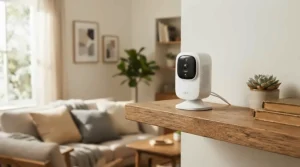
- Place it at 1–1.5 m (3–5 ft). Cat-eye level shows body language, and a shelf lets the camera see the whole room.
- Keep it off the main hiding spot. A lens staring at the cat’s safe place can make it less safe.
- Check Wi-Fi in the cat’s favourite room. Many pet cameras use 2.4 GHz networks, so test the signal before mounting.
- Set the speaker volume low. A booming voice from a box can startle a nervous cat.
- Do a “silent week” first. Watch before you talk, so you learn her normal baseline.
- Start with short messages. A few seconds of calm speech, then stop. Watch for ear flicks, relaxed posture and slow blinks.
- Mute your end when you’re stressed. Cats read tone, and a tense voice isn’t comforting.
Canadian homes add one winter wrinkle: a power outage takes down the camera and the router. Keep a vet-approved comfort routine that doesn’t depend on tech.
✨ Don’t Miss These Exclusive Deals!
🔍 Take your home-alone cat comfort to the next level with these carefully selected cameras. Click on any highlighted product to check current pricing and availability. These tools will help you create calmer, happier afternoons your cat will love!

Real-World Scenarios: Matching a Two-Way Talk Camera for Anxious Cats to Your Life
Profile 1: The condo renter with long office days. A shy tabby, nine-hour workdays and a budget under C$100. The Eufy Indoor Cam E220 or Tapo C211 covers the room, supports short voice check-ins and avoids subscription creep.
Profile 2: The hybrid worker with a senior cat. Older female cats appear more often in separation-anxiety reports, and hiding is common. Rotation helps you find her, so the Furbo Mini 360° or Petcube Cam 360 fits. Because her distress probably peaks on the days you’re out entirely, use the camera mostly for monitoring and light reassurance.
Profile 3: The weekend traveller with two cats. Trips are where veterinary sources say cat anxiety shows most. You need alerts, history and a reliable view. Consider the Furbo 360° Cat Camera or Petcube Cam 360, and budget for the optional plan if alerts matter.
In every scenario, the camera supports a plan, not replaces it. Arrange a sitter for multi-day trips.
Problem → Solution: When Your Cat Reacts Badly to Your Voice
Sometimes the voice makes things worse. Here are five common problems and fixes.
- The cat yowls toward the camera. Stop talking and try a quieter, shorter message next time. Fewer interactions beat more.
- The cat looks for you and can’t find you. Hearing a voice without a body can confuse some cats. Pair talk with a treat (Furbo Mini 360°) or use it only when she’s relaxed.
- A treat dispenser startles her. Introduce the noise while you’re home, with the camera on the counter, before using it remotely.
- Muffled audio. Reposition the camera away from soft furnishings. If it persists, the Wyze Cam v4 and Petcube Cam 360 are the models reviewers describe more favourably for clarity.
- Your cat ignores you. That’s normal. Research suggests cats often respond with a head or ear turn, not a meow.
How to Choose a Two-Way Talk Camera for Anxious Cats
Follow these seven steps.
- Decide on the main job. Watching only, talking, or reward-based reassurance? Talking-plus-treats points to Furbo models.
- Check audio first. Choose a two-way audio pet camera with clear speaker output, and read recent reviews about the speaker specifically.
- Pick coverage. Fixed cameras work for single-room cats, while pan/tilt suits roamers.
- Count the subscription. Some alerts and history sit behind monthly plans.
- Look for quiet motors. Noisy rotation can bother sensitive cats.
- Verify Canadian availability. Confirm Amazon.ca stock, warranty terms and power-adapter compatibility.
- Confirm privacy controls. Look for strong passwords, two-factor options and a clear privacy policy.
Feline Separation Anxiety: What a Camera Can and Can’t Do
Feline separation anxiety is real but less common than in dogs, probably because cats are more solitary by nature. One study reported that more than 13% of cats met at least one of the three criteria used to diagnose it. A University of Illinois shelter-medicine director has noted that cats show it mainly when owners are away for days rather than during a normal workday.
A camera helps in three ways. It shows you whether your cat is actually distressed or just napping, it lets you check the litter area and food bowl, and it offers an occasional familiar voice. It does not treat the condition. Veterinary behaviour guidance typically centres on safe spaces, environmental enrichment, routine and, where appropriate, vet-guided plans.
If you see persistent signs such as overgrooming, litter-box avoidance or constant vocalizing, call your vet. A camera clip of the behaviour can help the diagnosis.
Voice Recognition Response: Does Your Cat Actually Know It’s You?
Voice recognition response can mean two things. One is whether your cat recognizes your voice. The other is whether a camera recognizes voices and reacts. Let’s take them in turn.
Cats do recognize their owners’ voices. In a 2013 study from the University of Tokyo, 20 cats heard recordings of strangers calling their names, followed by their owner’s call. They distinguished the owner from strangers, though they responded mostly by moving their ears and heads rather than meowing or approaching. A follow-up study from the same research group found that cats pick up on differences in human voice characteristics.
So the “aloof” cat is listening. Expect a head turn through the camera, not a heartfelt reply.
The second meaning is murkier. I couldn’t verify any mainstream pet camera in this lineup that identifies your voice and responds automatically. Beware listings that imply it. Features that do exist include sound alerts, pet detection and, on some models, recorded messages.
Calming Tone Playback: What Actually Works
Calming tone playback sounds perfect: tap a button and a soothing sound fills the room. The reality is more modest.
Furbo markets a “Calm My Pet” feature, but around dogs. The Eufy Indoor Cam E220 has reviewer-reported recorded voice messages. Beyond that, I couldn’t verify any camera that automatically plays soothing audio when it detects a distressed cat. Treat any such claim as unconfirmed.
What you can do yourself is simple. Speak slowly, softly and in a low register. Use the same short phrase each time, so the sound becomes a predictable signal. Pair it with a treat only if the cat associates the camera’s noises with good things. Avoid long monologues, which can feel like surveillance.
If you want background sound, a separate speaker playing quiet, steady audio may be gentler than a voice that raises the cat’s hope that you’re coming home. Evidence for any specific audio working on cats is limited, so judge by your cat’s behaviour, and ask your vet.
Two-Way Audio Pet Camera with Clear Speaker: Why Audio Quality Matters
A two-way audio pet camera with clear speaker output is the difference between reassurance and a robotic scrape. Cats are sensitive to sound, and distorted audio can be unsettling.
What to check:
- Full-duplex audio. You hear the cat while speaking, as with the Petcube Cam 360.
- Latency. Delay makes the voice feel disconnected from your reaction.
- Placement. Soft furnishings muffle the speaker, and a hard shelf helps.
- Volume control. Some models lack it. Forum users report no volume control on Wyze’s two-way audio.
- Reviewer patterns. One Furbo Mini 360° buyer called the audio muffled, while others praised it. Variation between units is real.
Test within your return window. Play a short message from another room and ask yourself whether the voice sounds like you. If not, return it.
Common Mistakes When Buying a Two-Way Talk Camera for Anxious Cats
- Buying for features, not for the cat. A treat dispenser is pointless for a cat who won’t approach it.
- Ignoring noise. Motors and dispensers can frighten sensitive cats.
- Over-talking. More voice isn’t more comfort. Short beats long.
- Skipping the subscription maths. Alerts and history can add up over a year.
- Trusting marketing language. “Calming” and “voice recognition” claims often lack feline evidence.
- Using the camera instead of the vet. Persistent symptoms need professional assessment.
- Forgetting privacy settings. Default passwords are an open invitation.
The best two-way talk camera for anxious cats is the one you’ll use thoughtfully, not the one with the longest spec sheet.
Camera vs Alternatives: What Else Helps an Anxious Cat?
| Option | What It Does | Limits | Best For |
|---|---|---|---|
| Two-way talk camera | Lets you see and speak remotely | Doesn’t treat the condition | Monitoring and short check-ins |
| Pet sitter drop-ins | Real human contact | Cost, scheduling | Multi-day trips |
| Automatic feeder | Predictable meals | No interaction | Routine-sensitive cats |
| Pheromone diffuser | Passive background support | Evidence is mixed | Mild stress, as a vet-approved add-on |
| Enrichment (perches, puzzle feeders) | Occupies the cat | Needs setup | Bored or under-stimulated cats |
The camera wins on visibility, since you finally know what happens while you’re out. But a sitter wins on actual comfort, and enrichment wins on prevention. For most anxious cats, a combination works best. Use the camera to find out what’s happening and the other tools to change it.
Long-Term Cost & Maintenance for a Two-Way Talk Camera for Anxious Cats
The sticker price is only the start. Here’s a rough three-year view.
| Tier | Hardware (CAD) | Recurring Cost | Notes | Best For |
|---|---|---|---|---|
| Tapo C211, Wyze Cam v4, Blink Mini | C$40–C$70 | Optional plans | Basic watching and talking | Budget buyers |
| Eufy Indoor Cam E220 | C$50–C$100 | microSD card only | Local storage | Subscription avoiders |
| Petcube Cam 360 | C$80–C$150 | Care plan for AI alerts | Smart alerts cost extra | Easy setup |
| Furbo Mini 360° / Furbo 360° Cat Camera | C$100–C$250 | Optional Nanny plan | Alerts and history gated | Treat-based routines |
The table shows a pattern: low hardware prices often come with optional cloud plans, while premium cameras add recurring fees. Over three years, a “cheap” camera with a plan can cost as much as a premium one without. Maintenance is light. Wipe the lens, update firmware, refill treats and re-check Wi-Fi after router changes.
Privacy and Safety: Using a Two-Way Talk Camera for Anxious Cats in Canada
A camera with a microphone is a window into your home, so lock it down. The Office of the Privacy Commissioner of Canada has published tips for securing web-connected cameras, warning that they can be hijacked.
Practical steps:
- Change default passwords and use two-factor authentication.
- Read what the manufacturer collects before you buy, and avoid companies with thin privacy information.
- Secure your router, and keep firmware current.
- Disable the camera and microphone when you’re home and don’t need them.
- Tell sitters and guests that a camera is present.
Federal privacy law (PIPEDA) shapes how manufacturers handle personal information, but your habits matter more day to day. Place cameras away from bedrooms and bathrooms, and keep cords out of reach, since cats chew.
FAQ
❓ Can a two-way talk camera make my cat's anxiety worse?
❓ Do cats recognize a voice coming from a speaker?
❓ Is a treat-tossing camera better for an anxious cat?
❓ How much does a two-way talk camera for anxious cats cost in Canada?
❓ Can a camera help with severe separation anxiety?
Conclusion
A good two-way talk camera for anxious cats earns its place by doing three things: showing you what’s really happening, delivering your voice clearly, and getting out of the way. The Furbo Mini 360° leads for owners who want rotation and a reward-based routine. The Eufy Indoor Cam E220 and Tapo C211 win on value without heavy subscriptions. The Petcube Cam 360 brings quiet motion and easy setup, the Wyze Cam v4 and Blink Mini suit single-room households, and the Furbo 360° Cat Camera is the cat-labelled premium option.
Remember the limits. No camera cures feline separation anxiety, voice recognition response from the camera itself is unverified, and calming tone playback remains mostly a do-it-yourself technique. Your voice, used sparingly, plus a vet-guided plan, is the real recipe. 🐱
✨ Ready to give your cat a calmer afternoon?
🔍 Click any highlighted camera above to check current pricing and availability, and pick the one that fits your cat’s personality, not just the spec sheet!
Recommended for You
- Two-Way Audio Cat Camera: 7 Best Picks For Canada (2026)
- 360 Pet Camera For Large Rooms: 7 Best Picks 2026
- 360 Camera For Multi-Cat Households: 7 Best Picks (2026)
Disclaimer: This article contains affiliate links. As an Amazon Associate, I earn from qualifying purchases. If you purchase products through these links, we may earn a small commission at no additional cost to you.
✨ Found this helpful? Share it with your friends! 💬🤗
